In certain cases it might be required to change the .NET version used by Strategy Web Application pool for testing environment changes. The .NET version used by an IIS application pool can be configured using IIS Manager.
To do so, open IIS Manager and select Application Pools on the left side navigation panel. Each deployed application pool can run on a different version of the .NET Framework.
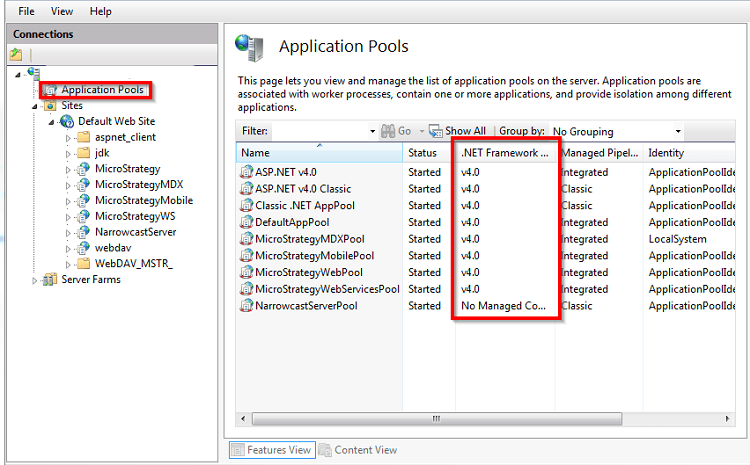
Right-click on StrategyWebPool and select Basic Settings.
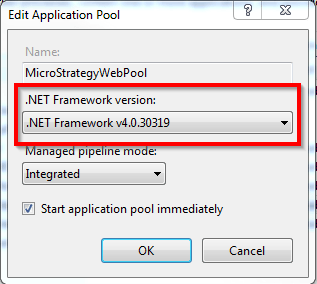
Select the .NET Framwork version and restart IIS to apply the changes.
For information on certified .NET Framework versions refer to the Strategy Web readme file for the Strategy version you are using.
Third Party Software Installation Warning:
The third-party product(s) discussed in this technical note is manufactured by vendors independent of Strategy. Strategy makes no warranty, express, implied or otherwise, regarding this product, including its performance or reliability.
