SYMPTOM:
The metric values returned when running an MDX report in Strategy Developer 9.4.x. are all zero, as shown in the example below:

If switching to the MDX view of the report, one can observe that the MDX statement generated does not have a reference to the metric(s).
CAUSE:
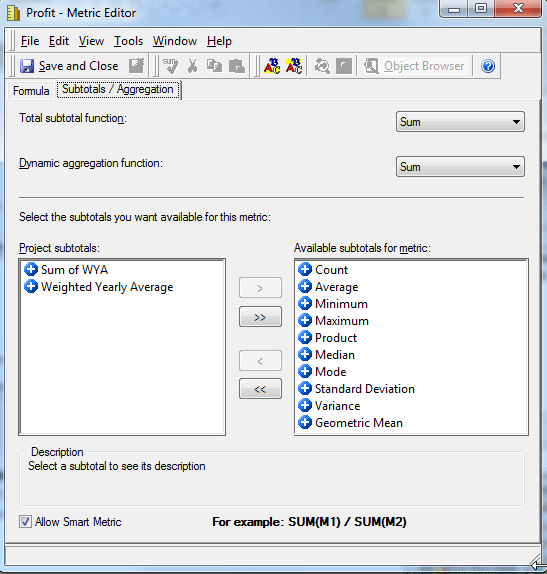
This issue occurs because the "Allow Smart Metric" option has been enabled for the metric. Smart metrics are calculated by the Analytical Engine and therefore will not be included in the MDX statement generated by the MDX engine. When the Analytical Engine tries to calculate the metric value, there is no source data and a null or zero value is returned.
The "Allow Smart Metric" option is greyed out and cannot be enabled when editing the MDX metric through the MDX Cube Catalog. However, it can be enabled when editing the MDX metric at the report level:
ACTION:
The "Allow Smart Metric" option should be disabled in order to retrieve the right results from the source.
This enhancement request has been fixed in Strategy 10.x.
The Strategy Internal Reference for the Enhancement Request discussed in this technical note is 920687.
