Strategy Mobile 9.4.1 iOS Update 2 provides support for running reports and/or Report Services documents which have nested prompts. It is a requirement for this feature for Strategy Mobile Server to be on 9.4.1 HF3. There is no hard-coded restriction on how deep the nested prompts level can be. Currently, only element list and value prompts are supported. Nested object or level prompts are not yet supported.
Additionally, only a simple scenario of using nested prompts within a filter is supported. Shortcut to filter or report as a filter cannot be used within a prompt for the above purposes.
Create a Prompt-in-Prompt for a document:
1. Create a filter with an element list or qualification prompt on an attribute. In this example, the Year attribute is used.
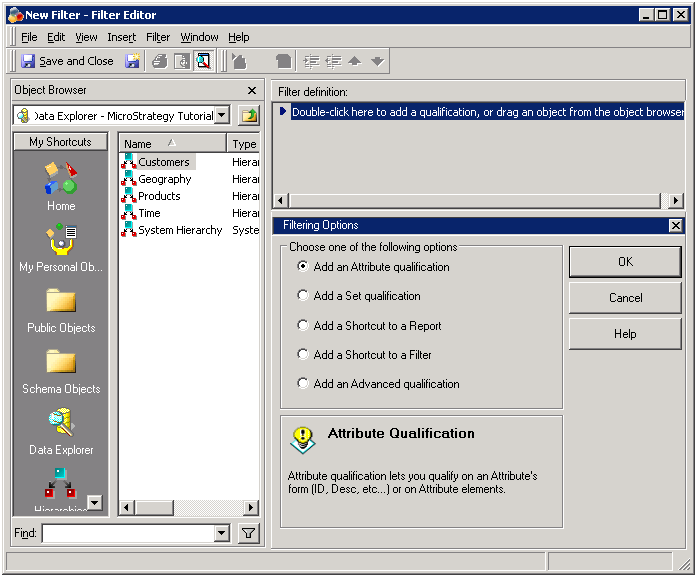
a. In the filter editor, select 'Add an attribute qualification' as shown below.
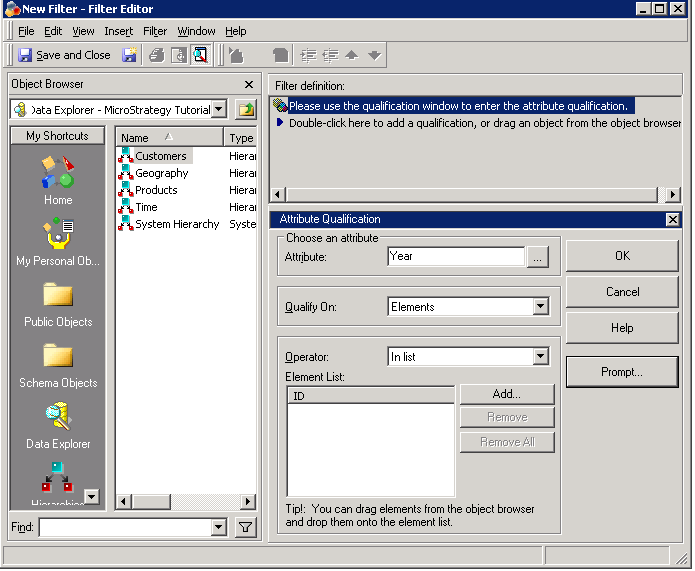
b. Enter 'Year' as the attribute and click 'Prompt' as shown below.
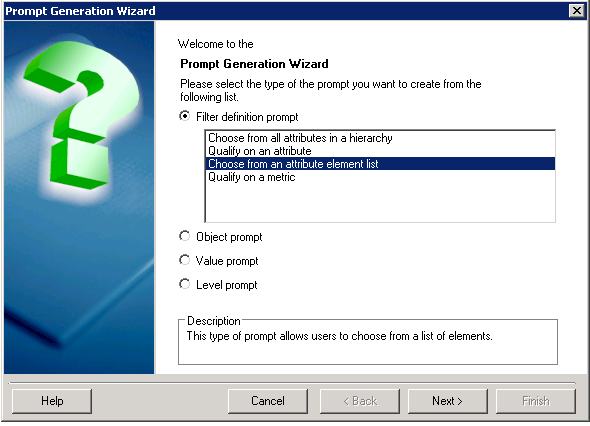
c. The prompt wizard will be launched. Accept all the defaults, only list years 2010 and 2011 and save the prompt and the filter. For this example, the filter will be named Year = 2010, 2011. This prompt is called the inner prompt. It must be answered before its dependent prompt, called the incomplete prompt, is loaded.
2. The second step involves the creation of the incomplete prompt. The incomplete prompt is dependent on the answers of the inner prompt.
a. Launch the prompt editor and choose to create an element list prompt. In this example, the attribute Month is used as shown below.
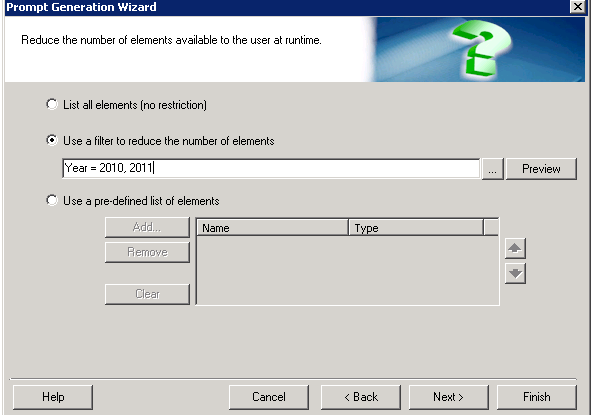
b. Select the second option 'Use a filter to reduce the number of elements' and click on the '...' button to browse for the filter created in Step 1, 'Year = 2010, 2011’
3. Create a new report and add the prompt just created. Include also the Category attribute and Profit Metric in the report template. Once this is done, save the report.
4. Run the report from your Mobile device. In previous versions, this would send an error because this type of prompts was not supported. But beginning with 9.4.1 U2, nested prompts can be answered on Strategy Mobile.
