EducationSoftwareStrategy.com
StrategyCommunity

Knowledge Base

Product

Community

Knowledge Base

TopicsBrowse ArticlesDeveloper Zone

Product

Download SoftwareProduct DocumentationSecurity Hub

Education

Tutorial VideosSolution GalleryEducation courses

Community

GuidelinesGrandmastersEvents
x_social-icon_white.svglinkedin_social-icon_white.svg
Strategy logoCommunity

© Strategy Inc. All Rights Reserved.

LegalTerms of UsePrivacy Policy
  1. Home
  2. Topics

KB47572: How to display dates between a selected date and the first day of the month of the selected date in MicroStrategy


Community Admin

• Strategy


This article describes how to setup a filter to show all dates before a date within a month.

This document introduces how to display dates between a selected date and the first day of the month of the selected date. For example, if 2012-05-10 is chosen in the prompt, then the report should return data between 2012-05-01 and 2012-05-10.
Below is an example which is implemented in Strategy Tutorial project.
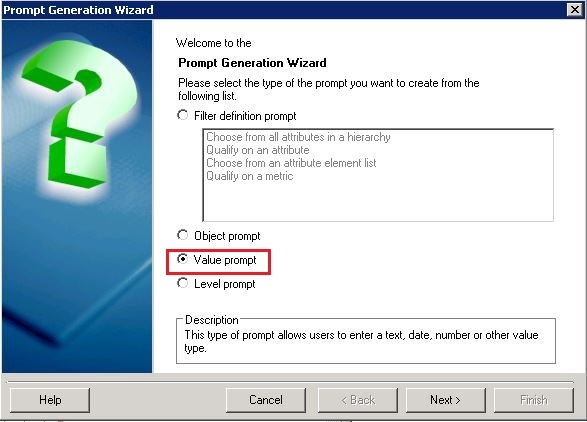
  • Create a value prompt based on Date and Time. Name it as ChooseDate.
ka04W000000OfP8QAK_0EM440000002CJK.jpeg
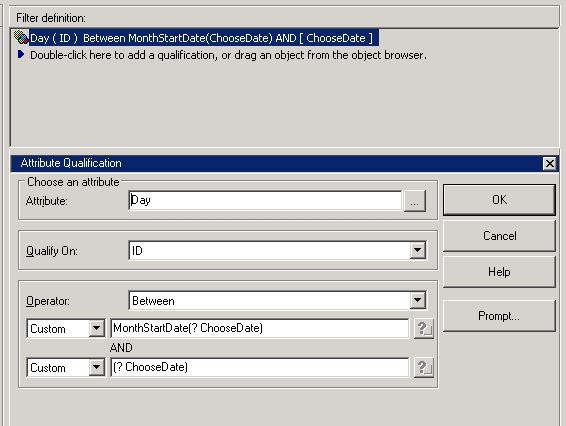
  • Create a filter 'ChooseDateFilter' qualifying on ID of Day with conditions below.
     
    Attribute:Day

    Qualification on: ID

    Operator: Between


    Custom: MonthStartDate(?[ChooseDate])

    and

    Custom: ?[ChooseDate]
     
ka04W000000OfP8QAK_0EM440000002CJd.jpeg
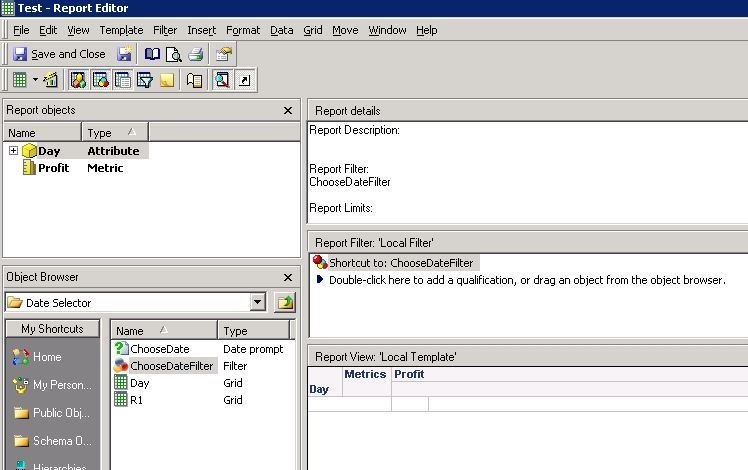
  • Create a report with attribute Day and metric Profit. Add the ChooseDateFilter to report.
     
ka04W000000OfP8QAK_0EM440000002CJL.jpeg
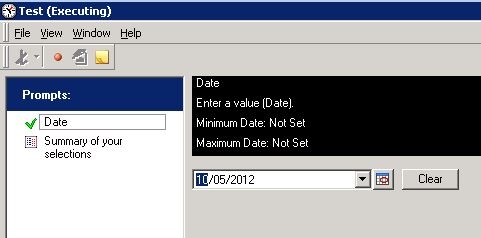
  • Run report. In the Date prompt, select date 10/05/2012. See that the report returns days between 1/05/2012 and 10/05/2012.
     
     
ka04W000000OfP8QAK_0EM440000002CJY.jpeg


Comment

0 comments

Details

Knowledge Article

Published:

May 10, 2017

Last Updated:

May 10, 2017