All tables from all Hive databases at the same Hive database server are listed when adding tables in the selected database instance using Warehouse Catalog. Use below example as a scenario:
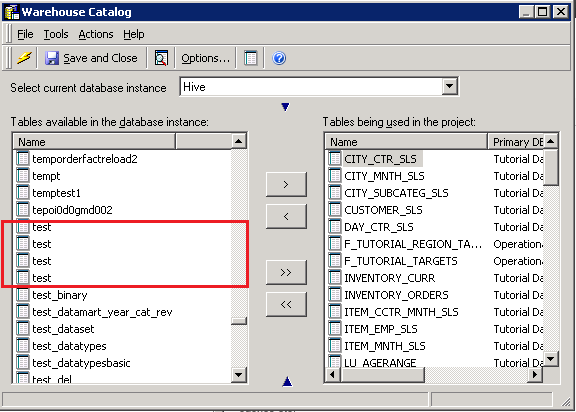
There are four tables named "test" from four different Hive databases. Although the database instance points to one of the Hive databases, it lists all tables from all Hive databases in Warehouse Catalog.
As button "Settings" to customize the SQL statement that query table list in Warehouse Catalog is grayed out, users can try below workaround to distinguish tables from different Hive databases.

To do so, check two options below in Warehouse Catalog Options:
1. Display the name space for each table as shown below:
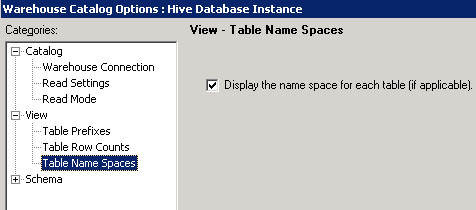
This option can make name space for all tables available in this database instance show up as below:

2. Automatically define prefixed for all the tables that are added to the project -> Set a prefix based on the warehouse table name space or owner (import Prefix), as shown below:
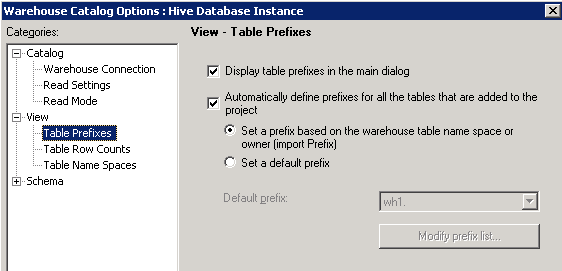
This option can automatically add name space as prefix for each table when it is imported into the project in Warehouse Catalog.
