SYMPTOM:
An "expected execution status 1, received status 2" error is encountered in Command Manager when executing multiple commands together at the same time to alter VLDB settings.
*Note that this issue appears to be intermittent and an error might not always be encountered.
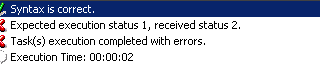
Expected execution status 1, recieved status 2.
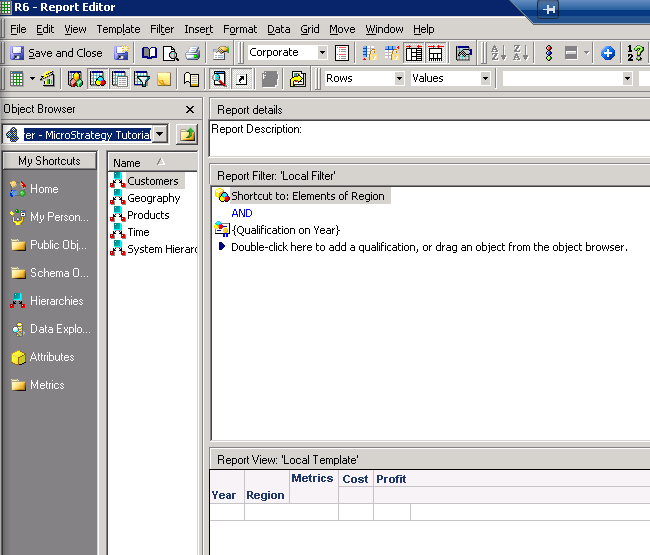
4. Save these reports as R1, R2, R3, etc. in the Public Objects\Reports folder
5. Run each report and answer the prompts. Save each report indicating to save the current answers as the default answers
6. Run the following script in Command Manager several times to reproduce the error (issue is intermittent but should be encountered at least once if run 2-4 times):
ALTER VLDBSETTING PROPERTYNAME 'SQL HINT' DEFAULTVALUE FOR REPORT 'R1' IN FOLDER '\Public Objects\REPORTS' IN PROJECT 'Strategy Tutorial';
ALTER VLDBSETTING PROPERTYNAME 'SQL HINT' DEFAULTVALUE FOR REPORT 'R2' IN FOLDER '\Public Objects\REPORTS' IN PROJECT 'Strategy Tutorial';
ALTER VLDBSETTING PROPERTYNAME 'SQL HINT' DEFAULTVALUE FOR REPORT 'R3' IN FOLDER '\Public Objects\REPORTS' IN PROJECT 'Strategy Tutorial';
ALTER VLDBSETTING PROPERTYNAME 'SQL HINT' DEFAULTVALUE FOR REPORT 'R4' IN FOLDER '\Public Objects\REPORTS' IN PROJECT 'Strategy Tutorial';
ALTER VLDBSETTING PROPERTYNAME 'SQL HINT' DEFAULTVALUE FOR REPORT 'R5' IN FOLDER '\Public Objects\REPORTS' IN PROJECT 'Strategy Tutorial';
ALTER VLDBSETTING PROPERTYNAME 'SQL HINT' DEFAULTVALUE FOR REPORT 'R6' IN FOLDER '\Public Objects\REPORTS' IN PROJECT 'Strategy Tutorial';
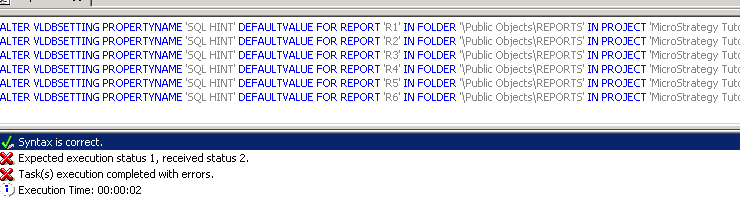
7. If the alter statements are executed individually in Command Manager, note that the error does not appear and the commands run successfully without issue.
CAUSE:
This is a known issue that occurs in Strategy 9.x and 10.x., This issue has been fixed in Strategy 10.8.
The "execution status" typically indicates that something is preventing a report from being saved after changes made to it (such as a prompt not being closed before the save attempt occurs). Notice that when the issue occurs, there will be jobs lingering in the job monitor for the reports indicating that it is "waiting for autoprompt." This is a bug that occurs under specific scenarios where the prompts don't have an answer and Strategy wants to know the prompt answers before editing/saving the reports in Command Manager.
WORKAROUND:
The following can also be used as a temporary workaround:
This issue is being tracked by internal reference number 925177 and DE24818.
