EducationSoftwareStrategy.com
StrategyCommunity

Knowledge Base

Product

Community

Knowledge Base

TopicsBrowse ArticlesDeveloper Zone

Product

Download SoftwareProduct DocumentationSecurity Hub

Education

Tutorial VideosSolution GalleryEducation courses

Community

GuidelinesGrandmastersEvents
x_social-icon_white.svglinkedin_social-icon_white.svg
Strategy logoCommunity

© Strategy Inc. All Rights Reserved.

LegalTerms of UsePrivacy Policy
  1. Home
  2. Topics

KB47772: "Invalid procedure call or argument" error message appears when trying to view the properties of a metric object prompt from report template in MicroStrategy Desktop 9.2.x-9.4.x.


Stefan Zepeda

Salesforce Solutions Architect • Strategy


SYMPTOM:
 
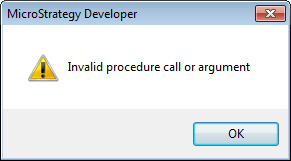
When trying to view the properties of a metric object prompt from report template the following error message is shown: 
ka02R000000kW6rQAE_0EM440000002CHx.png


Invalid procedure call or argument

 
STEPS TO REPRODUCE:
 
The following steps can be used to reproduce this issue in Strategy Developer 9.X

  • Create an object prompt with metrics Revenue, Cost, and Profit
ka02R000000kW6rQAE_0EM440000002CHr.png
  • Create a new report and place this object prompt onto the template and right click on it to go to Properties.
ka02R000000kW6rQAE_0EM440000002CHu.png
  • Error message received.
ka02R000000kW6rQAE_0EM440000002CHt.png

 
CAUSE:
 
This is a known issue with Strategy Deveoper 9.x
 
ACTION:
 
Contact Strategy Technical Support team for an update on this issue
 
WORKAROUND:
 
View properties of the object prompt from either the report objects window or from Desktop/Developer.


Comment

0 comments

Details

Knowledge Article

Published:

May 5, 2017

Last Updated:

May 5, 2017