EducationSoftwareStrategy.com
StrategyCommunity

Knowledge Base

Product

Community

Knowledge Base

TopicsBrowse ArticlesDeveloper Zone

Product

Download SoftwareProduct DocumentationSecurity Hub

Education

Tutorial VideosSolution GalleryEducation courses

Community

GuidelinesGrandmastersEvents
x_social-icon_white.svglinkedin_social-icon_white.svg
Strategy logoCommunity

© Strategy Inc. All Rights Reserved.

LegalTerms of UsePrivacy Policy
  1. Home
  2. Topics

KB47776: Custom formatting does not reflect in dual axis graph when applied to a particular metric in grid mode in MicroStrategy 9.4.x - 10.x


Stefan Zepeda

Salesforce Solutions Architect • Strategy


Applying custom formatting to a particular metric works correctly in grid mode but does not reflect in dual axis bar graph in MicroStrategy 9.4.x - 10.x

SYMPTOM:
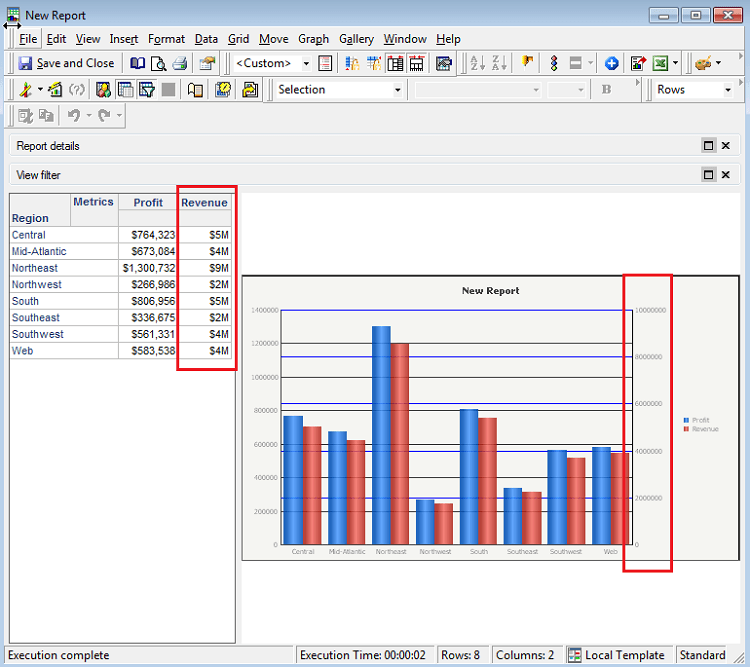
Applying custom formatting to a particular metric works correctly in grid mode but does not reflect in dual axis bar graph in Strategy 9.4.x - 10.x.  When only applying conditional formatting to certain metrics but not all metrics, formatting is not automatically carried over to the graph even though setting is configured to inherit formatting from the grid.
 
STEPS TO REPRODUCE:
The following steps can be used to reproduce this issue in Strategy Developer:
ka02R000000kcMfQAI_0EM440000002CI5.png
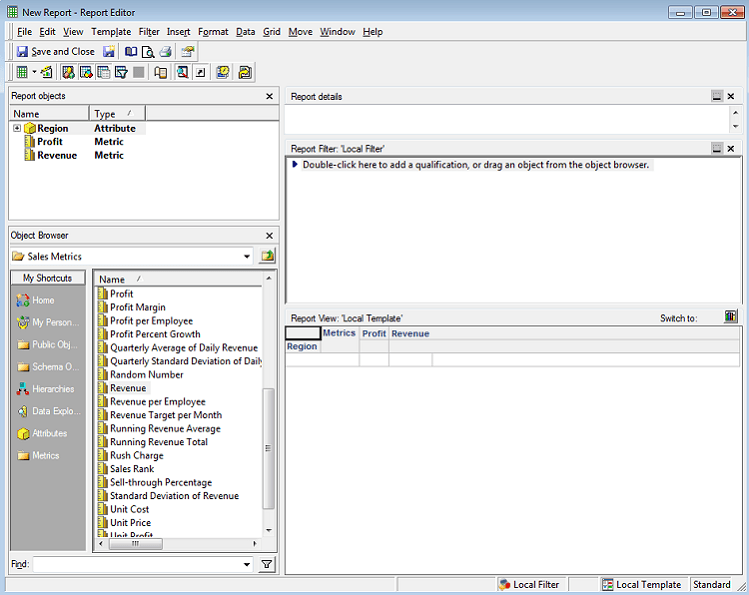
  • Create a report with Region in rows and metrics Profit and Revenue in the columns.
ka02R000000kcMfQAI_0EM440000002CIE.png
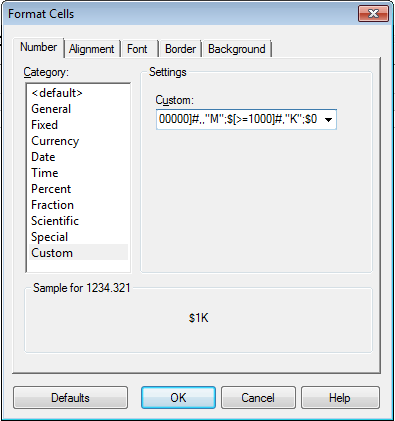
  • Apply custom formatting "$#,,"M";$#,"K";$0" to the Revenue metric only.
  • Run the report in grid-graph view and select dual axis clustered bar graph and see that the custom formatting is retained in the grid mode but not in the graph.
ka02R000000kcMfQAI_0EM440000002CI6.png

  
CAUSE:
This is a known issue in Strategy Developer 9.4.x - 10.x..
 
ACTION:
Strategy will continue to investigate and post updates as soon as they are available.
 
WORKAROUND:
In order to have the custom formatting hold, the formatting needs to be applied to all metric values.
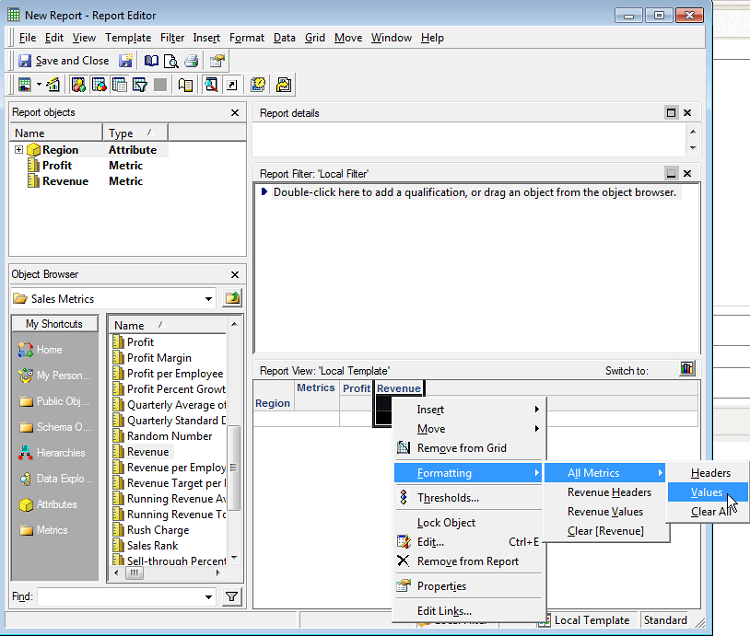
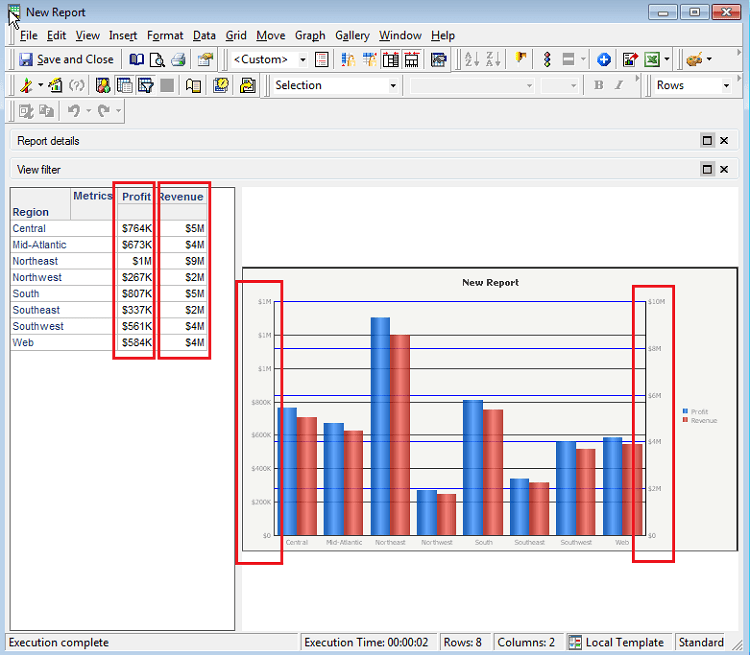
  • Apply conditional formatting to all metric values on the report.
ka02R000000kcMfQAI_0EM440000002CIH.png
  • Both axis display with correct formatting.
ka02R000000kcMfQAI_0EM440000002CIG.png


Comment

0 comments

Details

Knowledge Article

Published:

May 5, 2017

Last Updated:

May 5, 2017