SYMPTOM
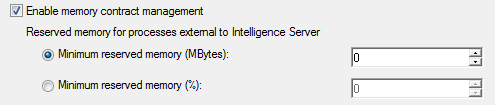
When the user tries to modify the Minimum reserved memory (MBytes) for processes external to the Intelligence Server in the Intelligence Server Configuration, the change does not take effect and the setting reverts back to 0.
STEPS TO REPRODUCE
1. Right click a 3-tier project source and select Configure Strategy Intelligence Server

2. Select Governing Rules > Memory Settings

3. Change the Minimum reserved memory (MBytes) for processes external to Intelligence Server to 2048 and select OK
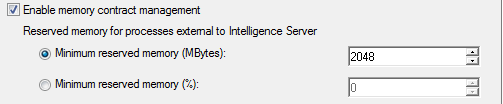
4. If you open the Intelligence Server configuration again, the Minimum reserved memory (MBytes) setting has reverted back to 0.
CAUSE
This is a known issue in Strategy 9.4.1
WORKAROUND
This issue only occurs for specific values of the Minimum reserved memory (MBytes) setting. If the user selects 2047, the setting will not revert back to 0.
ACTION
This issue has been fixed in Strategy 9.4.1 Hotfix 2. Please upgrade to Strategy 9.4.1 Hotfix 2 to take advantage of this fix.
