Assuming that users want to create a filter that returns information about a date, that lies between two date attributes: Effective Date and Term Date.
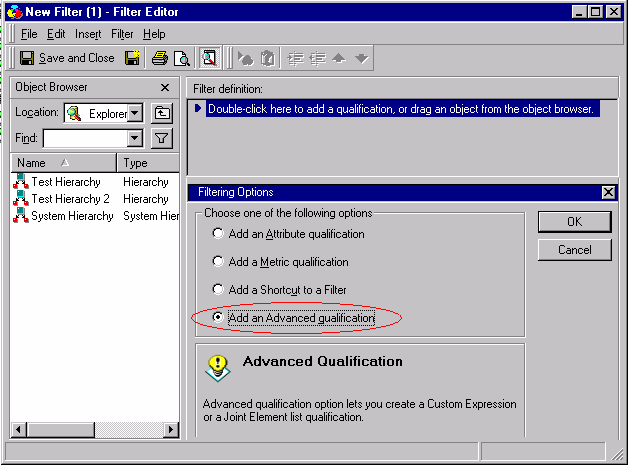
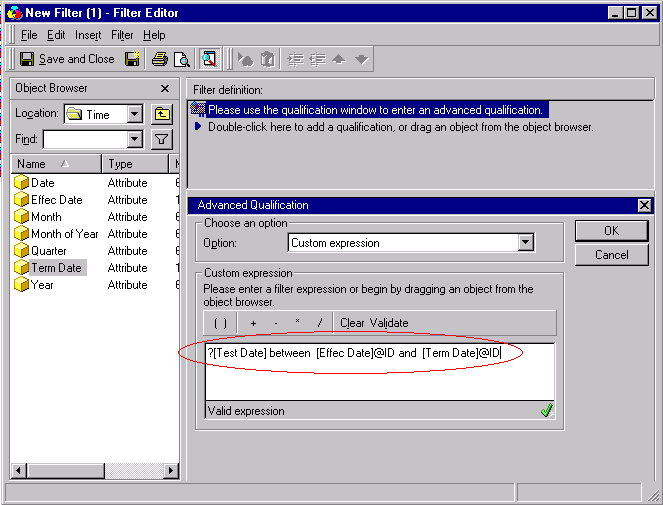
However, when the report is executed, the following error is returned:
" Engine Logic: Failed to generate SQL - please check dimensionality in metric definition]"
This occurs because the engine expects an attribute to be in place of the prompt.
With the SQL parser on, an error is received because it is not following the SQL parser rules. Therefore, users must use the ApplyComparison function to ignore the SQL parser as shown below:
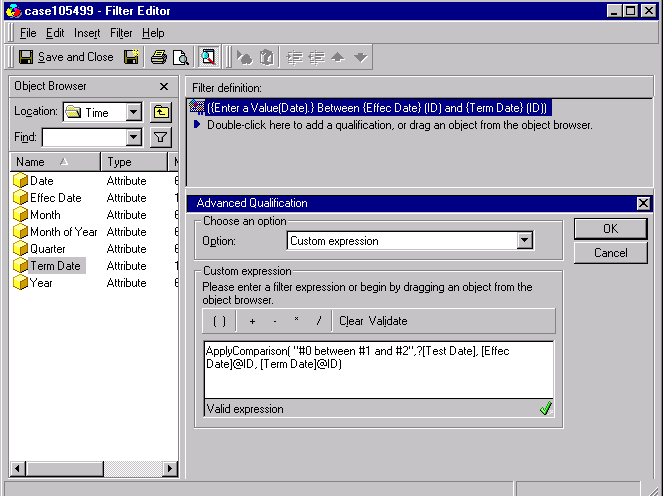
NOTE: KB5700-007-0107 describes the ApplyComparison function in detail as well as other functions that bypass the SQL parser in Strategy Desktop.
