SYMPTOM:
In Strategy Web 9.4.1, as long as a user is granted the privilege "Web save to My Reports", they should be able to see the "My Reports" button in their home screen, as seen below:
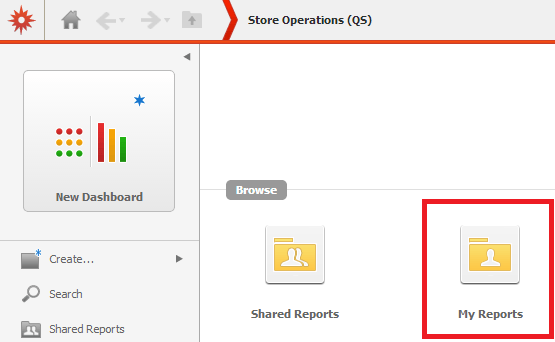
However, the user may experience a situation where they are unable to access My Reports even though they have the "Web save to My Reports" privilege.
CAUSE:
This situation typically occurs for newly created users, and the root cause is that the new user's Profile folder has not yet been created. When Strategy Web does not detect a Profile folder, it automatically disables access "My Reports". Normally, Profile folder creation is an automated process, but it can be disabled or enabled manually via the option described in the ACTION section below.
ACTION:
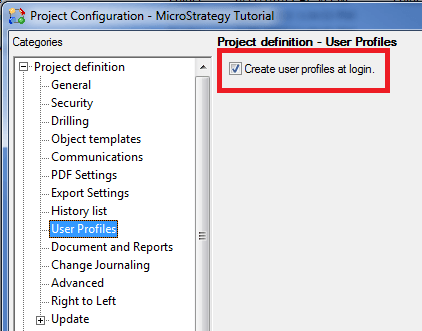
In Strategy Developer 9.4.1, navigate the project with the issue, then right-click and select Project Configuration. Go to User Profile and ensure that the "Create user profiles at login" option is enabled, as seen below:
Then, at the user's next login, they should be able to access "My Reports" as expected.
