Question:
How can I access the VLDB properties of a Database Instance at the project level in the Strategy Cloud Environment?
Answer:
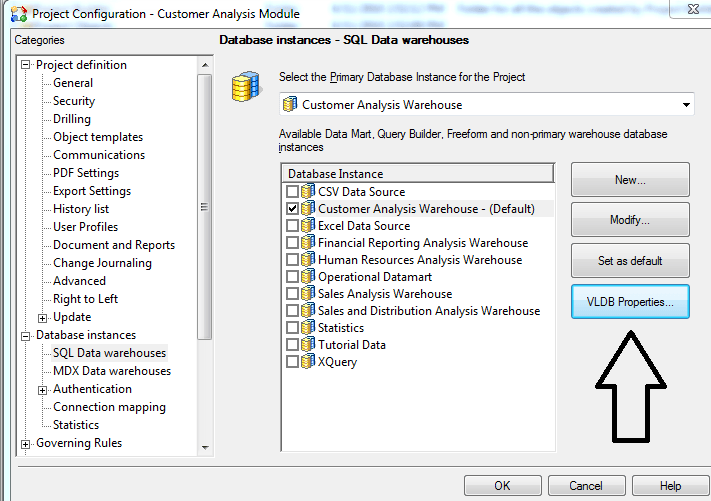
To access the VLDB properties editor at the project level in the Strategy Cloud Environment, please use either a Desktop Designer or Architect user account to connect to Strategy Developer. As these accounts do not have access to "Configuration Managers" in the Administration tab, the only way to view the VLDB properties is via project configuration. Please right-click a project>Project Configuration>Database Instances>VLDB Properties (for the appropriate database instance) to access the VLDB properties editor. Please refer to the following screenshot:
*Note: If you try accessing the VLDB properties of a Database Instance at the project level using either a customer "CXXX Admin" or the project admin account, you will notice that the "VLDB Properties" button will be grayed out both in project configuration and configuration managers>database instance. This is because these accounts do not have the permission to use the VLDB Property Editor. Please refer to following screenshot:

