SYMPTOM:
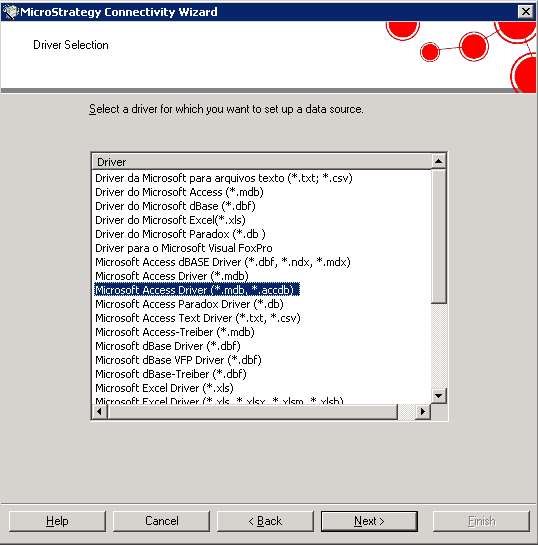
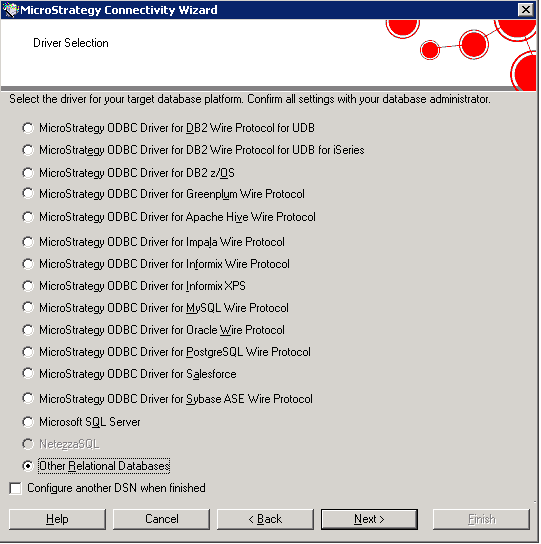
A user wants to create a DSN for an .accdb Microsoft Access data source. In order to do so, the Strategy Connectivity Wizard is opened and "Other Relational Databases" option is selected:
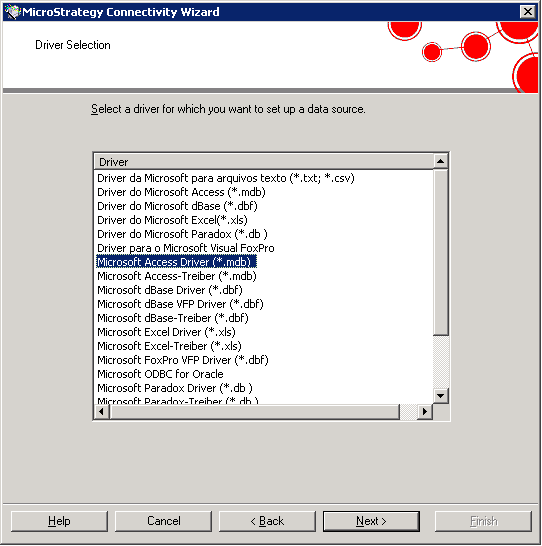
However, at this point, the Microsoft Access driver for .accdb data sources is not present in the list:
CAUSE:
When selecting "Other Relational Databases" option in Strategy Connectivity Wizard, the resulting list is generated by reading the drivers available in the local Operating System.
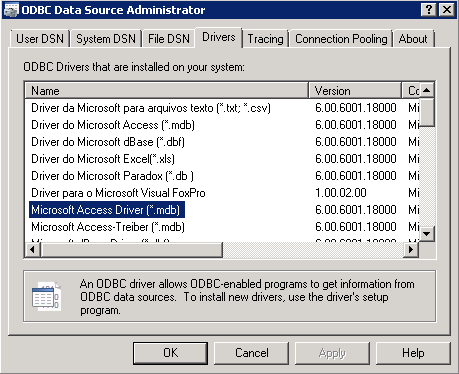
In Windows, users can also find them by selecting the "Drivers" tab in the ODBC Data Source Administrator (in a 64-bit Windows machine, this is usually located at C:\Windows\SysWOW64\odbcad32.exe):
Strategy does not provide such ODBC drivers.
ACTION:
Users need to install the 32-bit Microsoft Access Driver (e.g. from the Microsoft Download Center: http://www.microsoft.com/en-us/download/confirmation.aspx?id=23734) in order to be able to see it in the list: