EducationSoftwareStrategy.com
StrategyCommunity

Knowledge Base

Product

Community

Knowledge Base

TopicsBrowse ArticlesDeveloper Zone

Product

Download SoftwareProduct DocumentationSecurity Hub

Education

Tutorial VideosSolution GalleryEducation courses

Community

GuidelinesGrandmastersEvents
x_social-icon_white.svglinkedin_social-icon_white.svg
Strategy logoCommunity

© Strategy Inc. All Rights Reserved.

LegalTerms of UsePrivacy Policy
  1. Home
  2. Topics

KB48030: Font change is not applied to the graph in MicroStrategy 9.x when Intelligence Server is on Linux.


Stefan Zepeda

Salesforce Solutions Architect • Strategy


When Intelligence Server is running on Linux, after changing the font on both grid and graph from default font to a different font, the change applies to text and grid but not on a graph.

SYMPTOM:
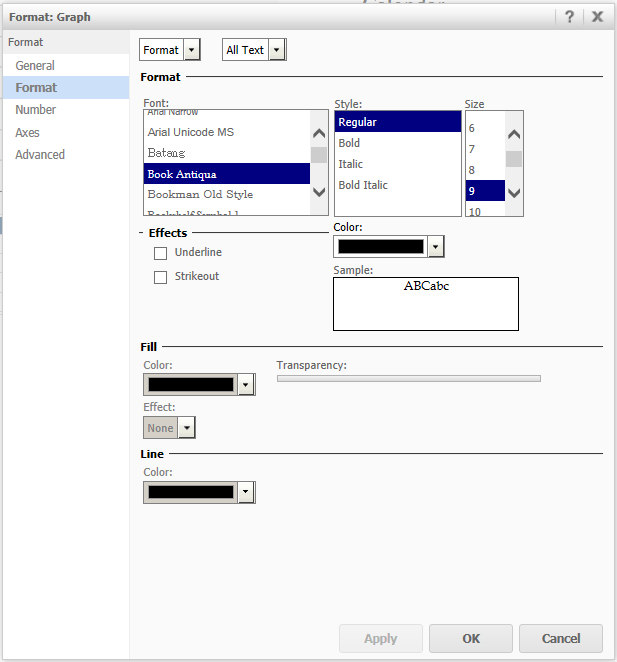
When Intelligence Server is running on Linux, after changing the font on both grid and graph from default font to a different font, for example, "Book Antiqua" in this case, the change applies to text and grid, but not on a graph.
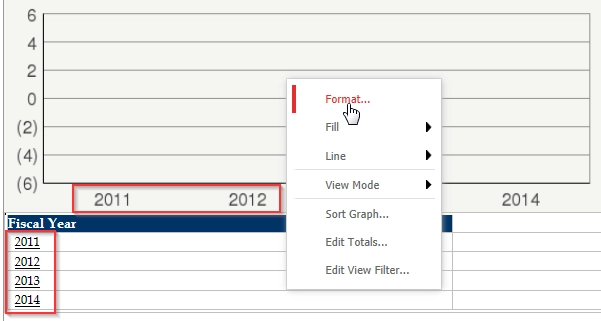
 

ka02R000000kV9uQAE_0EM440000002CGv.png


ka02R000000kV9uQAE_0EM440000002CGu.png

 
Note that the font shows fine if run the document in flash mode.
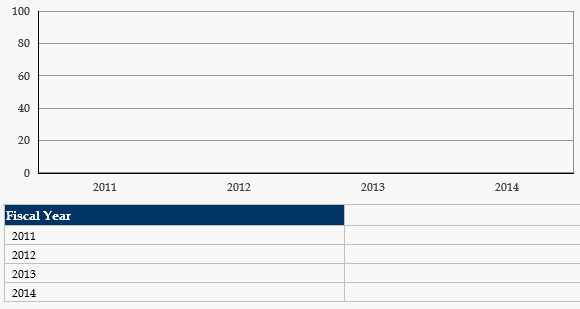
 

ka02R000000kV9uQAE_0EM440000002CGr.png

 
CAUSE:
When Intelligence Server runs on Linux, the font needs to be installed on the server machine in order to show it correctly on the graph.
 
ACTION:
Refer the following technote and install the font on the server machine. After installing the font, graph font will show correctly in all the modes.
 
KB41194: How to install and use fonts for Reports/Documents/Dashboards for the Export Engine to PDF with Strategy Intelligence Server Universal 9.x-10.x on Unix/Linux
KB040730: How to install and use fonts for the Export Engine with Strategy Intelligence Server Universal 9.x-10.5 on Unix/Linux


Comment

0 comments

Details

Knowledge Article

Published:

May 25, 2017

Last Updated:

November 8, 2018