When creating the Platform Analytics project in Strategy 2019, some users may encounter a scenario in which the project fails to create, giving the error “Error occurred while searching project” in Strategy Configuration Wizard. The screenshot below is is an example:
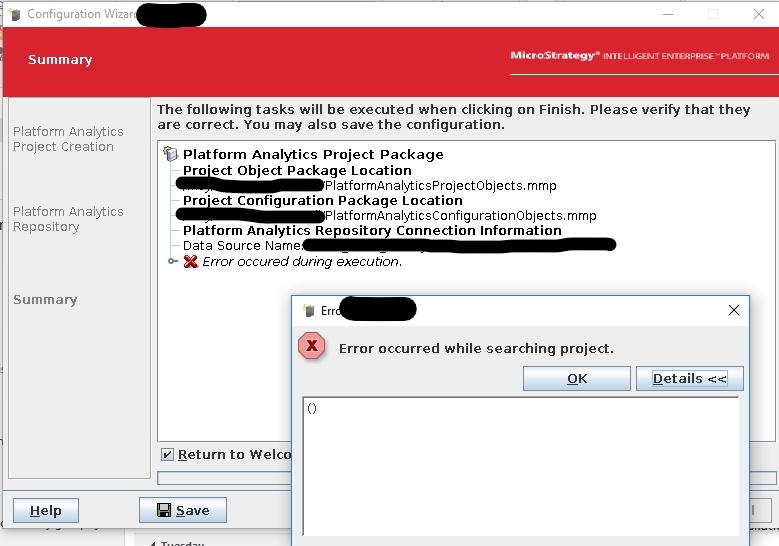
When experiencing this error, click OK on the error message, click Cancel in Configuration Wizard, and go back to the Configuration Wizard home page. Select Create Platform Analytics Project again. After the administrator credentials have been provided, a warning will appear stating that an existing Platform Analytics project exists, and it will be overwritten. See the warning message below:
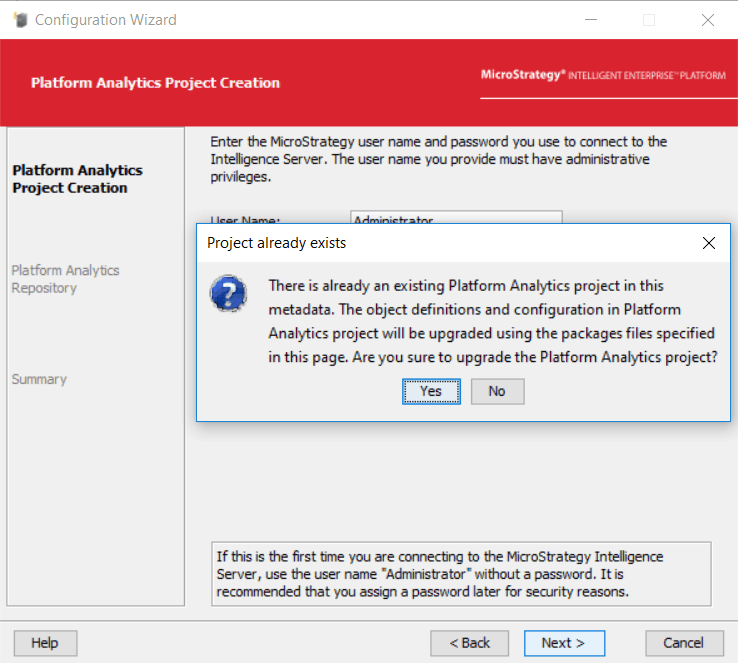
Click Yes and continue with the rest of the Platform Analytics Project Creation. The project creation should now successfully complete.
