EducationSoftwareStrategy.com
StrategyCommunity

Knowledge Base

Product

Community

Knowledge Base

TopicsBrowse ArticlesDeveloper Zone

Product

Download SoftwareProduct DocumentationSecurity Hub

Education

Tutorial VideosSolution GalleryEducation courses

Community

GuidelinesGrandmastersEvents
x_social-icon_white.svglinkedin_social-icon_white.svg
Strategy logoCommunity

© Strategy Inc. All Rights Reserved.

LegalTerms of UsePrivacy Policy
  1. Home
  2. Topics

KB483148: Deploy Button Is Missing on the Community Connectors Page


Zhen Yao

Software Engineer, Senior • MicroStrategy


This article explains a common error occurring when using Community Connectors.

Description

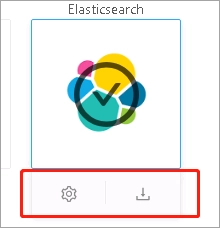
Users are unable to see the Deploy button for Community Connectors under Deploy Community Connectors.
ka02R000000g19IQAQ_0EM2R000000gofv.jpeg

Why is this happening?

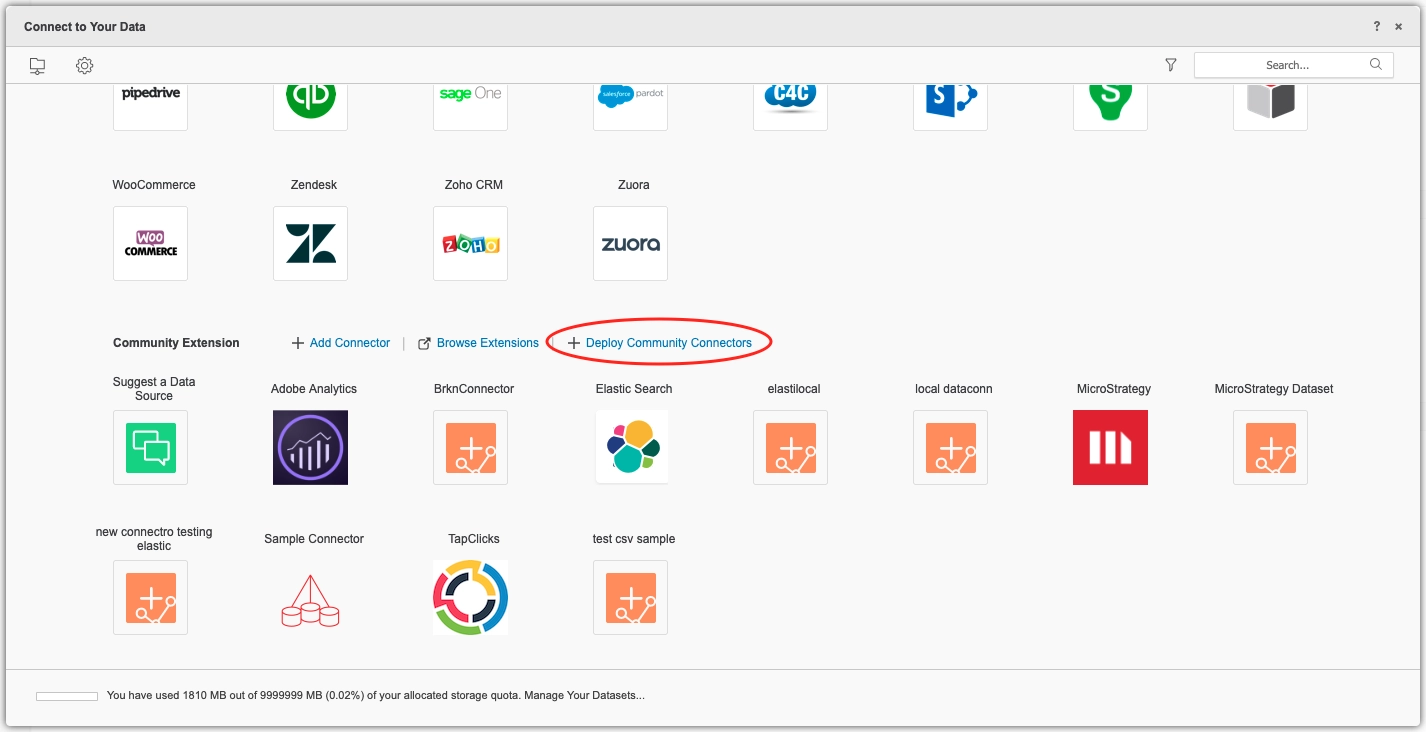
The Strategy Community Connectors page enables you to configure parameters of these connectors and deploy them on a Strategy server. When accessing this page from Strategy Web, a webUrl is set into browser cookies and Community Connectors checks the value to decide whether to expose the Deploy button. If the button does not appear, it is usually because users are not accessing the Community Connectors page through Strategy Web. This issue may also occur if the SSL settings of the two web servers are not aligned.
Solution

  • Access the Strategy Community Connectors page from Strategy Web.
ka02R000000g19IQAQ_0EM2R000000lcCt.jpeg
  • Make sure that both Strategy Community Connectors and Strategy Web have SSL enabled or disabled. If you access Strategy Web through an http connection, then the link to Community Connectors is in Strategy Web under Preferences > Project Defaults. If Strategy Web is configured to use an https connection, the link for Community Connectors should also start with https.
    Once you configure Community Connectors correctly, the Deploy button appears.
ka02R000000g19IQAQ_0EM2R000000lcD3.jpeg

Related


Strategy Community Data Connectors in MicroStrategy Web Online Help and MicroStrategy Web Administration Online Help


Comment

0 comments

Details

Knowledge Article

Published:

April 11, 2019

Last Updated:

August 9, 2019