Starting with the release of Strategy ONE (March 2024), dossiers are also known as dashboards.
The dossier uses Element Group
The dossier uses a Derived Metric that is explicitly defined to be sorted by the Element Groups
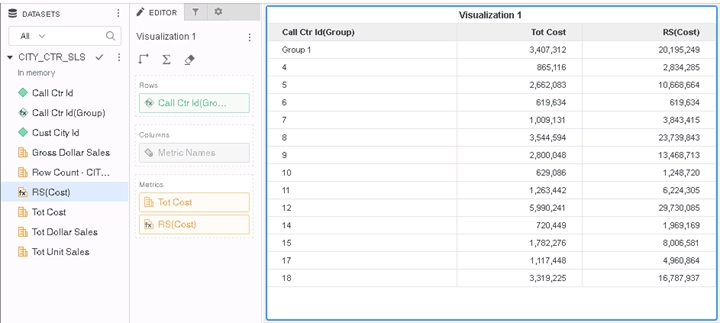
The Derived Metric is not calculated correctly
Element Group
Derived Metric
RunningSum
This case is built upon Tutorial project.
1. Create a New Dossier. Add External Data. Choose Databases. Import “CITY_CTR_SLS” Table from the Tutorial warehouse.
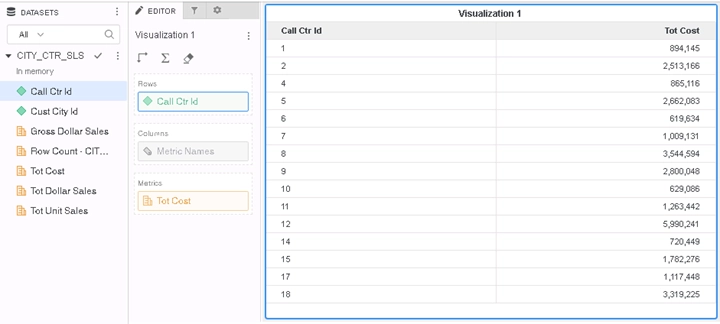
2. Create a new Visualization and put “Call Ctr Id” and “Tot Cost” to the grid.
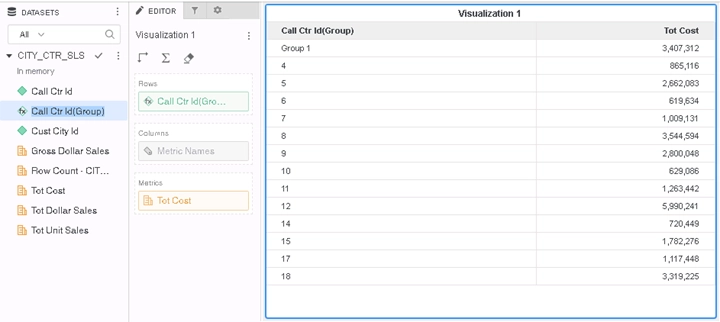
3. Select 1 and 2 from “Call Ctr Id”, right click and select “Group”, and leave the default name “Group 1”. This will create a new attribute derived from “Call Ctr Id”, called “Call Ctr Id(Group)”, and automatically replace “Call Ctr Id” in the grid.
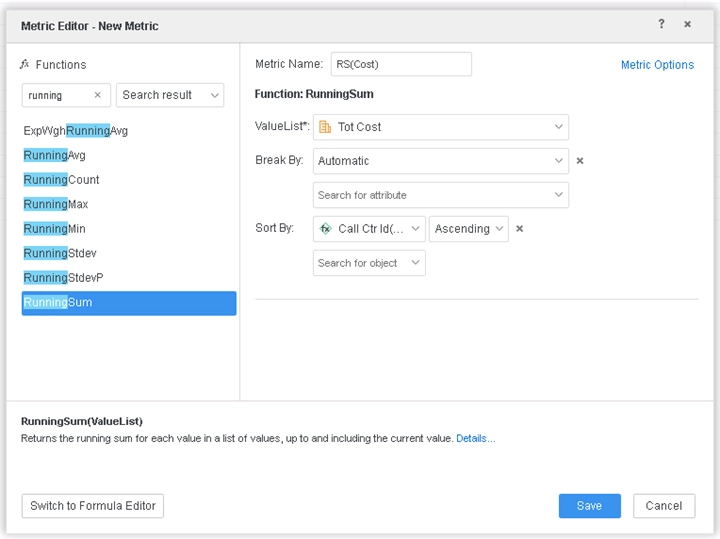
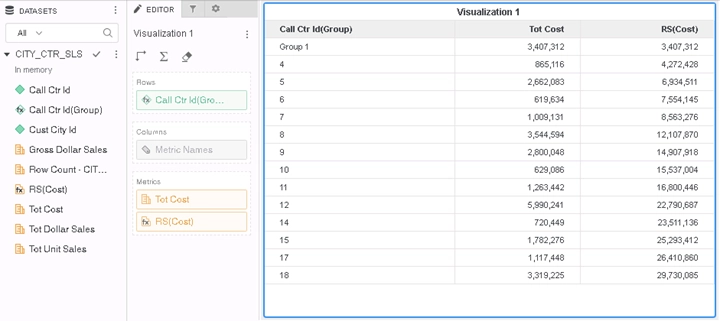
4. Right click “Tot Cost” to create a new Metric RS(Cost). Choose RunningSum from the Functions, ValueList should show “Tot Cost”, and set Sort By to be “Call Ctr Id(Group)” Ascending. The issue is only reproduced in the grid when Sort By is explicitly set to the Element Groups. Save and add to the grid.
5. RunningSum should add the current value to the preceding values, but as shown below, the results are incorrect.
This is a known defect before Strategy 11.0.
The cause of this issue is that for Metric sort by Element Group uses a different logic than sort by normal attributes. The Engine has been optimized to use the correct logic.
To resolve this defect, upgrade to Strategy 11.0 or above. In the new fix, Element Group is handled correctly in the Metric Sort by. As a result, the Metric is now calculated correctly.
When upgrading to Strategy 11.0 or above, enable the project level setting Data Engine Version to 11. This property can only be enabled through Workstation. For more details on enabling the setting, see Change Data Engine Version.
After the fix is applied, Metrics will be calculated correctly as below.
Strategy Internal Reference number for this technical note is KB483223 and DE104578.
