EducationSoftwareStrategy.com
StrategyCommunity

Knowledge Base

Product

Community

Knowledge Base

TopicsBrowse ArticlesDeveloper Zone

Product

Download SoftwareProduct DocumentationSecurity Hub

Education

Tutorial VideosSolution GalleryEducation courses

Community

GuidelinesGrandmastersEvents
x_social-icon_white.svglinkedin_social-icon_white.svg
Strategy logoCommunity

© Strategy Inc. All Rights Reserved.

LegalTerms of UsePrivacy Policy
  1. Home
  2. Topics

KB483231: Dossier execution suspended after adding a Security Filter


Community Admin

• Strategy


In MicroStrategy 10.11, incorrect logic causes a dossier viewed by a user with a security filter to never finish executing. An infinite loop causes the system to run out-of-memory.

Starting with the release of Strategy ONE (March 2024), dossiers are also known as dashboards.

Symptoms

  • Dashboard or dossier never finishes executing or never loads
  • User who executed dashboard has a security filter applied.
    • E.g. Dataset used in dashboard has security filter that prevents user from seeing some data.
  • Dashboard uses attribute groups or derived attributes.
    • The attribute is related to the security filter, eg. in the same hierarchy.
  • Administrator can run dashboard fine.

Glossary

  • Security filter - object that is assigned to users or groups to limit the result set when users execute reports or browse elements; controls what users see
  • Attribute groups  - user-defined grouping of attribute elements
    • Ex. We can group April and May under an element called Spring.
  • Derived attributes - attribute created from calculations on an existing attribute
    • Ex. We can combine First Name and Last Name to create Full Name.
  • Hierarchy - specifies the relationship between attribute objects

Steps to Reproduce


Prerequisites:

  • Configured Strategy Library server (you can open a dossier in Library)
  • Strategy Workstation
  • Administrative access
  • Log into Strategy Web or Strategy Workstation with an administrator-level user.
  • Create a dataset DS1.
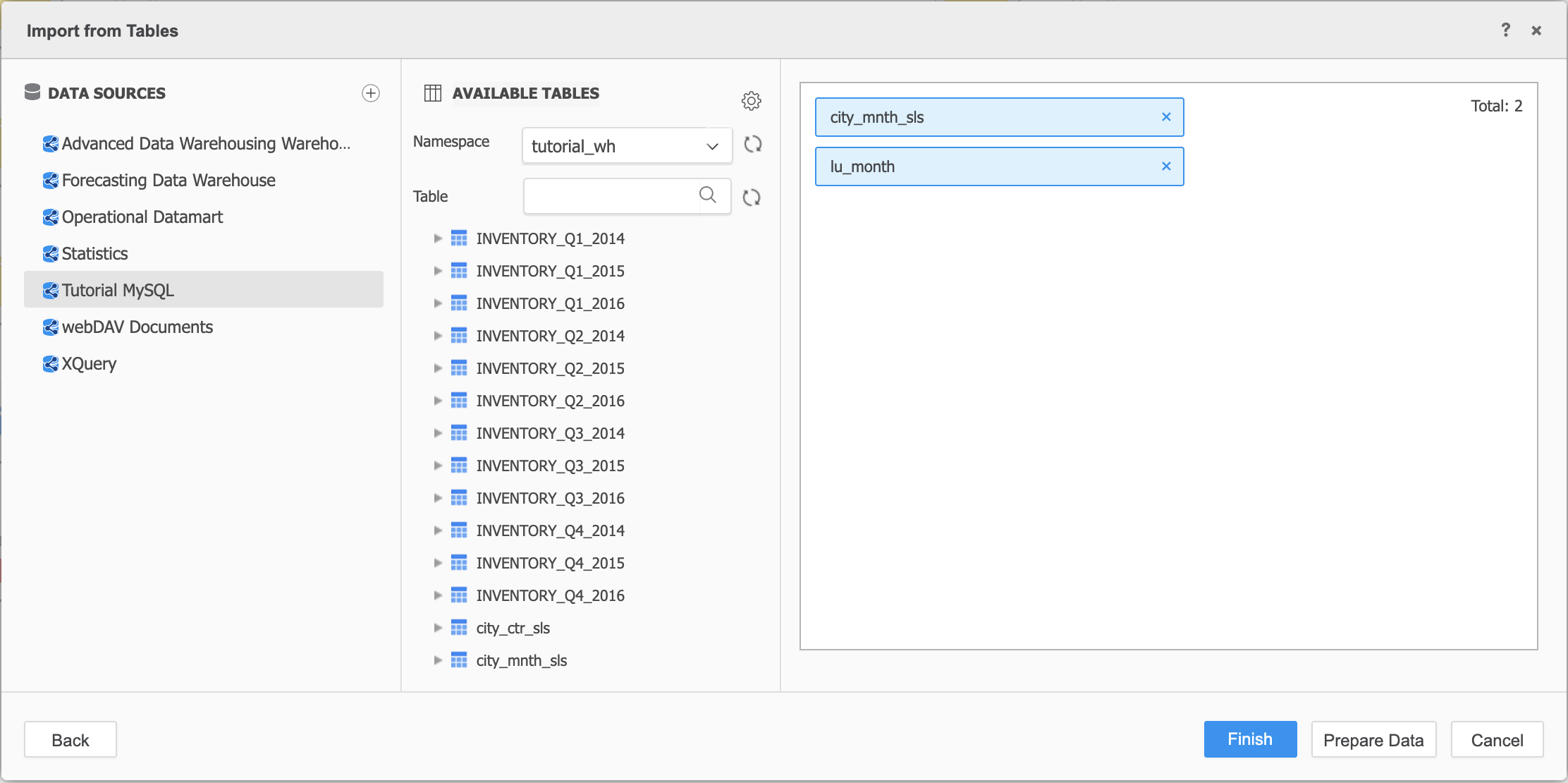
    • Select tables (city_mnth_sls, lu_month) for DS1
ka0PW0000001JXKYA2_0EM2R000000hO4R.jpeg
  • Create a dataset DS2.
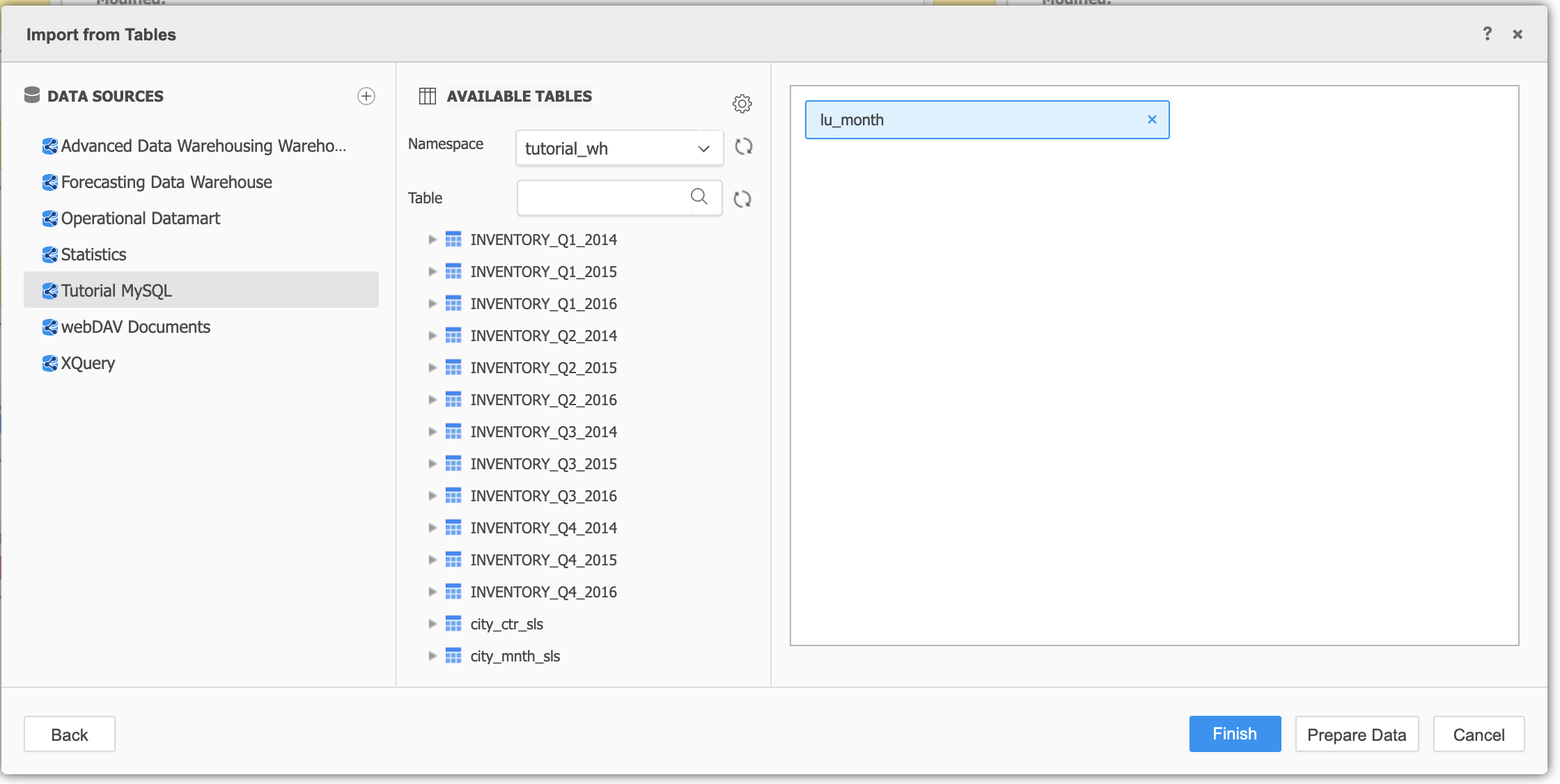
    • Select tables (lu_month) for DS2
ka0PW0000001JXKYA2_0EM2R000000hO4W.jpeg
  • Open Workstation and connect to your environment using your Strategy Library link (e.g. It looks like https://your-environment-name.Strategy.com/MicroStrategyLibrary/). 
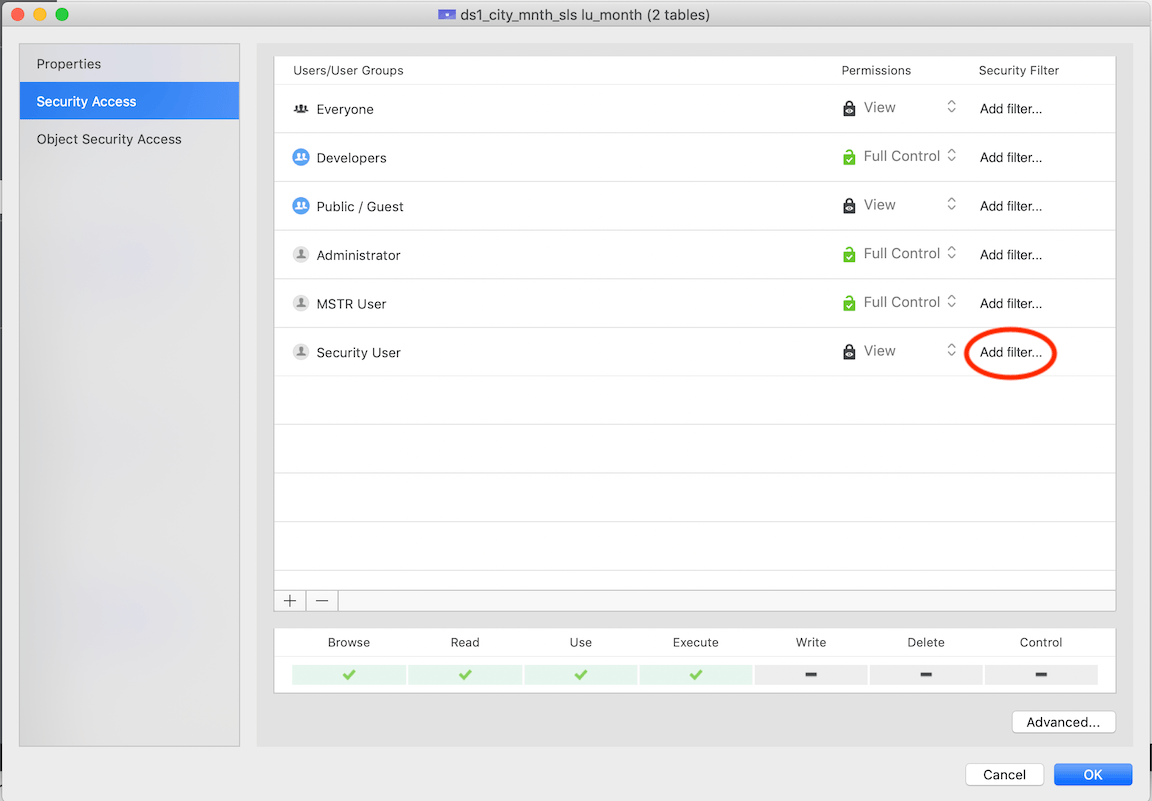
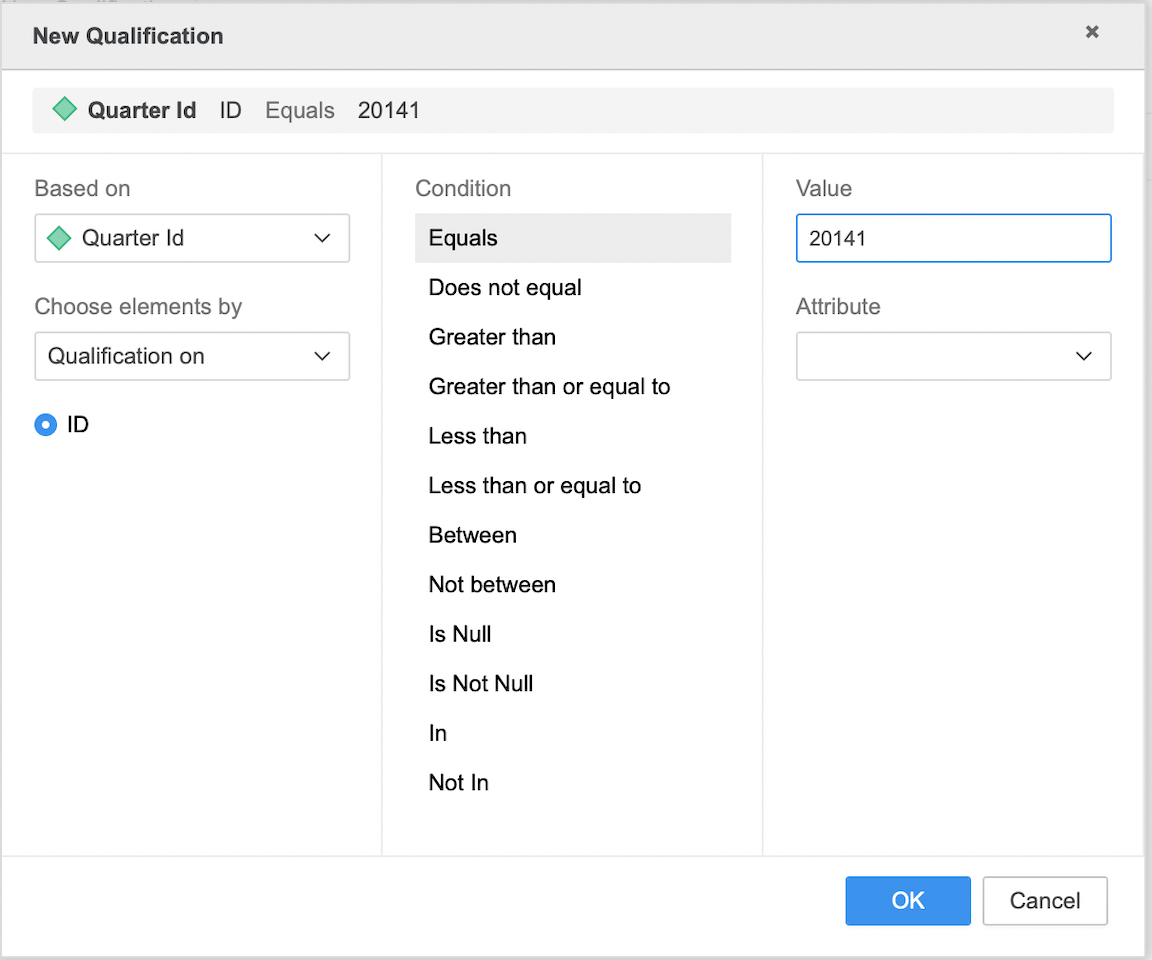
  • Create a security filter with Quarter Id = 20141 on the first dataset DS1 for another user. We chose "SecurityUser" from the pre-created users loaded with Strategy.
    • We chose Quarter Id  as it is in the same hierarchy as Month Id, the common attribute between DS1 and DS2.
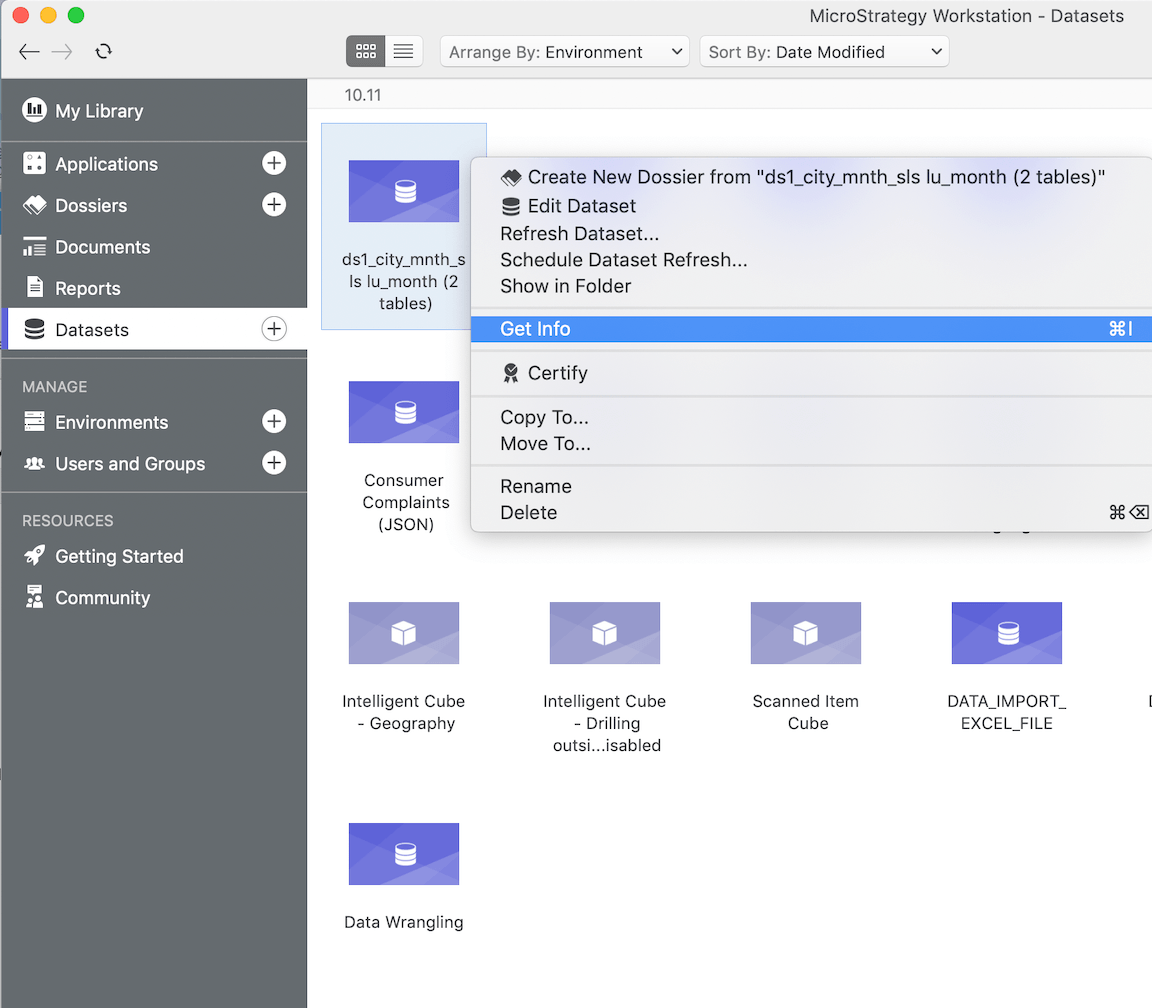
    • Right-click DS1 and follow the screenshots to create a security filter.
ka0PW0000001JXKYA2_0EM2R000000hO5F.jpeg
ka0PW0000001JXKYA2_0EM2R000000hO9H.jpeg
ka0PW0000001JXKYA2_0EM2R000000hO5P.jpeg
      • See How to Create a Security Filter on a Dataset for more information.
  • Create a new dossier and import the two created datasets.
    • Link Month Id in both datasets to each other.
      • Right-click Month Id under DS1, and click "Link to Other Dataset..."
      • Choose Month Id from DS2.
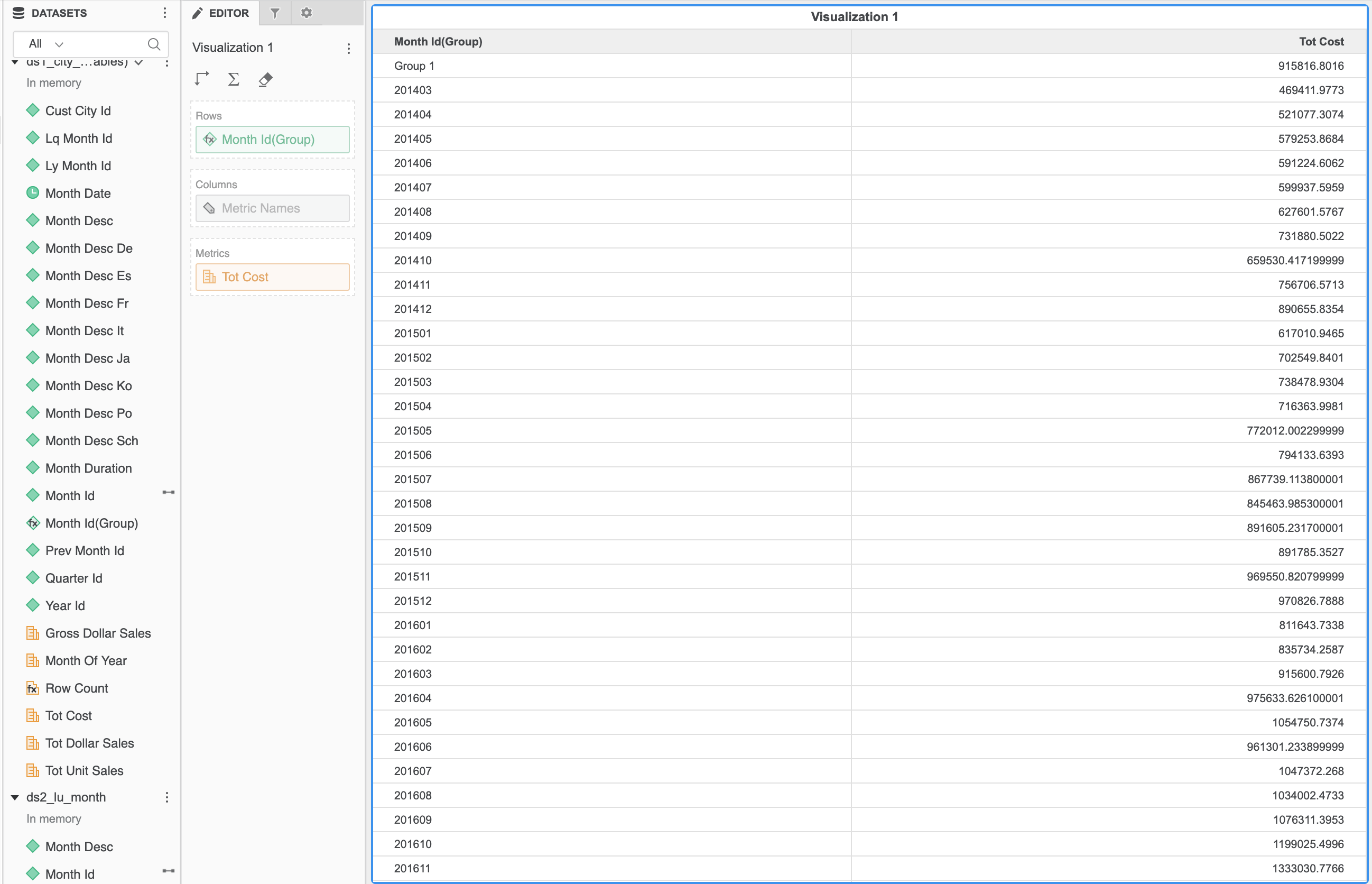
    • Add Month Id from DS2 and Tot Cost from DS1 to a grid visualization.
    • Select any two elements under Month Id, right-click, and click "Group".
    • At this point, the dossier should look like this:
ka0PW0000001JXKYA2_0EM2R000000hO5t.jpeg
    • Save the dossier.
  • Log out of your environment, and log back in as the other user.
  • Run the newly created dossier.
  • Observer that the dossier never loads and remains on the execution progress screen.

Cause

This is a known issue in Strategy 10.11. It may apply to earlier versions as well.

  • Combination of security filter and derived attributes exposes incorrect server logic and causes infinite calculations to occur.
    • Dossier never finishes executing before running out-of-memory.

Solution

  • Upgrade to Strategy 11.0 or above. We recommend the latest version.


In the new fix, we fix incorrect server logic when calculating the relationship between derived attributes or attribute groups. There may be a difference in query details, but there should be no change in the data returned.


Comment

0 comments

Details

Knowledge Article

Published:

May 1, 2019

Last Updated:

March 21, 2024