Starting with the release of Strategy ONE (March 2024), dossiers are also known as dashboards.
Before Strategy 2019, Derived Attribute data type is determined by the Strategy Analytical Engine, and it cannot be specified by the user.
This case is built upon the Strategy Tutorial project.
1. Create a new Dossier. In DATASETS panel, Click “Existing Objects”. Choose project attribute “Day” and project metric “Revenue”.
2. Create a new Derived Attribute “Day + 1” based on “Day” by right clicking “Day” Attribute and select “Create Attribute”. Define Attribute Forms “Day@ID+1”. Before Strategy 2019, users cannot specify the Derived Attribute type in the Attribute Editor.
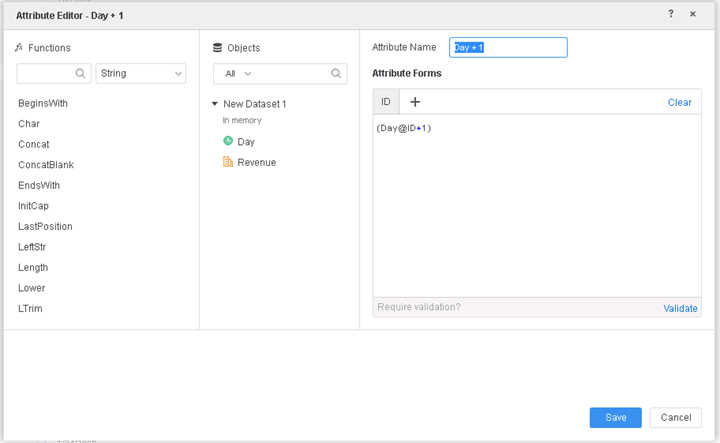
3. Put the newly created Derived Attribute “Day + 1” and “Revenue” on the Template. Edit Template Filter. Add a new qualification based on “Day + 1”. Choose elements by “Qualification on”. Set Operator as “Equals”. In the Value field, the user can only specify a Date because the data type of Derived Attribute “Day + 1” determined by the Strategy Analytical Engine is Date, and in this case "Day + 1" is limited to be the same data type as "Day", which is a Date.
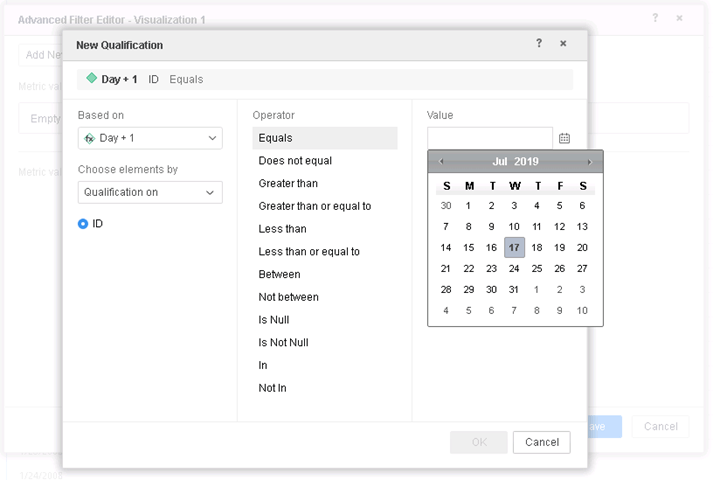
Before Strategy 2019, Derived Attribute data type is always determined by the Strategy Analytical Engine, and it cannot be specified by the user.
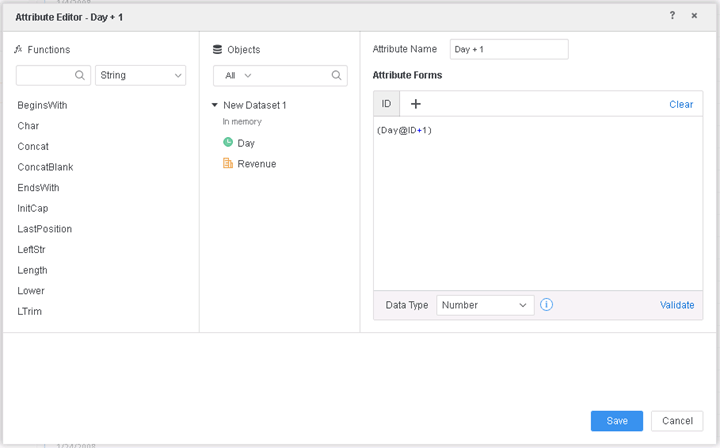
A new feature is introduced to allow users to specify Derived Attribute data type in Attribute Editor. To enable this new feature, upgrade to Strategy 2019 or above.
In this case, the Derived Attribute data type is set to “Number”.
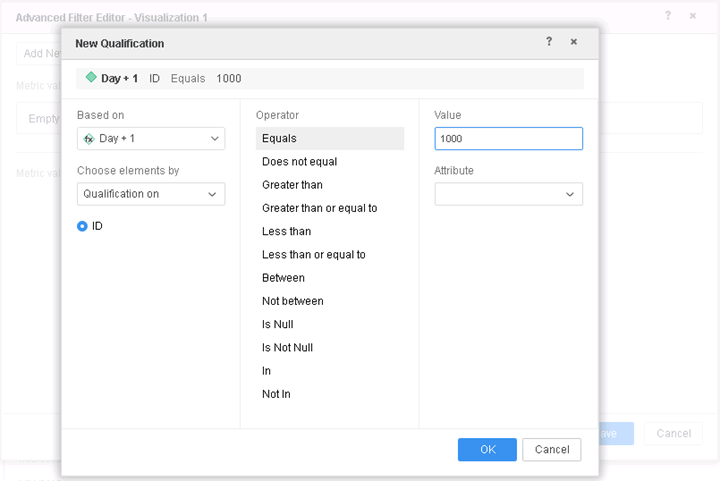
In the new Qualification Filter panel, the user can specify a specific number in the Value field because the data type of Derived Attribute “Day + 1” is set to Number which overwrites the data type determined by the Strategy Analytical Engine.
When upgrading to Strategy 2019 or above, enable the project level setting Data Engine Version to 11. This property can only be enabled through Workstation. For more details on enabling the setting, see Change Data Engine Version .
Strategy Internal Reference number for this technical note is KB483243 and DE98392.
