EducationSoftwareStrategy.com
StrategyCommunity

Knowledge Base

Product

Community

Knowledge Base

TopicsBrowse ArticlesDeveloper Zone

Product

Download SoftwareProduct DocumentationSecurity Hub

Education

Tutorial VideosSolution GalleryEducation courses

Community

GuidelinesGrandmastersEvents
x_social-icon_white.svglinkedin_social-icon_white.svg
Strategy logoCommunity

© Strategy Inc. All Rights Reserved.

LegalTerms of UsePrivacy Policy
  1. Home
  2. Topics

KB483350: Conditional metric shows nothing when aggregated


Community Admin

• Strategy


A conditional metric returns no data instead of a zero-value when aggregated.

Starting with the release of Strategy ONE (March 2024), dossiers are also known as dashboards.
Symptoms

  • No data for a conditional metric which is aggregated, e.g. totals
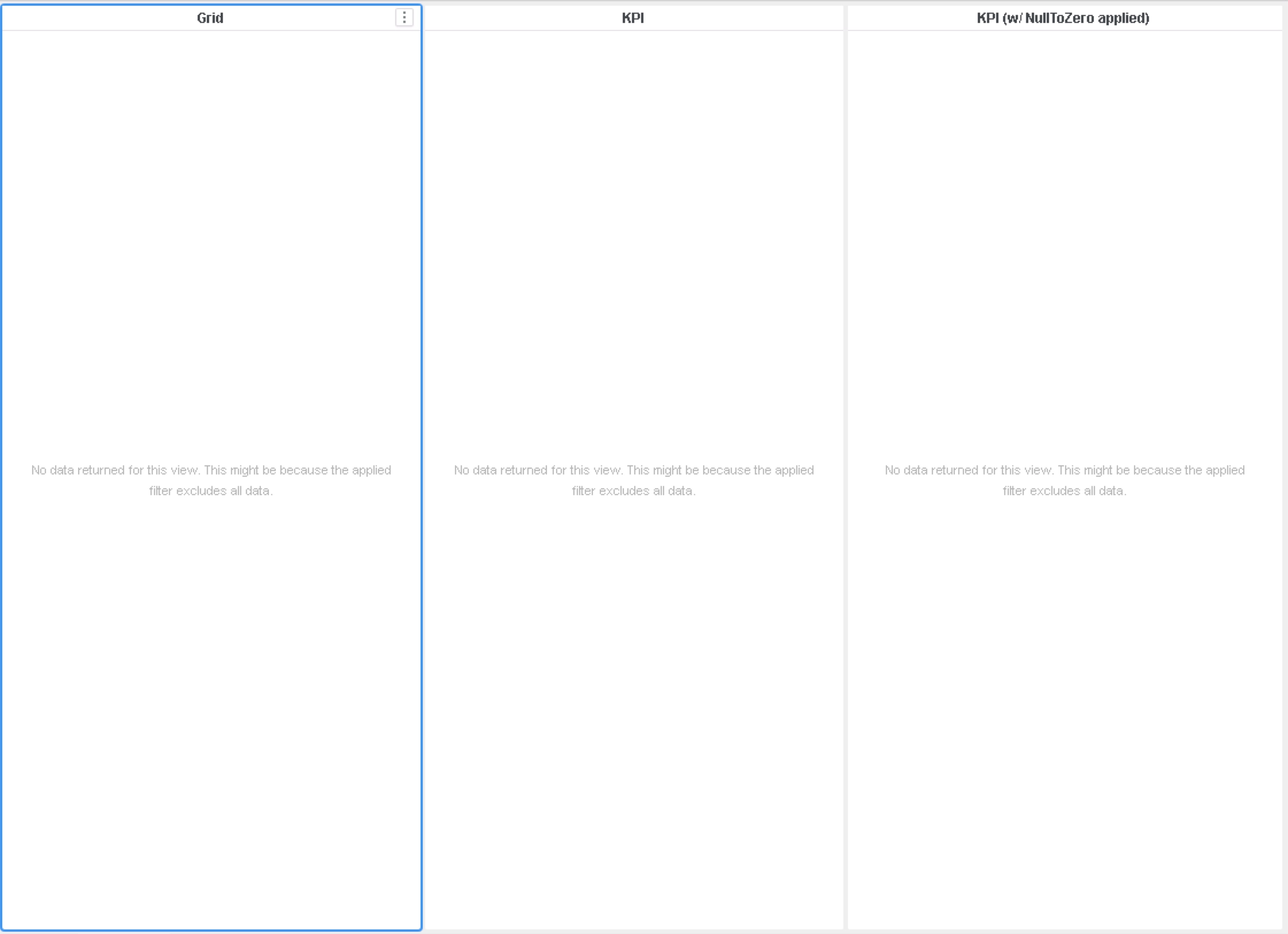
  • Applying the NullToZero function makes no difference.
  • Depending on the version of Strategy, either:
    • Empty cells
    • Blank KPIs
    • An error message ("No data returned for this view. This might be because the applied filter excludes all data")


Glossary

  • Conditional metric - a metric with a filter applied to it
  • Null - value that represents a non-existent, missing, or zero value


Steps to Reproduce

  • Create a new Dossier.
  • Click "Existing Objects" and add the Item attribute and Revenue metric.
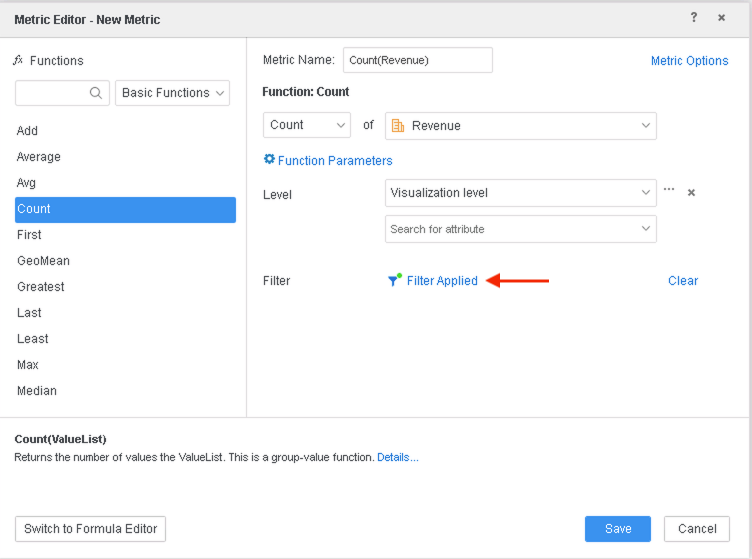
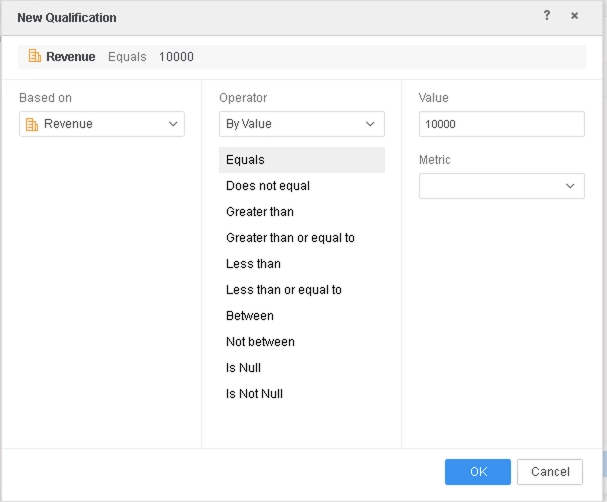
  • Create a new metric, Count(Revenue) with the following definition:
ka0PW0000001JXGYA2_0EM2R000000hIjd.jpeg
ka0PW0000001JXGYA2_0EM2R000000hHyc.jpeg
    • Note: We set a filter with Revenue = 10000 to filter out all data points because there is no Item with this Revenue value. You may pick any value that does not exist within the dataset to achieve the same effect.
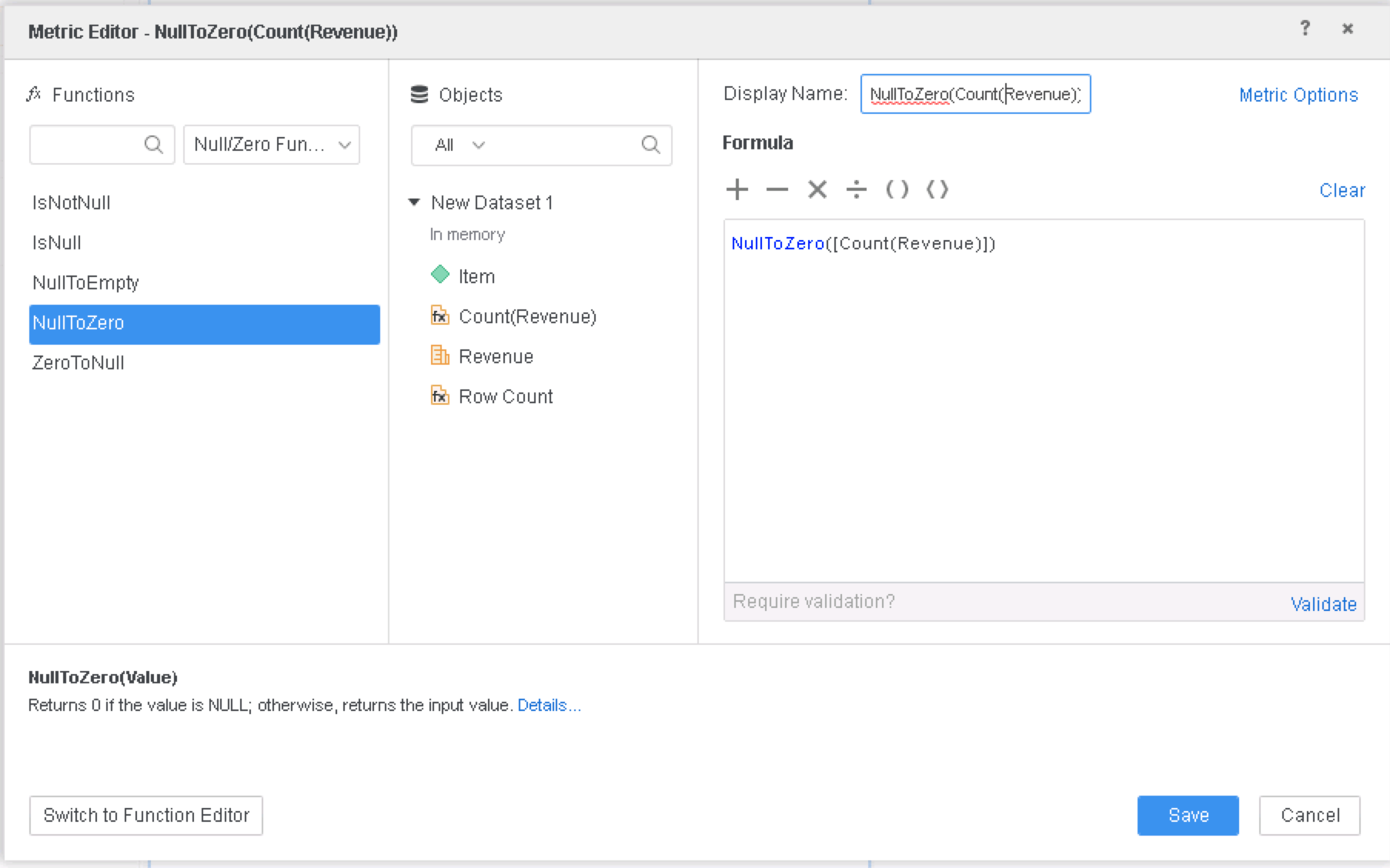
  • Create a new metric NullToZero(Count(Revenue)) with the following definition:
ka0PW0000001JXGYA2_0EM2R000000hHyh.jpeg
  • Add a grid visualization and drag Count(Revenue) to the Metrics section.
  • Add a KPI visualization and drag Count(Revenue) to the Metrics section. 
  • Add a KPI visualization and drag NullToZero(Count(Revenue)) to the Metrics section.


Results:

ka0PW0000001JXGYA2_0EM2R000000hHzQ.jpeg


Cause

  • Condition in metric filters out all data in fact tables 
  • After aggregation, the metric returns nothing, so nothing is displayed.


Solution

This is fixed in Strategy 10.10 and above. To resolve this defect:

  • Upgrade to Strategy 10.10 or above. We recommend upgrading to the latest version, Strategy 2019.
  • Set Data Engine setting to 11. This is not set by default.
    • The project level setting Data Engine can only be enabled through Workstation. For more details on enabling the setting, see Change Data Engine Version.


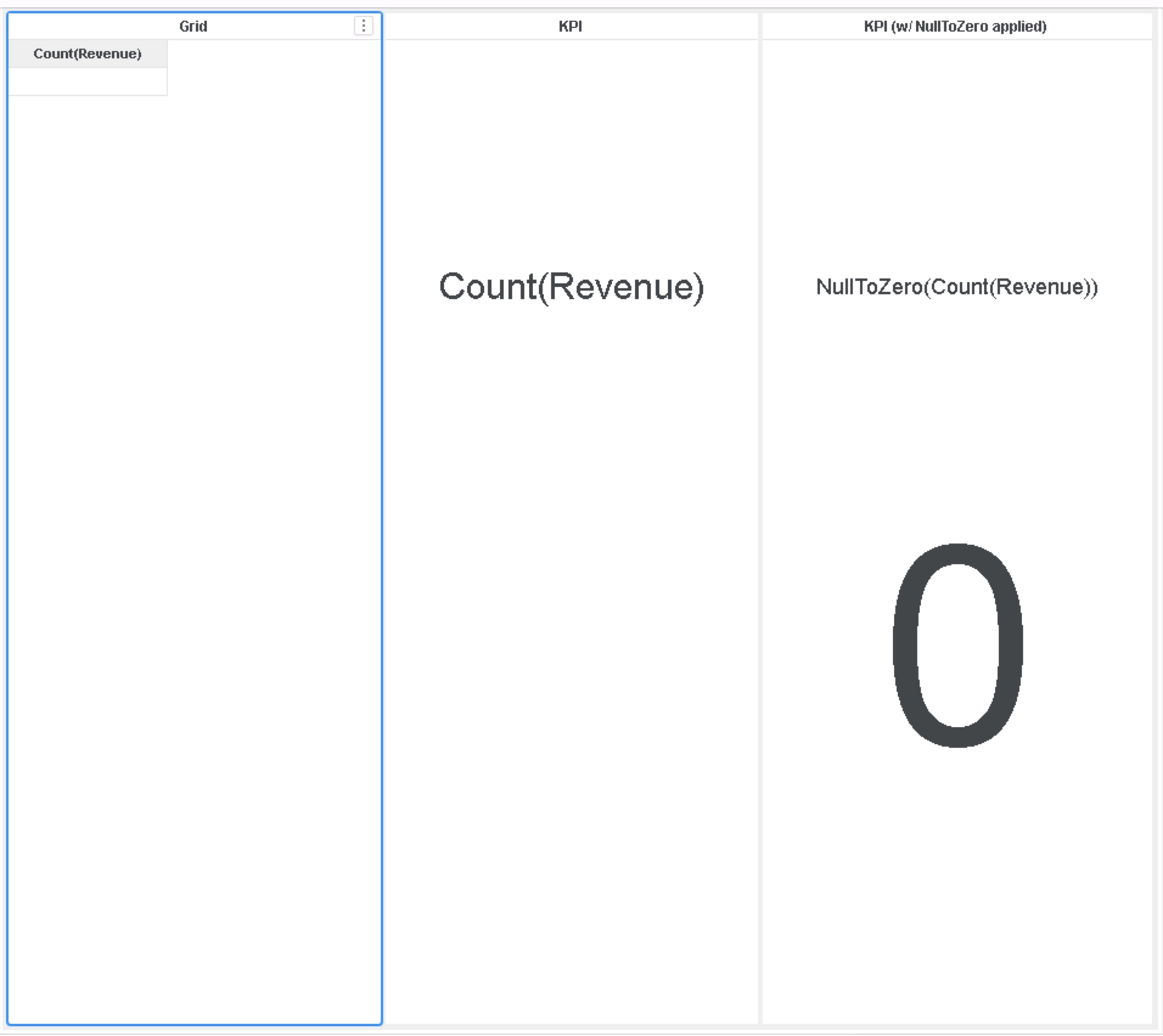
In the new fix, when a conditional metric is aggregated to yield one value and its filter causes all data to be filtered out, it will return some data, either a null or blank value. If the NullToZero function has been applied, it will return 0.
Results after fix:
ka0PW0000001JXGYA2_0EM2R000000hHz6.jpeg


The Strategy Internal Reference Number for the issue discussed in this technical note is KB483350 and DE75549.


Comment

0 comments

Details

Knowledge Article

Published:

June 12, 2019

Last Updated:

March 21, 2024