Both Library and Collaboration need configuration changes to handle the SSL Certificate chain.
If TLS is not enabled between Library and the Collaboration service, you only need to follow steps 2-4 of General Steps of Collaboration Service.
If you have TLS enabled for connection between Library and Collaboration Service, complete all the steps under General Steps for both Collaboration Service and Library to ensure both services can properly authenticate each other.
config.json.
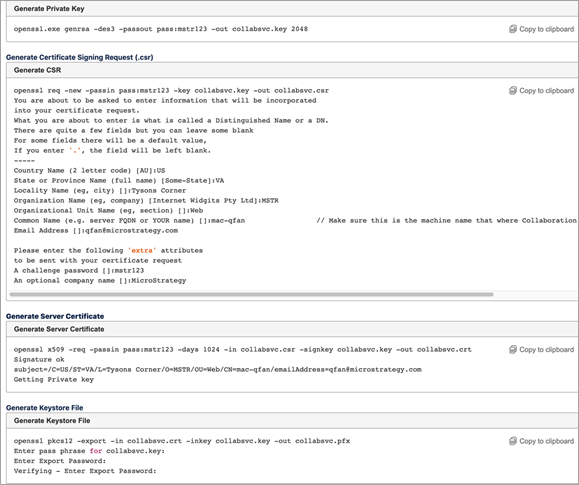
config.jsonfile for Collaboration to include the new files.
/statuspage to confirm Collaboration Service is running.
config.json.
keystoreFilefield.
trustedCertsarray field.
passphrasefield.
"passphrase": "mstr123"
true.
keystorefile to the Library .war file on Tomcat.
configDefaults.propertiesto use the new
keystorefile.
Truststoreand
keystorerefer to the same .pfx file.
configOverride.propertiesto point to the Collaboration Service.
trustStore.pathfield.
trustStore.pathfield inside the
configDefaults.propertiesfile.
truststorefile in the
WEB-INFfolder.
trustStore.path=/WEB-INF/truststore.pfx
trustStore.passphrasefield to match the passphrase used for the
truststorefile.
trustStore.passphrase = pass123
service.collaboration.baseURL = http://10.21.69.27.8082
Library Online Help
Installation and Configuration Guide
System Administration Guide
