In Integrity Manager 2019, comparing a baseline to a project results in the following error on the baseline side of the comparison:
Baseline does not contain tags for report: [Report name]
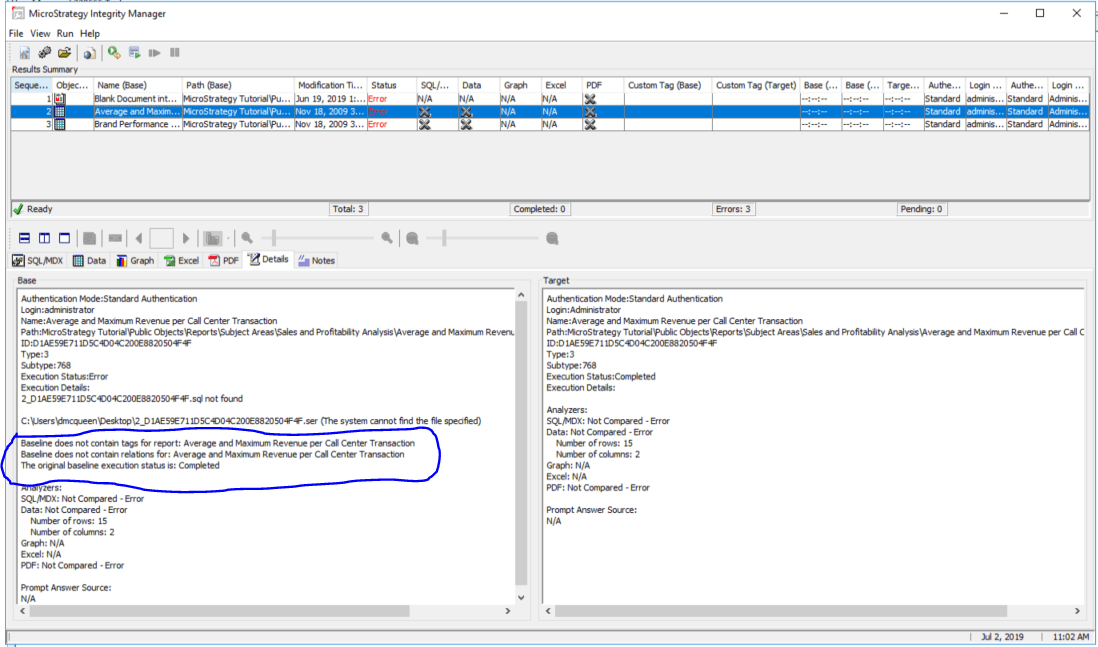
This error appears whenever you take a baseline from an environment prior to 2019, copy the file to your 2019 environment, then use it in a baseline vs. project comparison in Integrity Manager 2019.
To avoid this error, do not copy the file from your previous environment. Instead, you must take the baseline from Integrity Manager 2019. To do this, open Integrity Manager 2019 and select Single Project. Insert the server name of the previous version of your Intelligence server and gather the baseline.
Once you have the baseline, use the file folder as the baseline and perform a baseline vs project test. Notice the error does not appear.
If you only have your 2019 Intelligence server and no longer have your previous Intelligence server version, you can only compare SQL between reports. If your SQL match, then it is certain that the correct data is being returned.
