Starting with the release of Strategy ONE (March 2024), dossiers are also known as dashboards.
This case is built with the Strategy Tutorial project and using Data Engine Version 11.
1. Open the Strategy Developer.
2. Create Metric Running Revenue Total using the Revenue Metric, with Subtotal Function and Dynamic Aggregation Function both set to Total
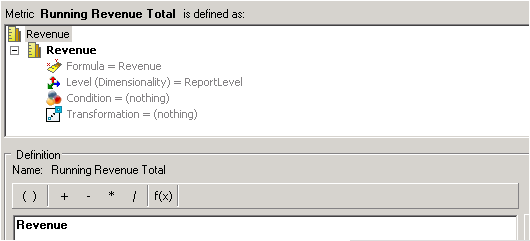
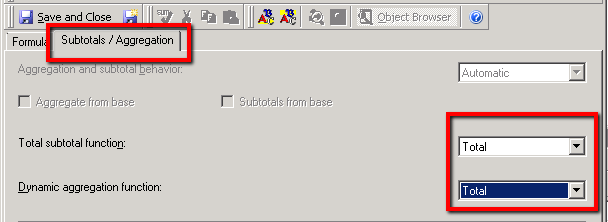
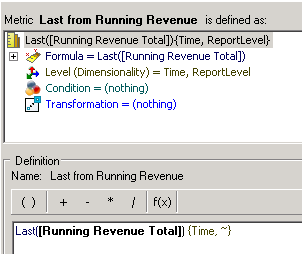
3. Create Metric Running Revenue Total using the expression: Last([Running Revenue Total]) {Time, ~} , with Subtotal Function and Dynamic Aggregation Function both set to Total.
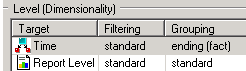
4. Add Time hierarchy to Target Level and set the Grouping to "ending (fact)". This setting instructs Data Engine to choose the last fact in the level, instead of aggregate all the facts.
5. Create a cube with every attribute in Time hierarchy and Region attribute and 2 of the metrics we just created
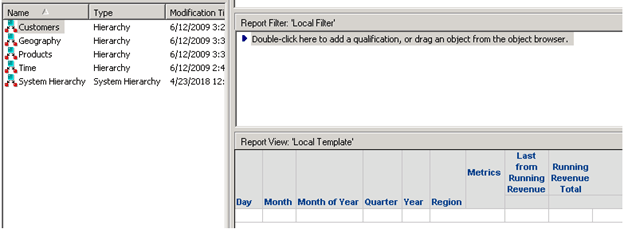
6. Go to the Strategy Web and create a new dossier using this cube
7. Add new data -> Clipboard and create a "Time Filter" table by typing in:
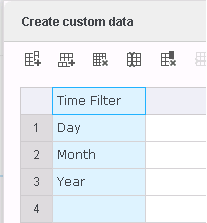
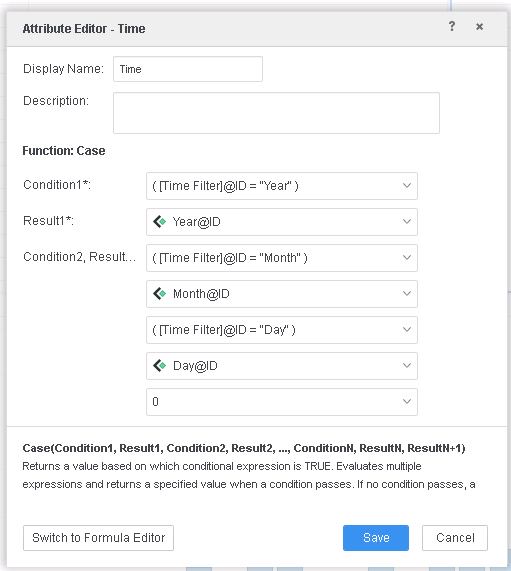
8. Create a derived attribute "Time" in the first dataset using "Case" function with the following formula.
Case(([Time Filter]@ID="Year"), [Year@ID], ([Time Filter]@ID="Month"), [Month@ID], ([Time Filter]@ID="Day"), [Day@ID], 0)
9. Create a new grid and add into Time and Last from Running Revenue metric
10. Add an Element/Value filter panel and drag the Time Filter attribute into it from Time Filter dataset, set the grid in #9 as target
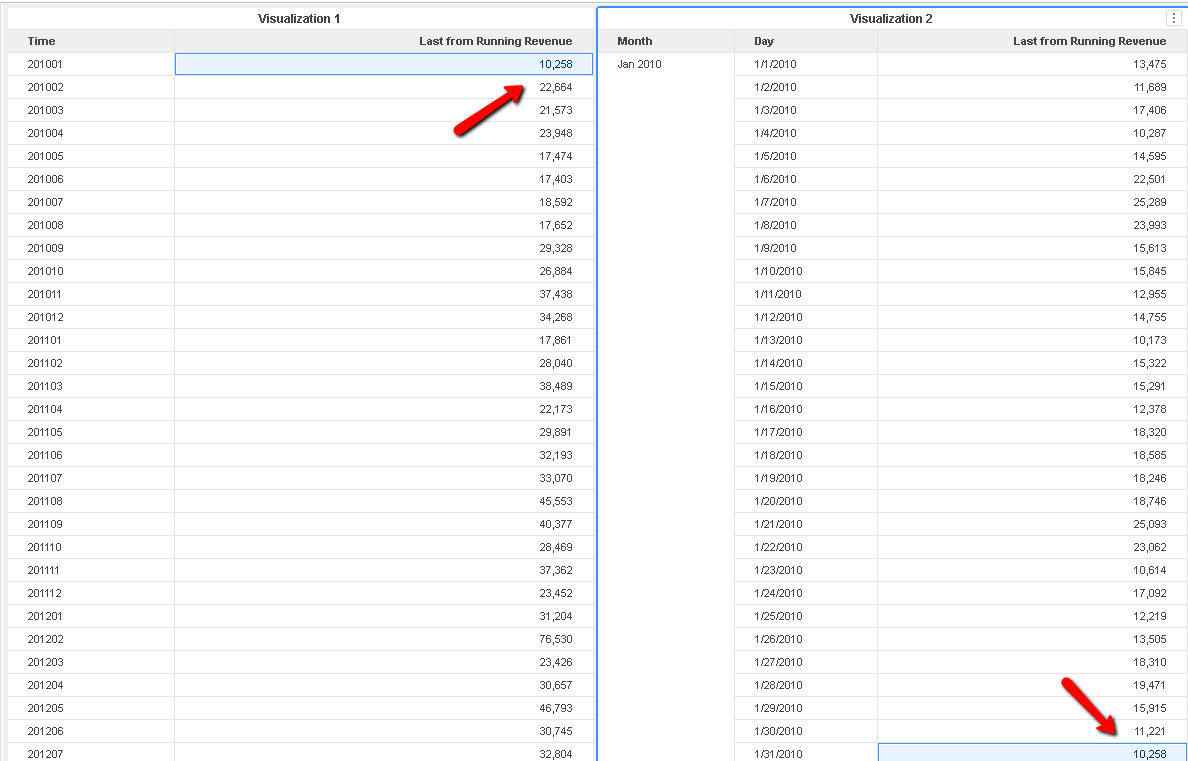
11. Select Day, or Month, or Year and the Last from Running Revenue, as shown below the Metric are all the same, which is wrong
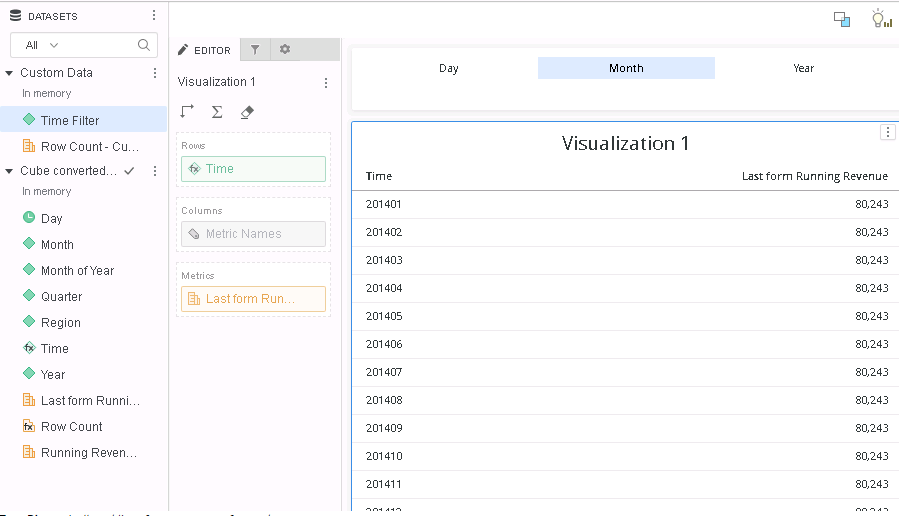
This is a known issue in Strategy 2019 and previous versions.
In the new fix, Data Engine fixes its logic to use the correct level of fact to calculate the metric, when its dimensionality is set to a non-aggregatable grouping. After the fix, we can see Time "201001" is mapped to the correct value, the ending fact of Month "Jan 2010".
Strategy Internal Reference number for this technical note is KB483581 and DE137523.
