Starting with the release of Strategy ONE (March 2024), dossiers are also known as dashboards.
1. Open Strategy Web. We use Strategy Tutorial objects in the following steps.
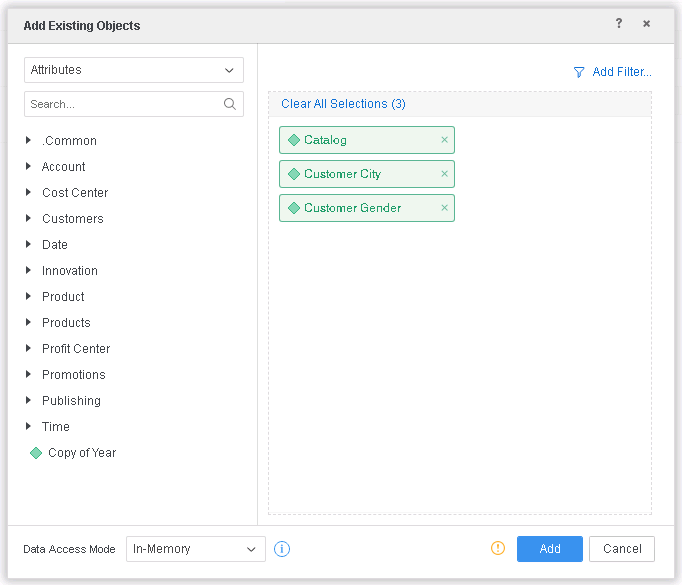
2. Create a new Intelligent Cube C01 using Existing objects: Catalog, Customer City, Customer Gender
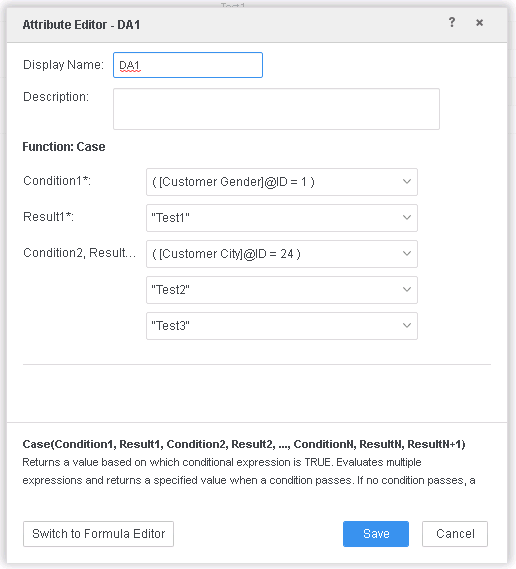
3. Create the first derived attribute DA1, which is going to be used as the child attribute:
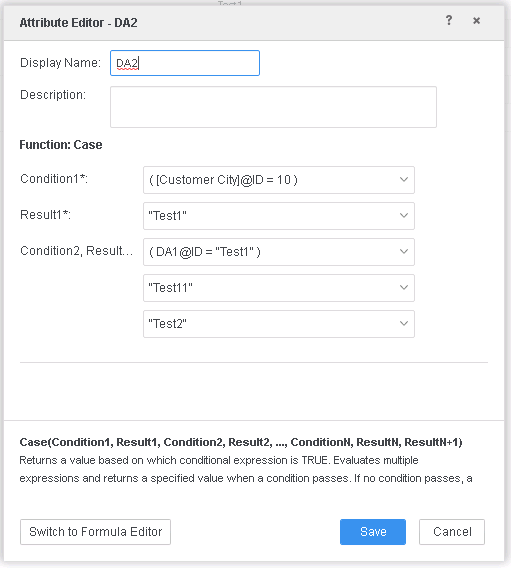
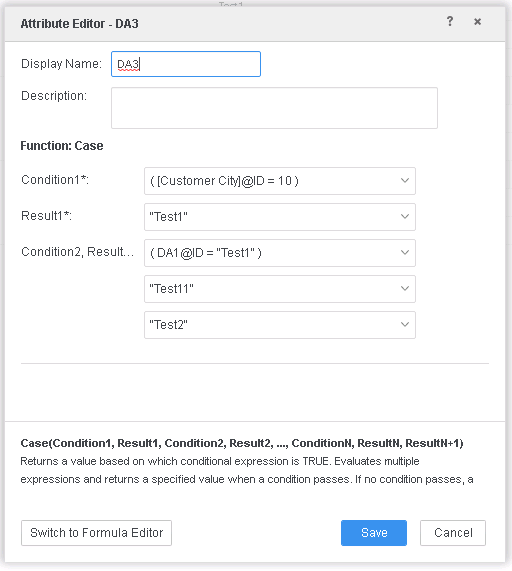
3. Create 2 derived attributes DA2 and DA3, both using DA1 as a child component. Note that these 2 DA are not usually identical, but for the demonstration purpose, they are identical in this example:
4. Add DA2, DA3, and the Row Count metric to the grid, the grid can look like:
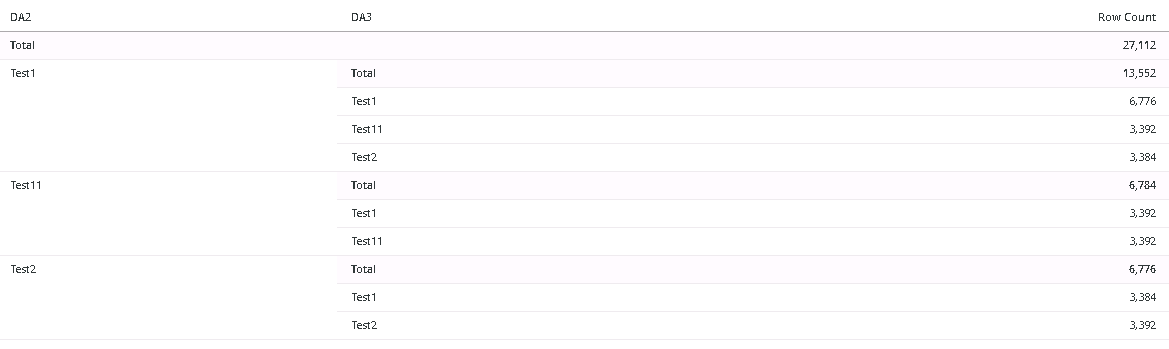
As DA2 and DA3 are defined identically, DA3 should be equal to DA2 and their mapping should be one to one.
* Note that the behavior depends on the derived attribute's ID, so the behavior can be random. It's possible that the defect only shows when the dossier is saved as a new one or downloaded and imported; as the derived attribute IDs change, and the defect is displayed.
This is a known issue in Strategy 2019 and previous versions.
In the above case, 2 derived attributes, DA2 and DA3, defined on other derived attribute DA1 and the structure is similar to:
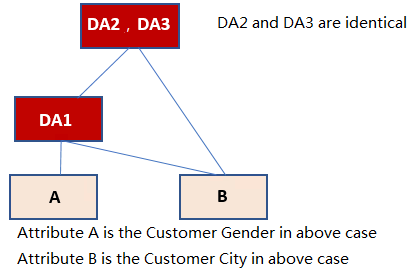
When Data Engine generates relations between DA2 and DA3, it will choose which one to process first based on the derived attribute ID. If it choose to process DA2 first, it will generate a relation table on <DA2, DA1, A, B>, and then it will process DA3. Since DA3 is connected to DA1, Data Engine will only generate <DA3, DA1> and then join the two temp relations <DA2, DA1, A, B> <DA3, DA1> on DA1. In some situation it will lead to wrong results.
In the new fix, Data Engine will first generate <DA2, DA1, A, B>, then generate <DA3, DA1, A, B>, and join the two temp relations using attribute DA1, A, B, this will result in expected results.
Strategy Internal Reference Number for this technical note is KB483583 and DE136699.
