EducationSoftwareStrategy.com
StrategyCommunity

Knowledge Base

Product

Community

Knowledge Base

TopicsBrowse ArticlesDeveloper Zone

Product

Download SoftwareProduct DocumentationSecurity Hub

Education

Tutorial VideosSolution GalleryEducation courses

Community

GuidelinesGrandmastersEvents
x_social-icon_white.svglinkedin_social-icon_white.svg
Strategy logoCommunity

© Strategy Inc. All Rights Reserved.

LegalTerms of UsePrivacy Policy
  1. Home
  2. Topics

KB483600: Library Requirements for the PUT and DELETE HTTP Methods When Using Trusted Authentication with IBM Security Access Manager (Tivoli)


Dan Esparza

Quality Architect, Senior • MicroStrategy


This article details the Library requirements for the PUT and DELETE http methods when using trusted authenticaton with IBM Security Access Manager, formerly known as Tivoli.

Starting with the release of Strategy ONE (March 2024), dossiers are also known as dashboards.

Description

Multiple problems and errors occur when a SSO solution is created using trusted authentication login with IBM Security Access Manager.

Why is this happening?

Library requires both the PUT and DELETE http methods to be allowed by the trusted provider. In ISAM, they are blocked by default, so errors occur. This affects Library functionality, so these http methods must be allowed.

Example

Users that do not have dossiers in Library during the moment of login that are also using ISAM, cannot view the welcome dialog that uses the PUT http method. This is because the ISAM policy server (WebSeal) blocks both local and remote PUT requests.

Solution

The ISAM administrator needs to perform the following steps:
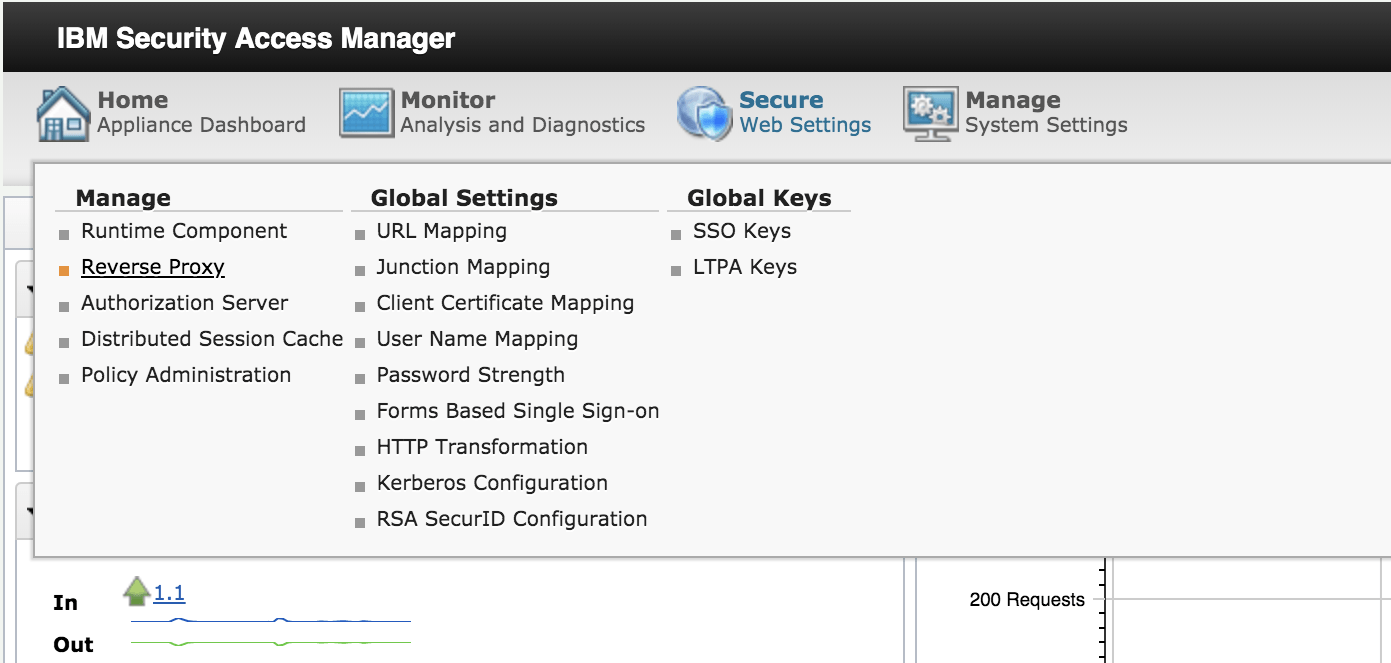
  • Log into the ISAM administrative console.
  • Choose Secure Web Settings > Reverse Proxy.
ka0PW0000001JZXYA2_0EM2R000000lw1M.jpeg
  • Select your reverse proxy.
  • Go to Manage > Configuration > Edit configuration file. We recommend that you backup the current configuration file by exporting it.
ka0PW0000001JZXYA2_0EM2R000000lw1R.jpeg
  • In the configuration file, look for the method disablement section, which looks similar to what is shown below.
    
    #---------------------
    # Method disablement
    #---------------------
    # Specify the HTTP methods which should be blocked when requesting local or remote
    # resources. Multiple methods should be separated with a comma (',').  For example, to
    # block access to the TRACE and PUT methods over local junctions the configuration entry
    # would be:
    # http-method-disabled-local = TRACE,PUT
    #
    http-method-disabled-local = TRACE,PUT,DELETE,CONNECT
    http-method-disabled-remote = TRACE,PUT,DELETE,CONNECT
    

  • Remove the PUT http method from both local and remote.
ka0PW0000001JZXYA2_0EM2R000000lw2P.jpeg
  • Repeat the same steps for the DELETE http method.
  • Save your changes.
  • Commit your changes.
  • Restart the reverse proxy.
  • From the Home Administrative Control Panel, go to Secure Web Setttings > Policy Administration.
ka0PW0000001JZXYA2_0EM2R000000lw2j.jpeg
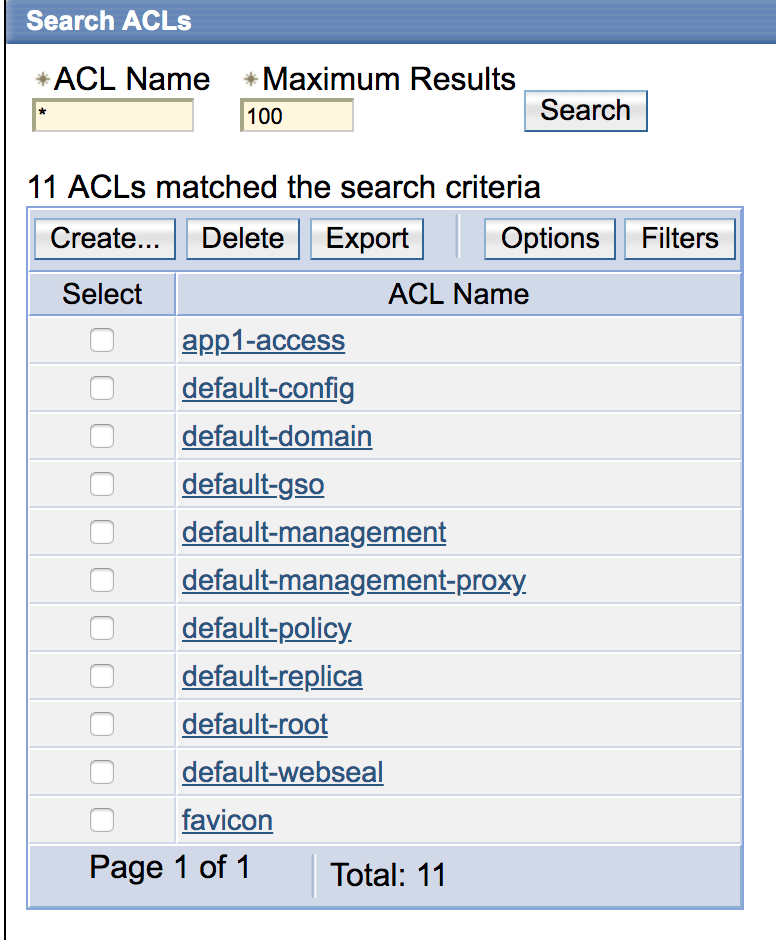
  • Once you are logged in, go to the ACLs.
  • Click on the ACL that is applied to your Object Space (junction). The default name is default-webseal.
ka0PW0000001JZXYA2_0EM2R000000lw38.jpeg
  • Create an ACL entry.
ka0PW0000001JZXYA2_0EM2R000000lw3D.jpeg
  • Select an entry type of Any-other.
  • Assign Traverse, Modify, Read, and Execute. Modify is the new addition.
ka0PW0000001JZXYA2_0EM2R000000lw3I.jpeg
  • Click Apply.
ka0PW0000001JZXYA2_0EM2R000000lw3N.jpeg
  • Once these changes are complete, the error no longer appears when using trusted authentication with ISAM.

Comment

0 comments

Details

Knowledge Article

Published:

September 11, 2019

Last Updated:

March 21, 2024