Many users may have created their project a long time ago and had the option turned off. When it is off, the behavior is straightforward. The Engine takes whatever text input a user supplies and simply concatenates it in the query, sends the query to the warehouse and retrieves the result back.
However, such an approach is not only bad for performance, but also a security risk, as it is extremely vulnerable to SQL injection.
Let's play the role of a report designer who creates a Freeform SQL report to pull out all the Customers by searching Customer last name and expects the user to provide last names as prompt answers before running the report.
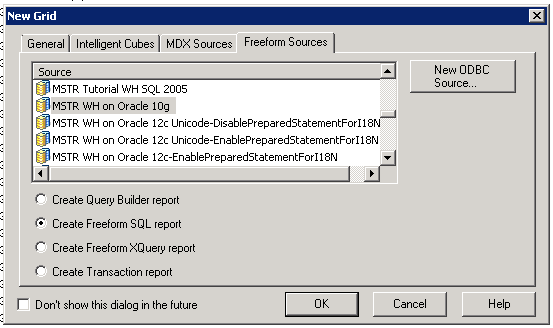
Create a Report in Developer, choose Freeform Sources and Create Freeform SQL report.
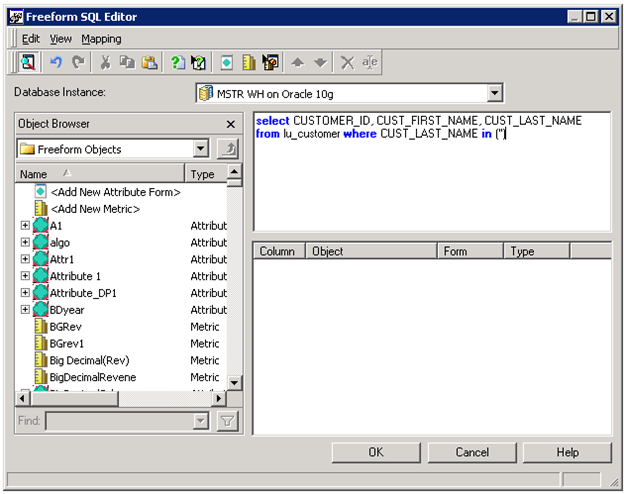
Define the query and mapping to pull the data. It is important to notice the single quotes in the brackets.
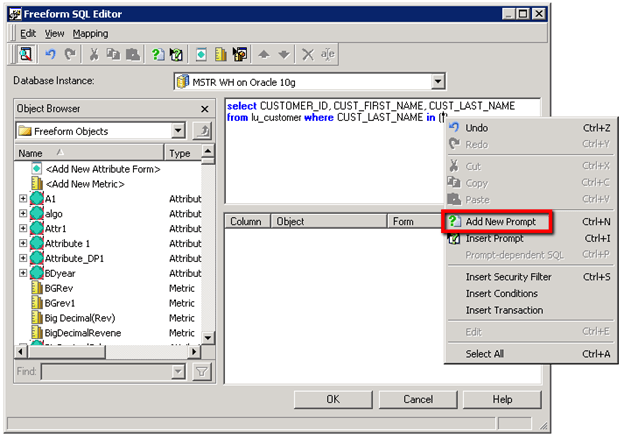
Right-Click in between the single quotes and select Add New Prompt. It indicates the Engine to trigger a text prompt when the report executes.
Choose Value prompt -> Text prompt. Leave the rest by default and save it.
The report may look like this:
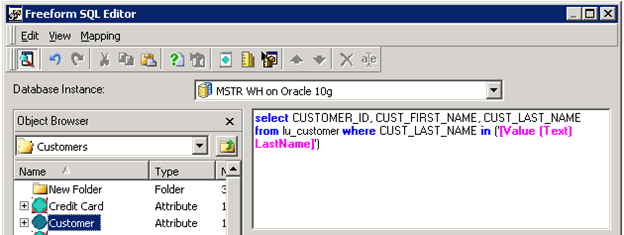
Define the mapping of return values to attribute Customer:
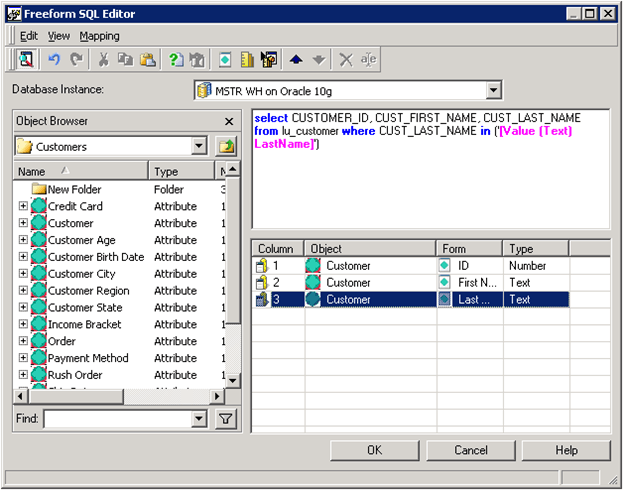
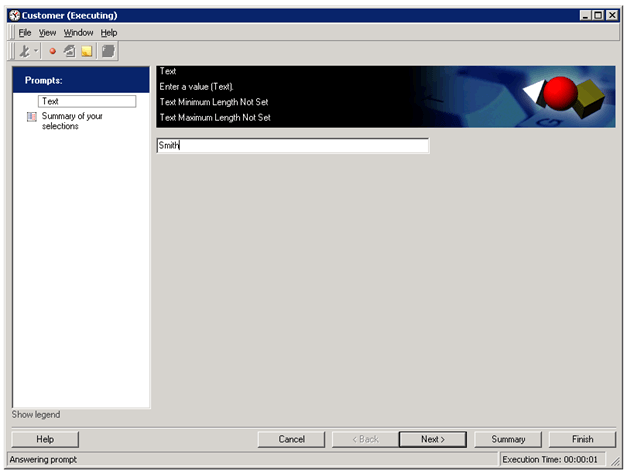
Save the Report and execute it. Give a sample answer, Smith and click Finish.
The report retrieves all the customers with last name Smith.
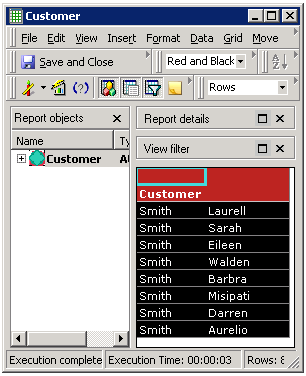
Try to View SQL and we can see the text Smith is embedded in the query.
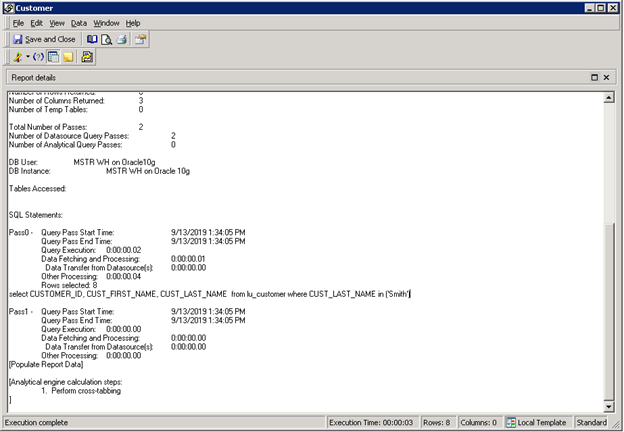
If the user checks the SQL Trace, they can see a query like this was sent to the warehouse, and the parameter is sent directly in the query:
select CUSTOMER_ID, CUST_FIRST_NAME, CUST_LAST_NAME from lu_customer where CUST_LAST_NAME in ('Smith')select CUSTOMER_ID, CUST_FIRST_NAME, CUST_LAST_NAME from lu_customer where CUST_LAST_NAME in (‘Smith’,’Wood’).
Many users choose to enable parameterized queries for security and performance reasons. After enabling parameterized queries, a revision of the Freeform SQL reports may be necessary.
Please see this page about how to enable Parameterized queries.
https://community.Strategy.com/s/article/KB438401-Security-Fix-in-10-5-Secure-Freeform-SQL-report-s-text-prompt?language=en_US
After enabling parameterized queries, if the user executes the report created above, the execution will fail.
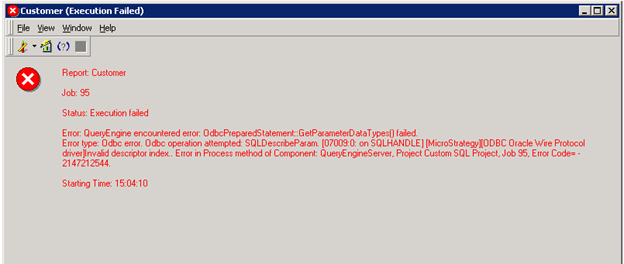
To fix the issue, the user needs to manually edit the free form query and remove the single quotes.
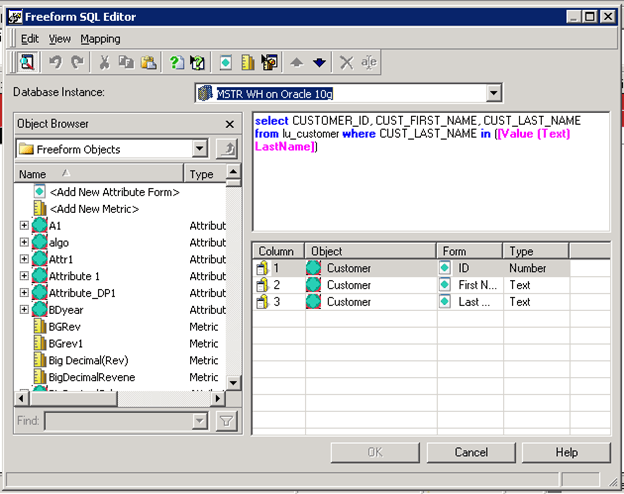
If the user checks the SQL Trace, they can see a query like this was sent to the warehouse:
Before removing the quotes:
select CUSTOMER_ID, CUST_FIRST_NAME, CUST_LAST_NAME from lu_customer where CUST_LAST_NAME in ('?') --Failedselect CUSTOMER_ID, CUST_FIRST_NAME, CUST_LAST_NAME from lu_customer where CUST_LAST_NAME in (?) --Success
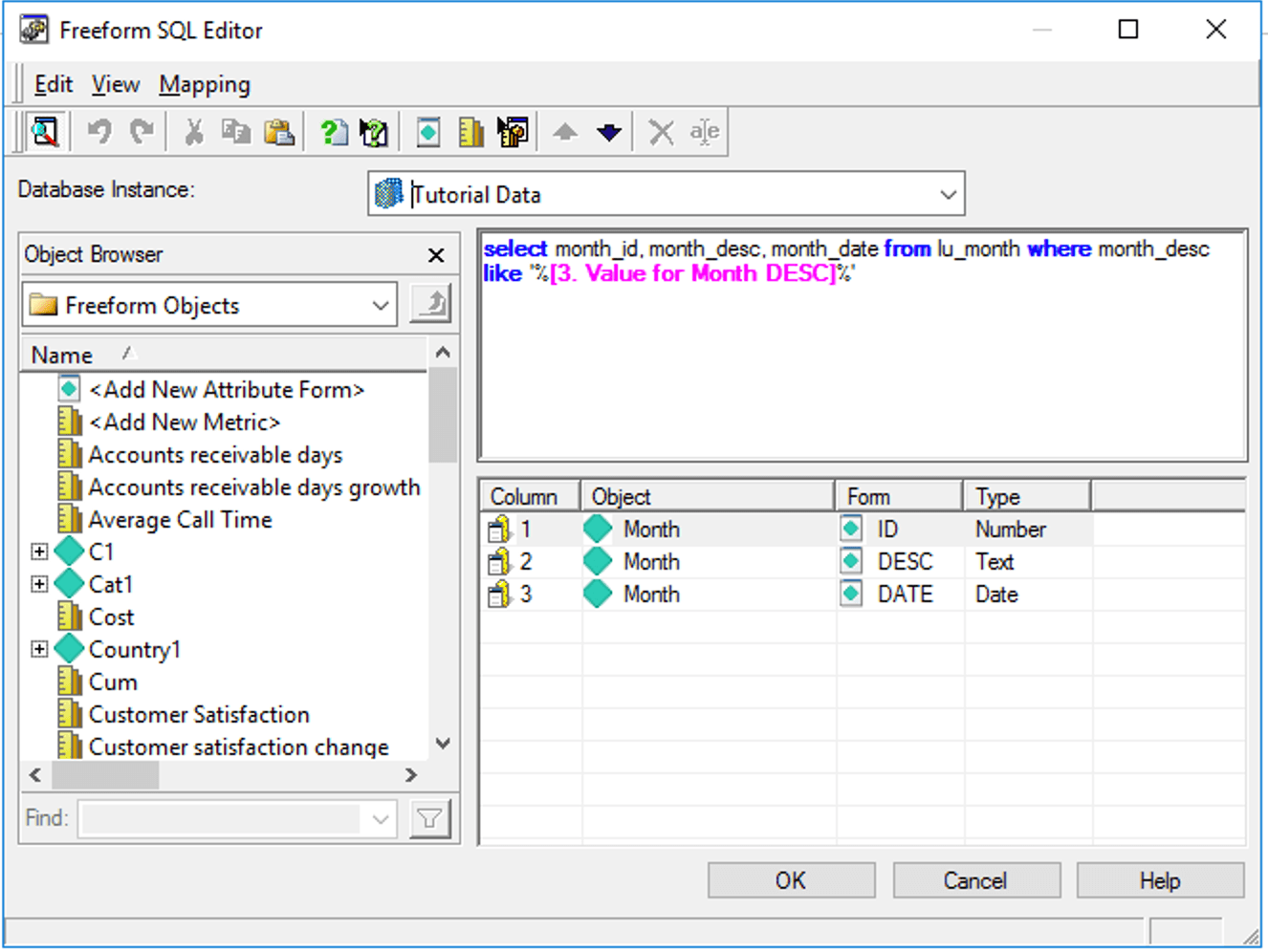
To fix a case like this, both the report designer needs to remove '% and %' around the text prompt, and the user needs to supply the % signs in the prompt answers. There might be more variants of this case and to summarize, when Parameterized Queries is on, 1) the text prompt should not be quoted anymore, 2) all the content used to be inside the quotes should be provided together as the answer to the prompt.
After the modification the new FFSQL definition should be:
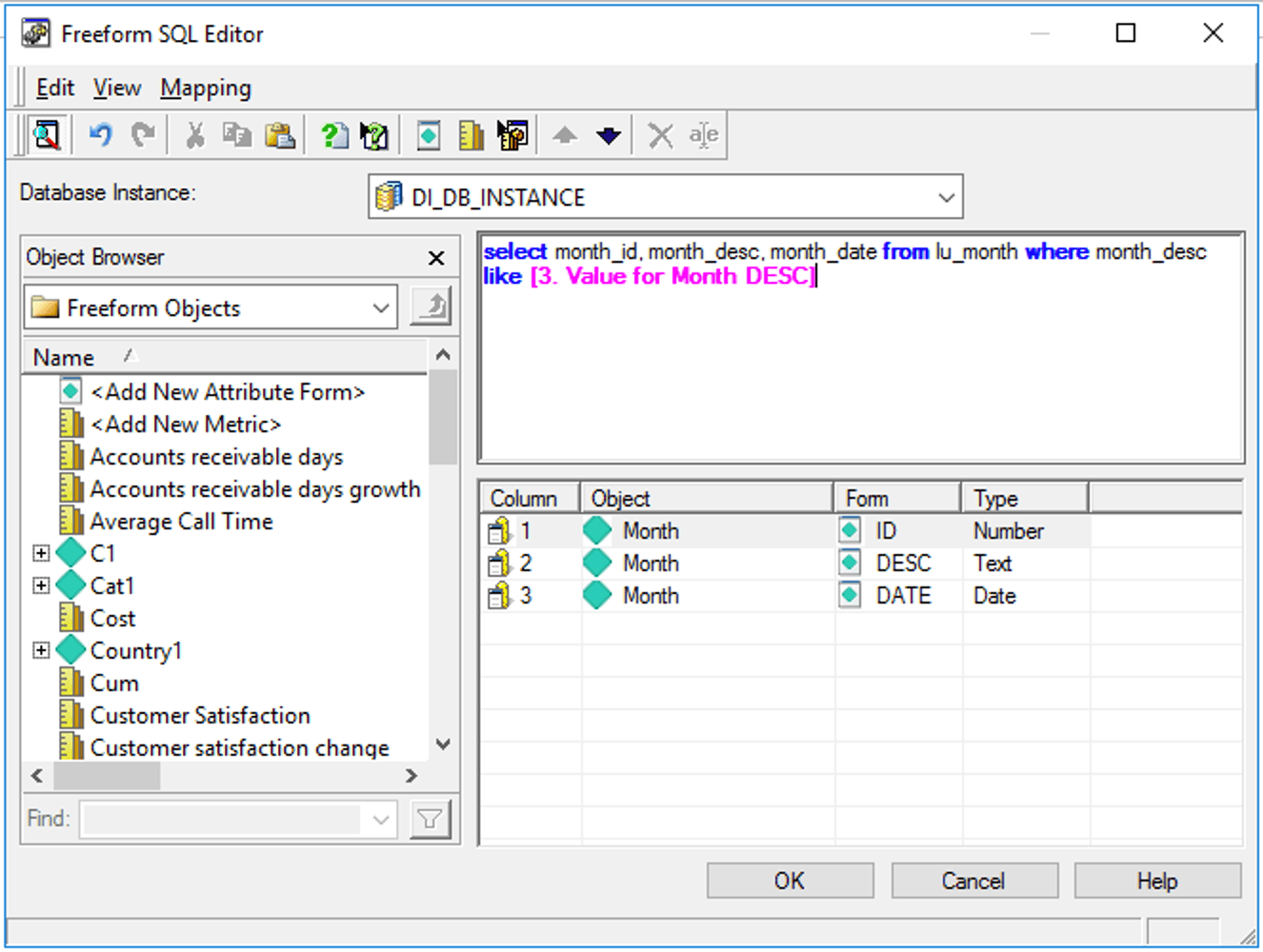
Assuming users used to answer the prompt with 2006, now they should answer the prompt with %2006%.
To explain the change, we must start with the fundamental difference between these 2 options.
When parameterized queries are disabled, the Data Engine treats the entire query as strings.
String 1 = “select CUSTOMER_ID, CUST_FIRST_NAME, CUST_LAST_NAME  from lu_customer where CUST_LAST_NAME in ('”
String 2 = [Prompt Answer]
String 3 = “')”
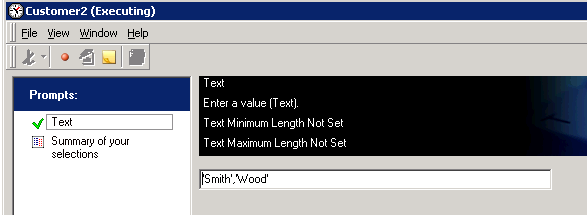
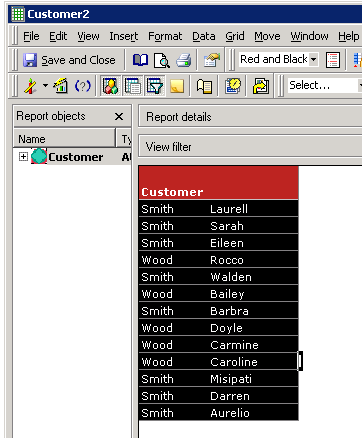
Since when the value is surrounded by a pair of single quotes, the Engine will take it as a string value and removes the single quotes, if the search term does include single quotes, the user will have to use 2 single quotes. For example, one of the Customer’s Last name is ‘Smith’, if the user answers the prompt with ‘Smith’, the Engine will only look for Last name Smith. The user must answer the prompt with ''Smith’' to ensure the correct value is returned.
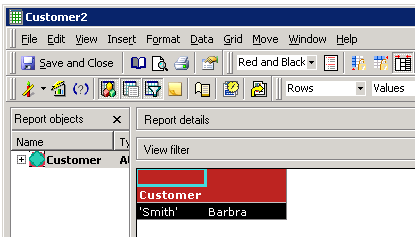
As mentioned, when SQL Trace is enabled, users can see the different behavior between Parameterized vs non-Parameterized. But how does the View SQL look like?
Before the report is executed, users will always see the placeholder ? at the prompt value. The only difference is whether there are single quotes around the ?, which is the difference in the report freeform queries.
With parameterized queries turned off:

With parameterized queries turned on:

After the execution, with Parameterized queries turned off, users will see the prompt answer directly:
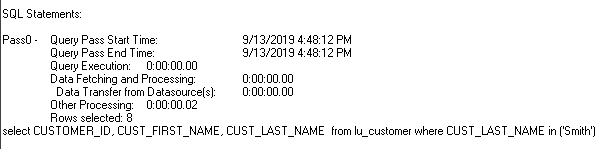
After the execution, with Parameterized queries turned on, users will still see the ? in the query, but followed by the parameters that the Engine parsed from Prompt input:
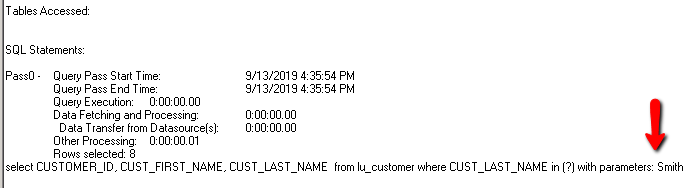
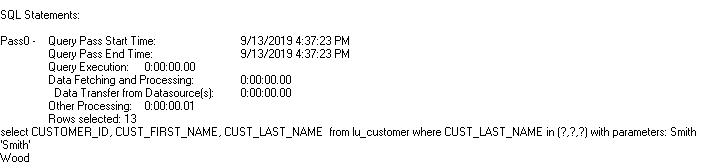
When there are multiple values, there are multiple placeholders and parameters separated into lines.
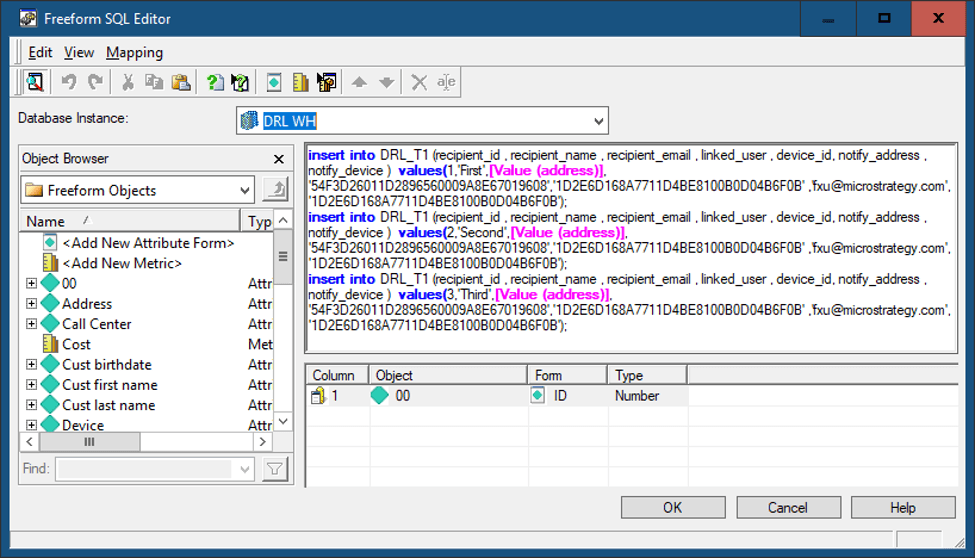
Another scenario when redefining the Freeform SQL definition may be necessary:
For example, if the existing Freeform SQL report has multiple insert statements, the report execution will fail if parameterized query is turned on.
The following error is returned:
Error: QueryEngine encountered error: OdbcPreparedStatement::Prepare failed.
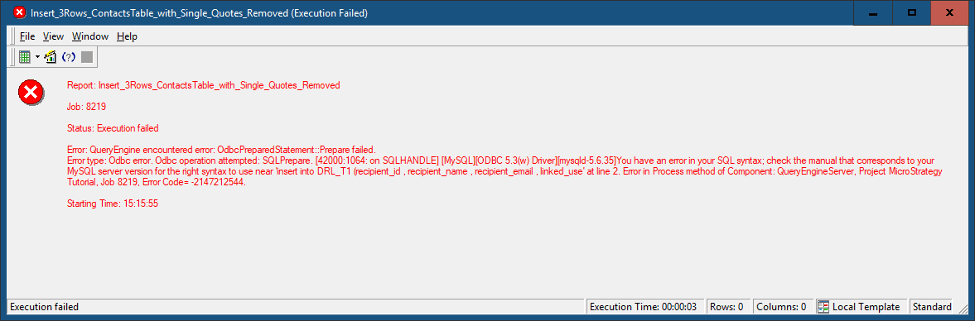
The reason for this error is that a parameterized query must contain exactly one SQL statement. This is to prevent SQL injection attacks, which frequently attempts to append an unexpected SQL after a valid SQL statement.
To fix this report, it must be redesigned to be 3 separate Freeform SQL reports, each with 1 INSERT SQL. For example:
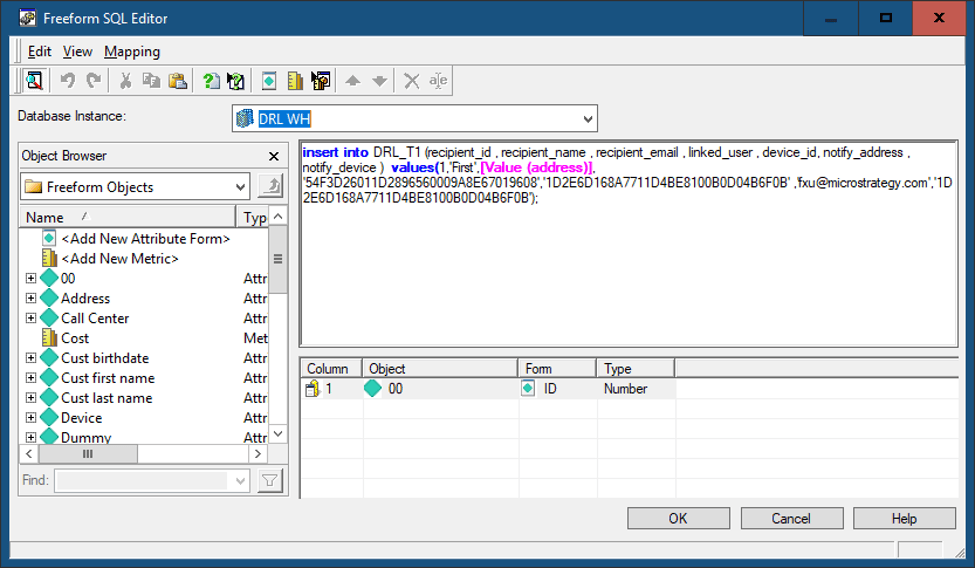
Now the report will execute properly.
It should be noted that when using statements that modify the contents of a database, such as INSERT, the best practice is to use Transaction Services reports. A Transaction Services report can have multiple SQL statements in one report, and combine them into one logical transaction, meaning all the statements will either succeed or fail. This makes the query much more robust. For more information, see Creating a Transaction Services Report.
Reference
More comprehensive document: community.Strategy.com/s/article/KB438401-Security-Fix-in-10-5-Secure-Freeform-SQL-report-s-text-prompt?language=en_US
How to enable SQL Trace: https://community.Strategy.com/s/article/KB13189-How-to-trace-the-SQL-generated-by-Strategy-Engine?language=en_US
