EducationSoftwareStrategy.com
StrategyCommunity

Knowledge Base

Product

Community

Knowledge Base

TopicsBrowse ArticlesDeveloper Zone

Product

Download SoftwareProduct DocumentationSecurity Hub

Education

Tutorial VideosSolution GalleryEducation courses

Community

GuidelinesGrandmastersEvents
x_social-icon_white.svglinkedin_social-icon_white.svg
Strategy logoCommunity

© Strategy Inc. All Rights Reserved.

LegalTerms of UsePrivacy Policy
  1. Home
  2. Topics

KB483717: toDateTime function behaves differently in m2020 with data engine 12 compared with previous releases


Qinyi Chen

Quality Engineer, Principal • Strategy


We change the locale setting of toDateTime function in m2020 with data engine version 12 by using the project language data setting in the MD, instead of using the runtime locale setting from web preference language in the earlier releases or data engine version 10 or 11.

Starting with the release of Strategy ONE (March 2024), dossiers are also known as dashboards.
Summary
Before m2020, the toDateTime function's locale setting is read from the user runtime locale setting, e.g. 
web preference language, or the WorkStation OS setting, which may not be always consistent due to different  client settings.
In m2020, we enforce the locale of toDateTime function by using the project language data setting in the MD. To keep compatibility, this change only shows in the data engine version 12.
Description
Steps to reproduce (Before m2020 release or with data engine version 10/11)
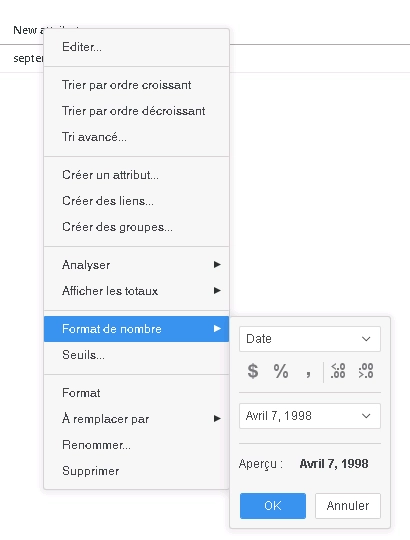
  • In Strategy Web, change the user preference from Default to French(France)
  • Log out and back into web
  • Create a dossier with any attribute and metric
  • Create a derived attribute as toDateTime(“09/03/2019”)
  • Change the format of the derived attribute to “Avril 7, 1998”
ka0PW0000001JaCYAU_0EM2R000000mlzs.png

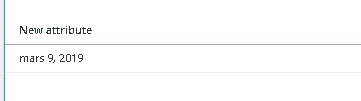
The derived attribute will show “mars 9, 2019”
ka0PW0000001JaCYAU_0EM2R000000mlzt.png

Resolution
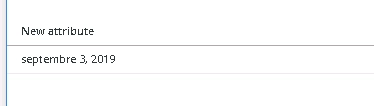
In Strategy m2020 with data engine version 12, changing the user preference from Strategy Web will not impact the toDateTime function calculation. The result of the same derived attribute above would be “septembre 3, 2019”
ka0PW0000001JaCYAU_0EM2R000000mlzu.png


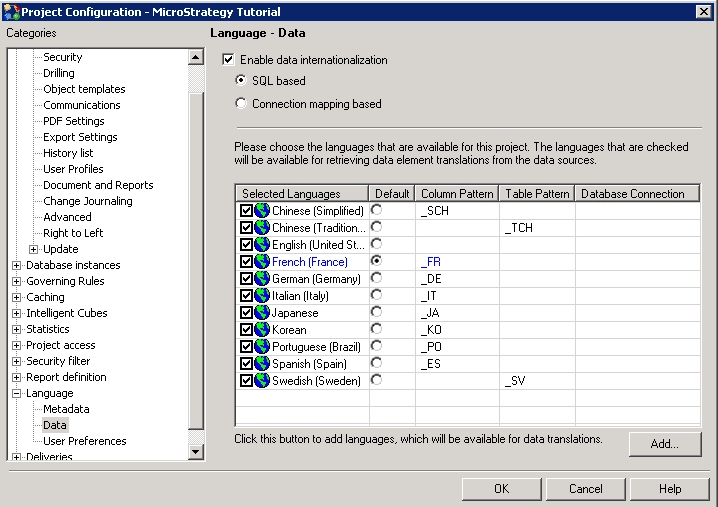
To control the locale to be used in the toDateTime function, user need to change the project level language setting.
ka0PW0000001JaCYAU_0EM2R000000mlzv.png


And then we can get the previous data as below.
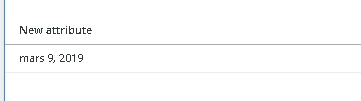
ka0PW0000001JaCYAU_0EM2R000000mlzw.png

Action
Upgrade to Strategy m2020 or later release. Set Data Engine Version setting to 12. The project level setting Data Engine Version can only be enabled through Workstation. For more details on enabling the setting, see Change Data Engine Version.
Strategy Internal Reference number for this technical note is KB483717 and DE147905.


Comment

0 comments

Details

Knowledge Article

Published:

October 4, 2019

Last Updated:

March 21, 2024