EducationSoftwareStrategy.com
StrategyCommunity

Knowledge Base

Product

Community

Knowledge Base

TopicsBrowse ArticlesDeveloper Zone

Product

Download SoftwareProduct DocumentationSecurity Hub

Education

Tutorial VideosSolution GalleryEducation courses

Community

GuidelinesGrandmastersEvents
x_social-icon_white.svglinkedin_social-icon_white.svg
Strategy logoCommunity

© Strategy Inc. All Rights Reserved.

LegalTerms of UsePrivacy Policy
  1. Home
  2. Topics

KB483782: Group or New Derived Element with "Exclude" filtering starts showing data instead of empty grid


Linbao Zhang

Senior Consultant • MicroStrategy


In MicroStrategy 11.0, we fixed a defect where we can still show the data instead of failing the document execution due to a missing derived element in the "Exclude" filtering.

Starting with the release of Strategy ONE (March 2024), dossiers are also known as dashboards.
STEPS TO REPRODUCE in Strategy Pre-11.0
1. Create a calculation group from the dataset with the following dataset: Notice there is no "Musics" element in "2016".

ka0PW0000001JaLYAU_0EM2R000000mms4.png
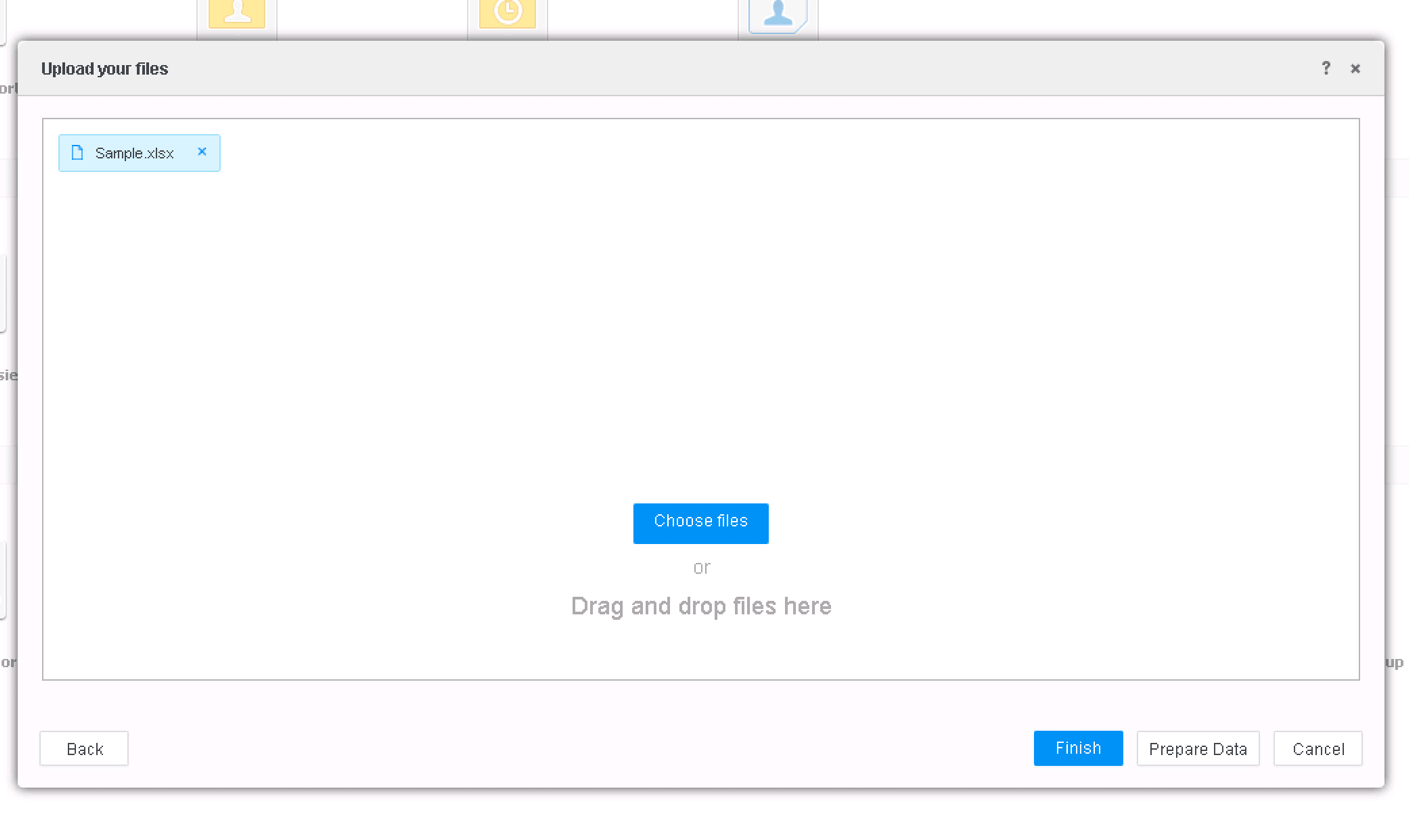
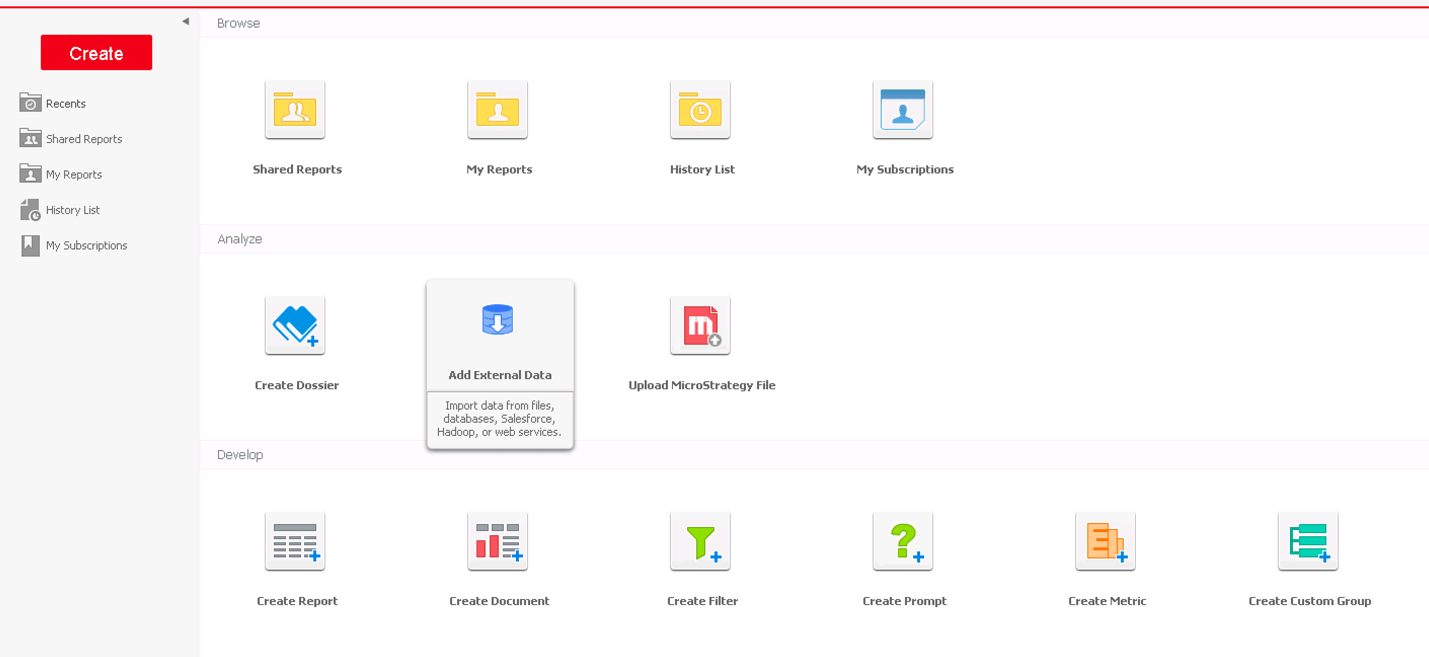
  • Connect to an MD, and from web choose “Add External Data”.
ka0PW0000001JaLYAU_0EM2R000000mms5.png


  • Create a cube by choosing sample dataset.
ka0PW0000001JaLYAU_0EM2R000000mms6.png
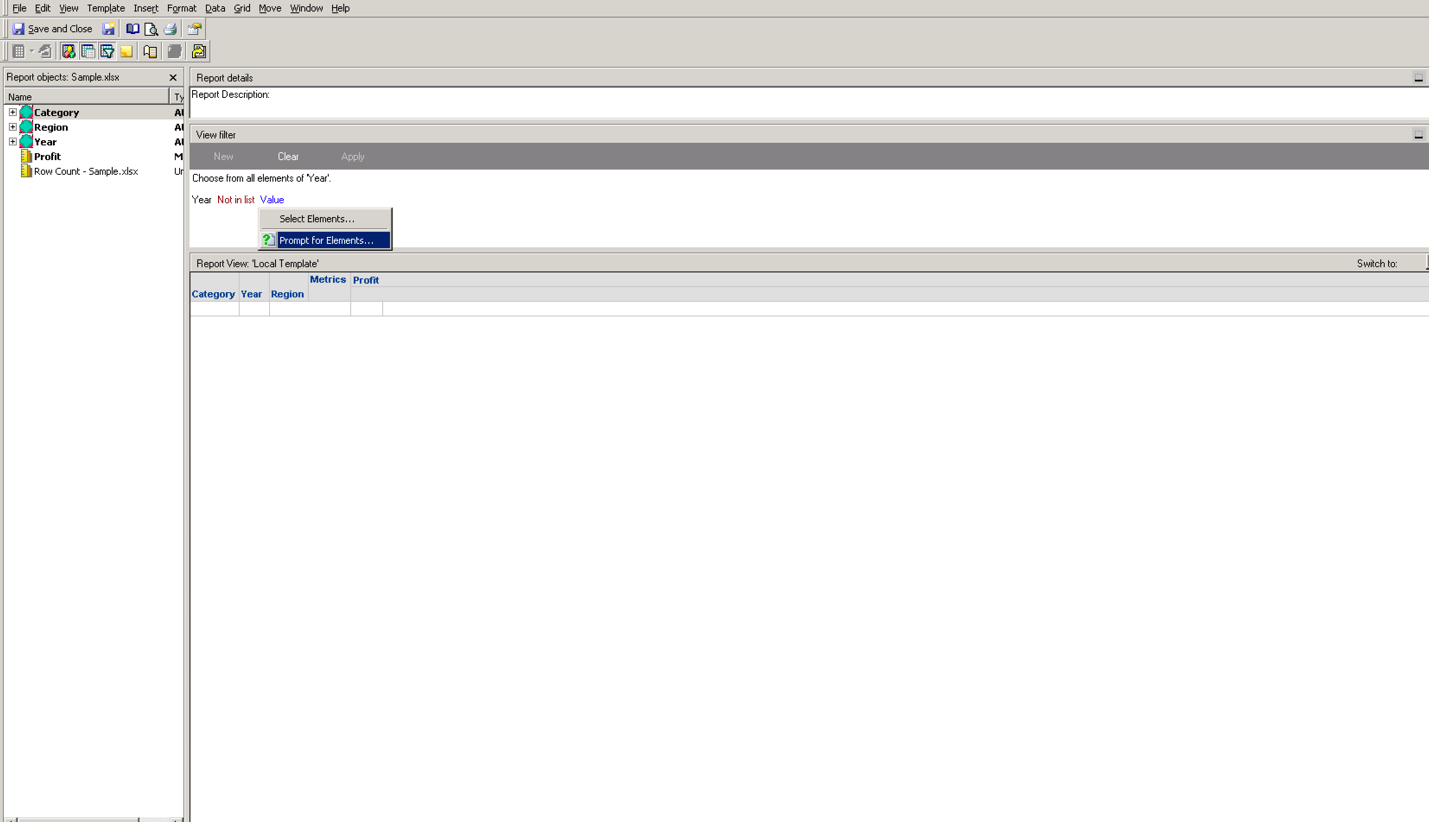
  • Click Finish and Create Report once cube is created. (In Developer
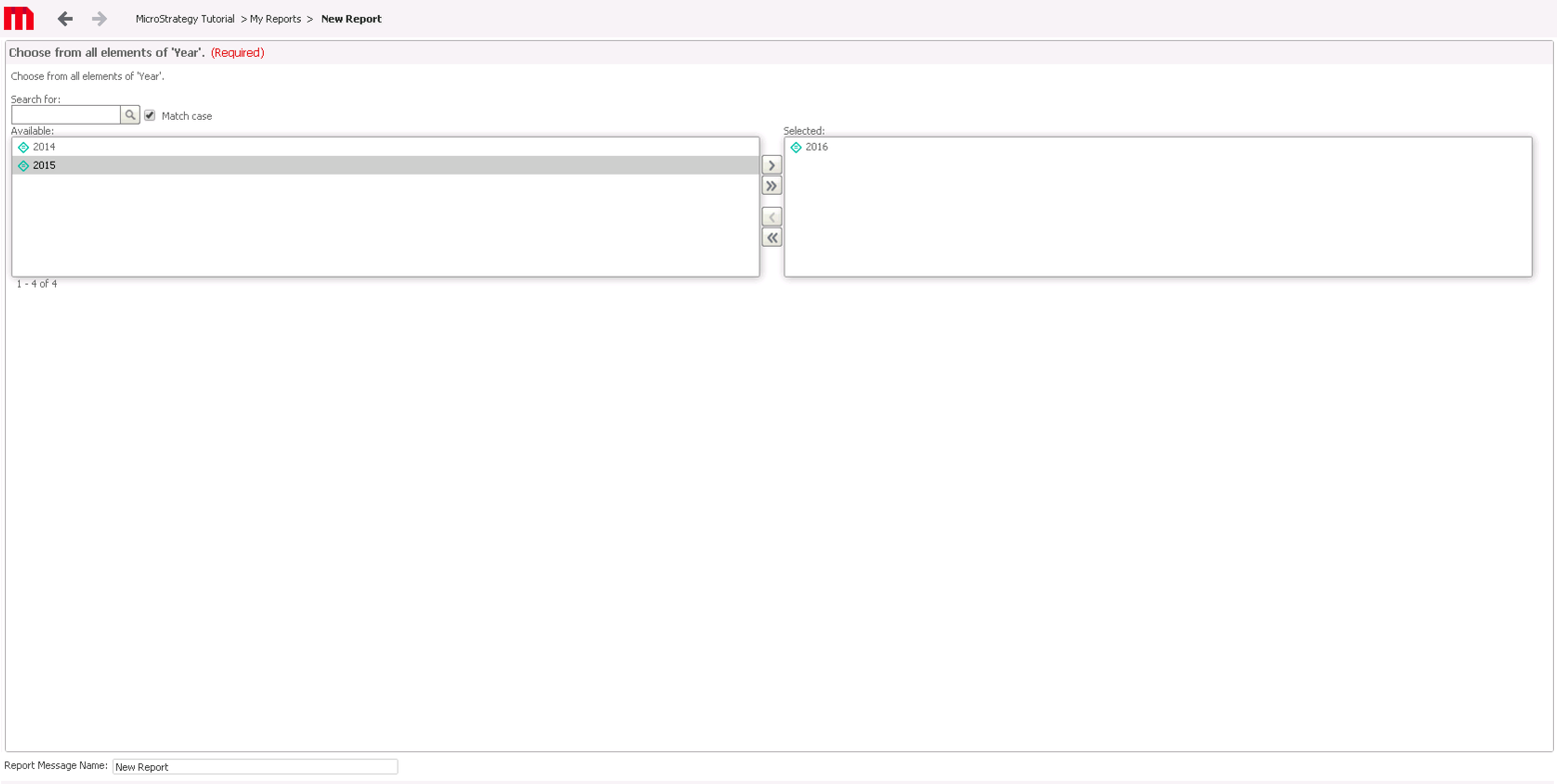
  • Add a prompt based on Year. (Note: “Operator” is “Not in List”)
ka0PW0000001JaLYAU_0EM2R000000mms7.png
  • Create a Dossier based on the report. Select "2016" as the prompt answer.
ka0PW0000001JaLYAU_0EM2R000000mms8.png
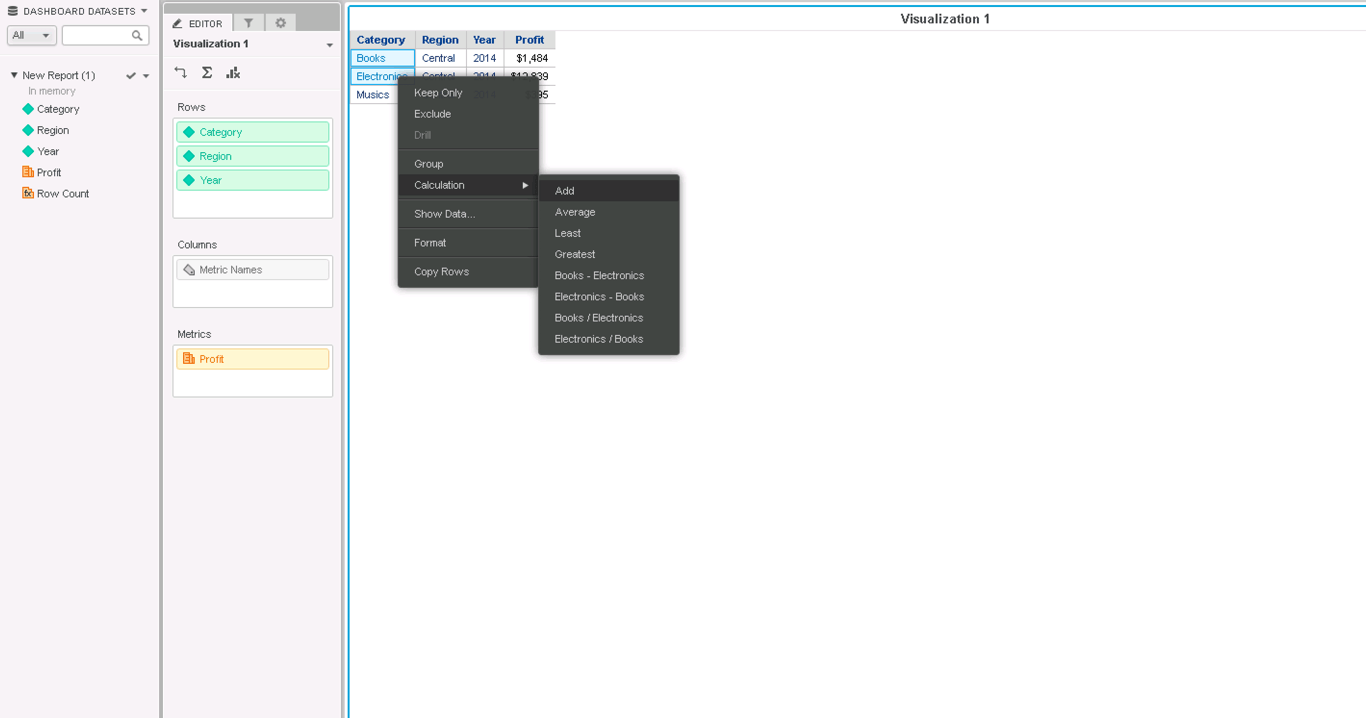
  • Add "Books" and "Electronics" as a new group named “Total”.
ka0PW0000001JaLYAU_0EM2R000000mms9.png

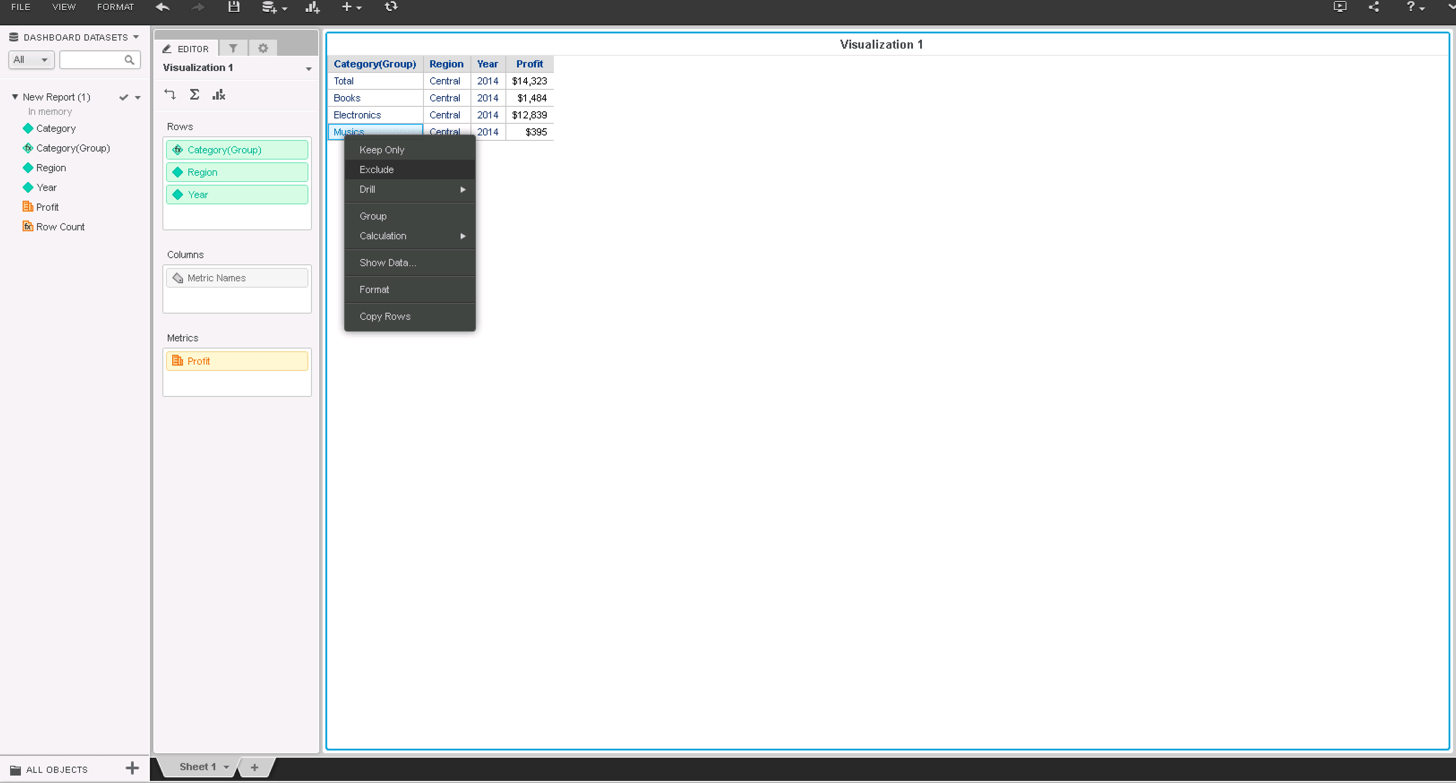
2. Create filtering with the missing element: RMC and exclude everything “Musics”
ka0PW0000001JaLYAU_0EM2R000000mmsA.png

3. Re-execute the dossier and select 2014 as the prompt answer

ka0PW0000001JaLYAU_0EM2R000000mmru.jpeg

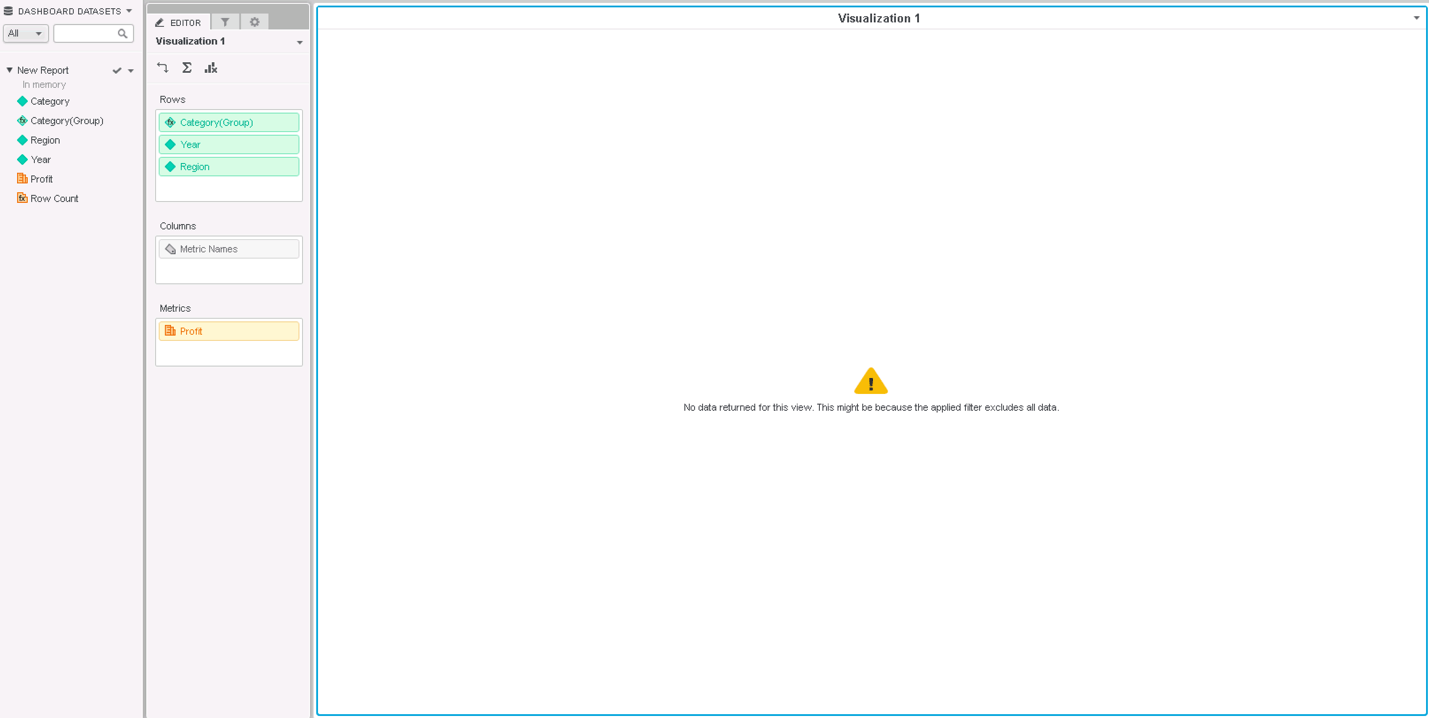
we’ll get “No data returned for this view …” error.
ka0PW0000001JaLYAU_0EM2R000000mmsB.png

CAUSE
When the calculation element “Total” with the prompt value "2016" is created, “Musics” is in the grid and saved in the "Exclude" filter. When re-prompt with "2014" selected,  “Musics” can't be found in the data hence the grid execution is failed and displays the error message.
SOLUTION
This issue has been fixed in Strategy 11.0 release. The missing filtering element "Musics" will be ignored and the expected grid data is displayed correctly. 

ka0PW0000001JaLYAU_0EM2R000000mmvx.jpeg

ACTION
Please upgrade to 11.0 or later release, the issue should be fixed. 


Comment

0 comments

Details

Knowledge Article

Published:

November 13, 2019

Last Updated:

March 21, 2024