EducationSoftwareStrategy.com
StrategyCommunity

Knowledge Base

Product

Community

Knowledge Base

TopicsBrowse ArticlesDeveloper Zone

Product

Download SoftwareProduct DocumentationSecurity Hub

Education

Tutorial VideosSolution GalleryEducation courses

Community

GuidelinesGrandmastersEvents
x_social-icon_white.svglinkedin_social-icon_white.svg
Strategy logoCommunity

© Strategy Inc. All Rights Reserved.

LegalTerms of UsePrivacy Policy
  1. Home
  2. Topics

KB484293: Users receive the following error message when uploading or republishing and Excel file, "Error in importing the file. Please check the file being imported.”


Community Admin

• Strategy


This article details an issue where users receive an error when attempting to upload an Excel file into a dossier or republish an existing Excel file in a dossier.

Starting with the release of Strategy ONE (March 2024), dossiers are also known as dashboards.

Symptom

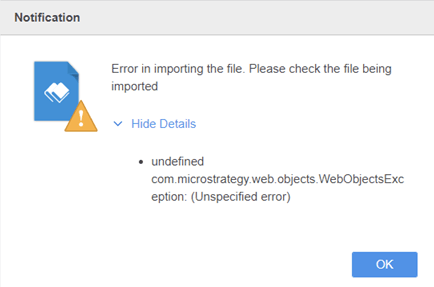
When attempting to upload an Excel file into a dossier or republish an existing Excel file in a dossier, users may receive the following error message:
Error in importing the file. Please check the file being imported. Undefined com.Strategy.web.objects.WebObjectsException: (Undefined error)
ka0PW0000001JcWYAU_0EM2R000000fm3N.jpeg

What is this happening?

The disk may be full when the Web server attempts to write the temp file to disk.

Solution

Free up the disk space for the Tomcat folder by restarting the Web server or enlarging the Tomcat container's space.


Comment

0 comments

Details

Knowledge Article

Published:

June 1, 2020

Last Updated:

March 21, 2024