EducationSoftwareStrategy.com
StrategyCommunity

Knowledge Base

Product

Community

Knowledge Base

TopicsBrowse ArticlesDeveloper Zone

Product

Download SoftwareProduct DocumentationSecurity Hub

Education

Tutorial VideosSolution GalleryEducation courses

Community

GuidelinesGrandmastersEvents
x_social-icon_white.svglinkedin_social-icon_white.svg
Strategy logoCommunity

© Strategy Inc. All Rights Reserved.

LegalTerms of UsePrivacy Policy
  1. Home
  2. Topics

KB484323: How to connect to Snowflake with the MicroStrategy Bundled Driver


Yang Huang

Quality Engineer, Principal • MicroStrategy


This article explains how to connect to Snowflake in the following scenarios: 1. Connectivity via DSN 2. DSN-less Connectivity • Connectivity with ODBC Driver • Connectivity with JDBC Driver

ODBC section

Strategy started shipping the Snowflake ODBC driver with 2020 update 2 and onwards to simplify the connectivity workflow.
 

Connectivity via DSN

1. Create DSN via Strategy Connectivity Wizard
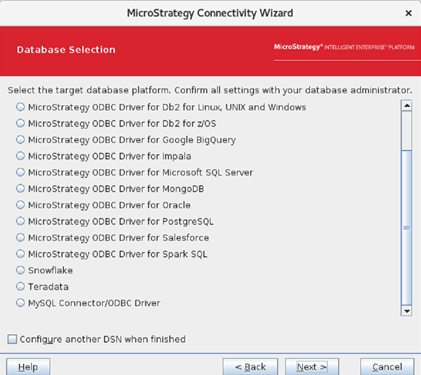
ka04W000000OfPGQA0_0EM2R000000frhN.jpeg

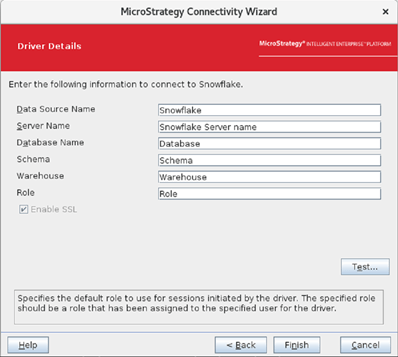
Then fill in with the necessary connection parameters.
ka04W000000OfPGQA0_0EM2R000000frhS.jpeg

User can either click “Test” to verify the connectivity or just go ahead and click “Finish” to complete the DSN creation.
If user wants to add more connection parameters other than above, they can manually edit DSN just created in the odbc.ini. Here is the available connection parameters:  https://docs.snowflake.com/en/user-guide/odbc-parameters.html#connection-parameters


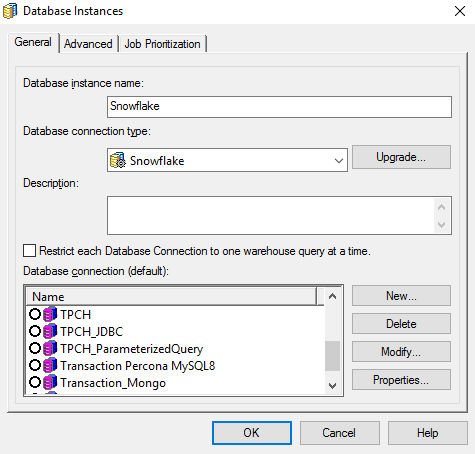
2. Create a new database instance
ka04W000000OfPGQA0_0EM2R000000frhm.jpeg

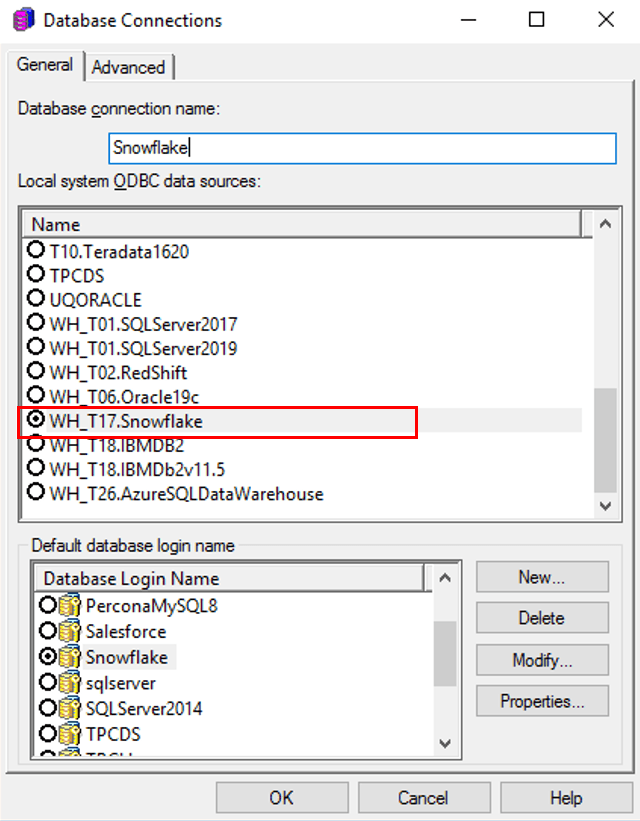
3. Create a new database connection
Create a database connection using the DSN created on Step 1.
ka04W000000OfPGQA0_0EM2R000000friB.jpeg

4. Configure and store credentials for the login

DSN-less Connectivity

  • DSN-less Connectivity using Snowflake ODBC driver


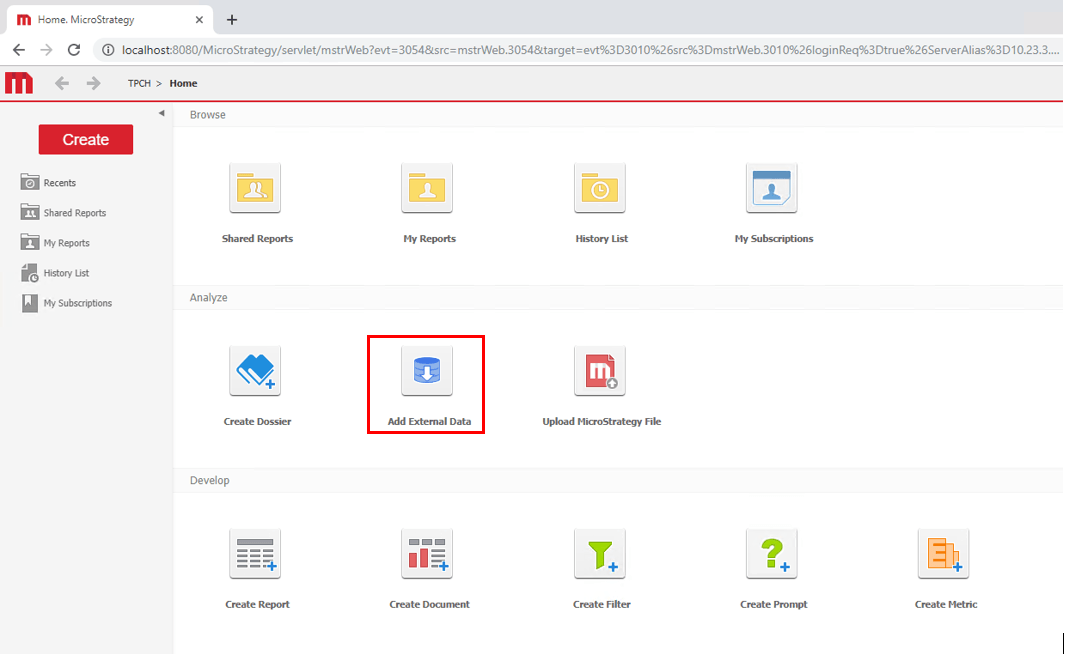
DSN-less Connection using ODBC driver are supported in most Strategy Platforms, except for MacOS Workstation/Desktop. Here is an example shows how user can create a DSN-less connection using Snowflake ODBC driver in Strategy Web:
 

ka04W000000OfPGQA0_0EM2R000000fria.jpeg

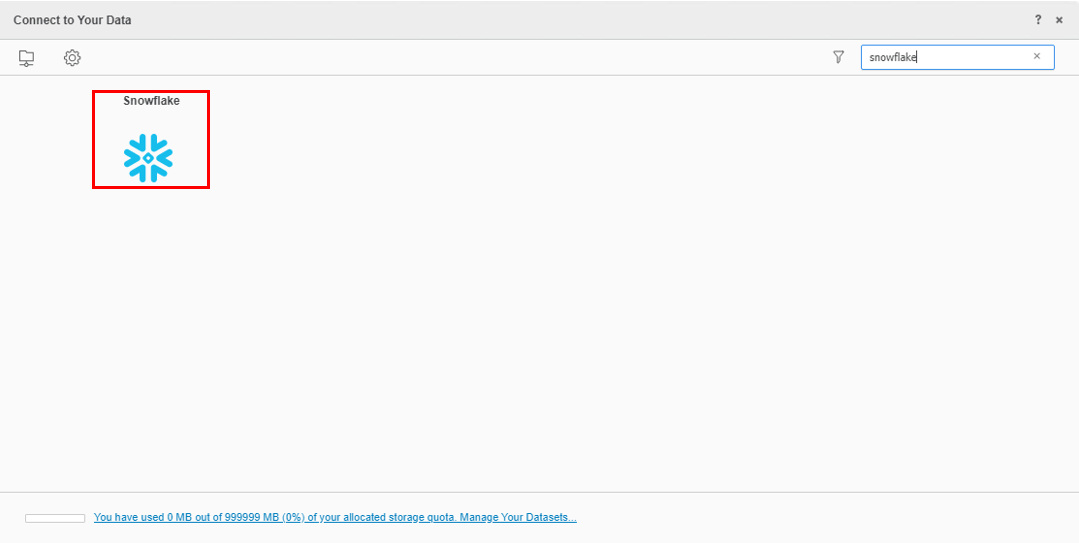
Then choose Snowflake: 

ka04W000000OfPGQA0_0EM2R000000frif.jpeg

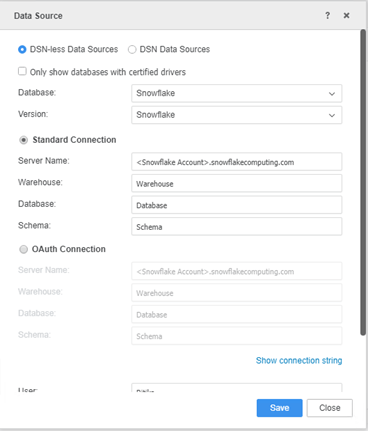
Then fill in with the connection parameters:
ka04W000000OfPGQA0_0EM2R000000frik.jpeg


JDBC section

Strategy started shipping the Snowflake JDBC driver with Strategy 2021 release and onwards to simplify the connectivity workflow. 

  • DSN-less Connectivity using Snowflake JDBC driver

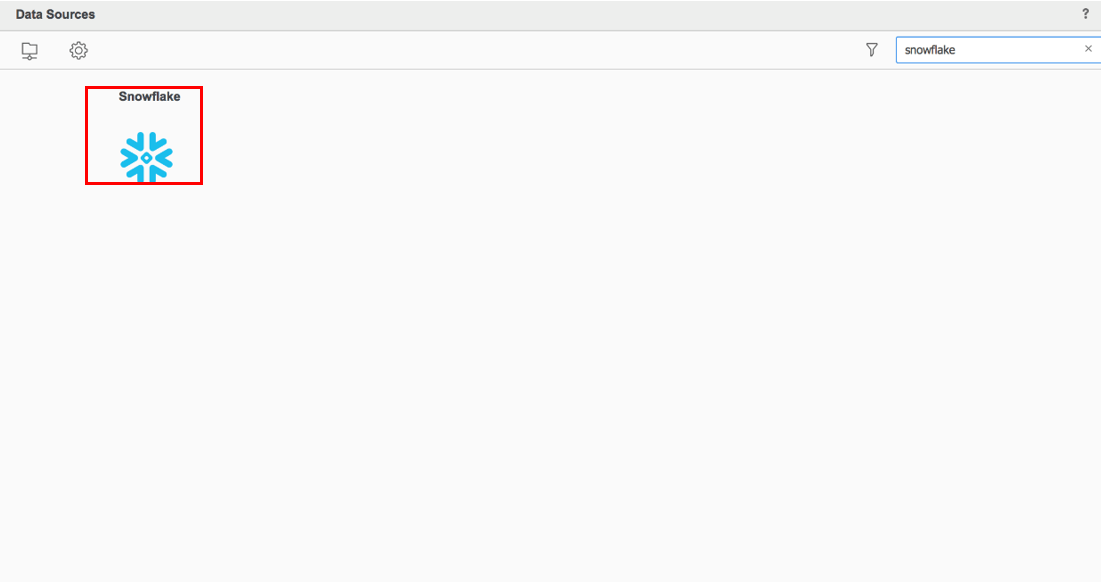
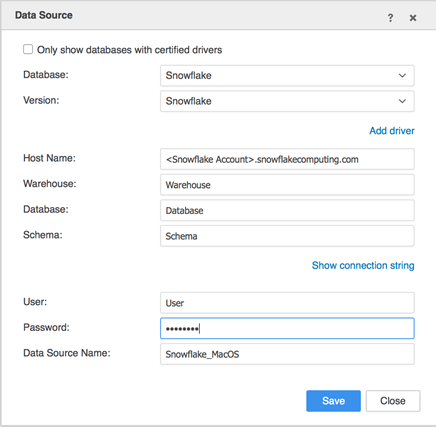
JDBC driver is also shipped in MacOS Workstation/Desktop. User can connect to snowflake database by following steps:
ka04W000000OfPGQA0_0EM2R000000frip.jpeg

Then fill in with the connection parameters
ka04W000000OfPGQA0_0EM2R000000friz.jpeg


Comment

0 comments

Details

Knowledge Article

Published:

June 8, 2020

Last Updated:

March 8, 2021