Subscriptions that are programmatically created using SendNow are not visible in the Developer Configuration Manager Subscriptions view.
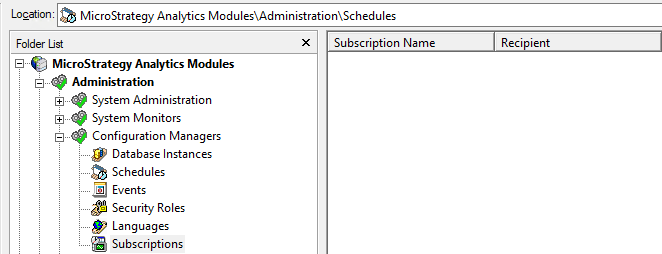
The purpose of this KB article is not to provide full steps on how to create a SendNow subscription programmatically, but to alleviate the behavior where subscriptions created programmatically are not displayed in the above view from Developer.
If the subscription that was created programmatically using Strategy's Java Web APIs does not appear in the Subscriptions view of Developer, it is most likely the result of not having an associated subscription trigger. Strategy Tutorial examples of valid subscription triggers can include “First of the Month”, “All of the Time”, etc.
/* This code creates the WebSubscriptionsSource object to generate the WebSubscription object with the value of “myNewWebSubscription”
/*
myNewWebSubscription.sendNow(true);
myNewWebSubscription.save();
Make a code adjustment to add the subscription trigger to your WebSubscription object prior to saving the subscription.


/* This code creates the WebSubscriptionsSource object to generate the WebSubscription object with the value of “myNewWebSubscription”
*/
myNewWebSubscription.sendNow(true);
/* In the code below, wos.getObject(String, int); is a WebObjectSource. The latest set of documentation regarding this call can be found here:
https://www2.Strategy.com/producthelp/Current/WebAPIReference/com/MicroStrategy/web/objects/WebObjectSource.html#getObject (java.lang.String,%20int)
*/
String modifyMeWithYourScheduleID = “FF7BB3C811D501F0C00051916B98494F”
WebSubscriptrionTrigger trigger = (WebSubscriptionTrigger) wos.getObject(modifyMeWithYourScheduleID,EnumDSSXMLObjectTypes.DssXmlTypeScheduleTrigger);
trigger.populate();
myNewWebSubscription.setTrigger(trigger);
myNewWebSubscription.save();
