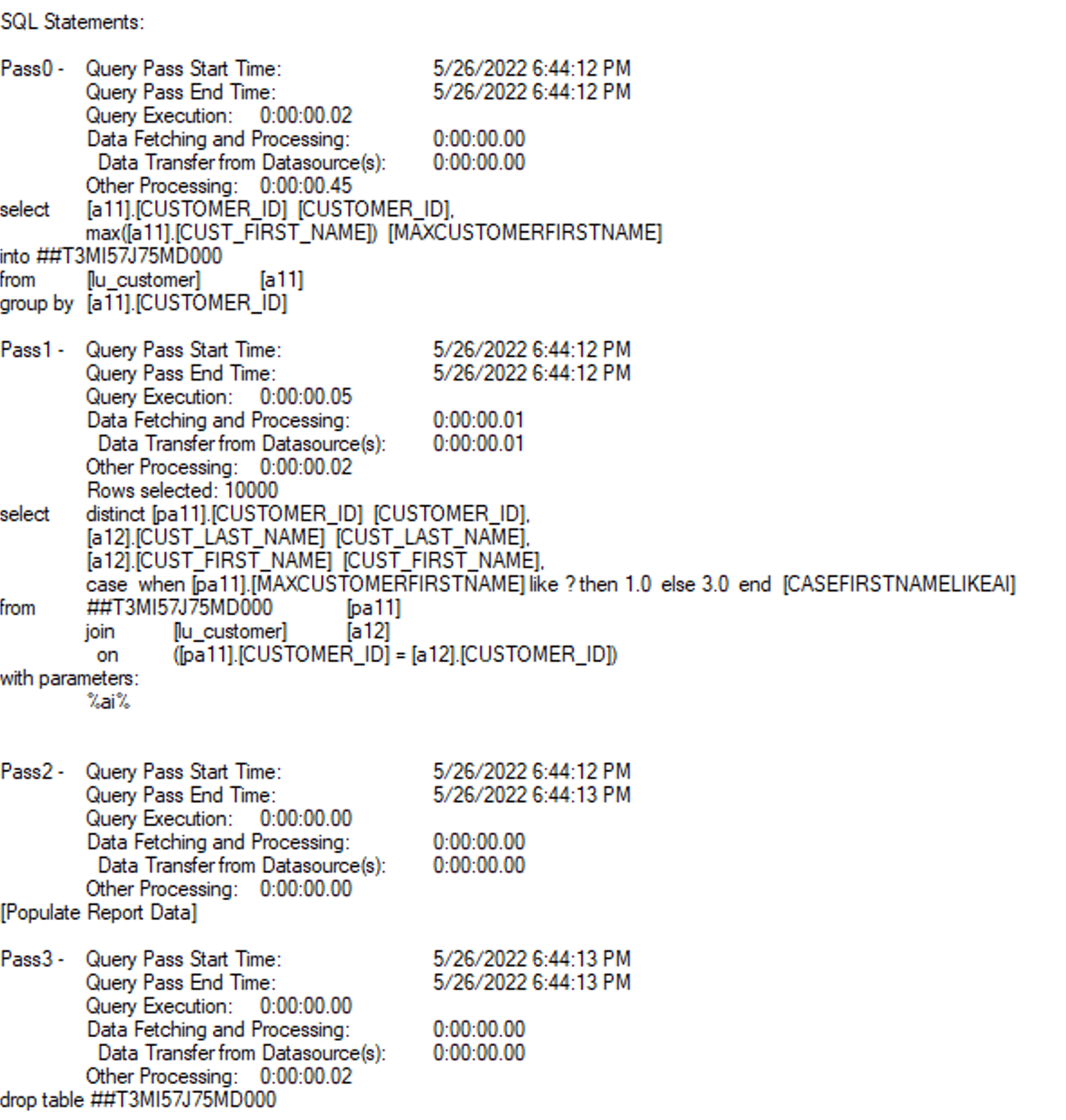
Here we provide an example built upon Strategy Tutorial Project:
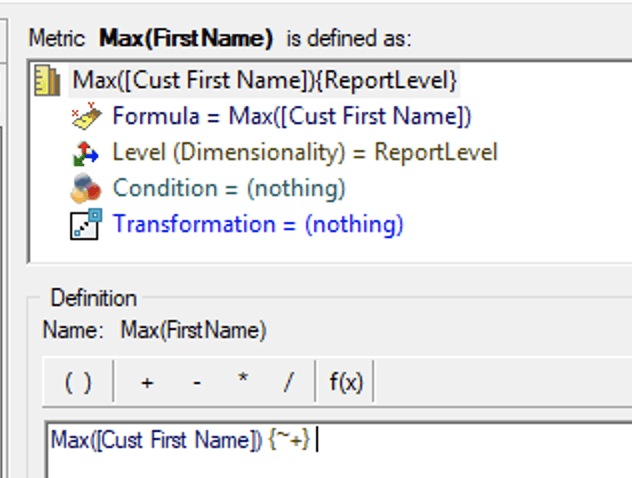
1. Create a String metric, e.g., Max([Cust First Name]){~+}
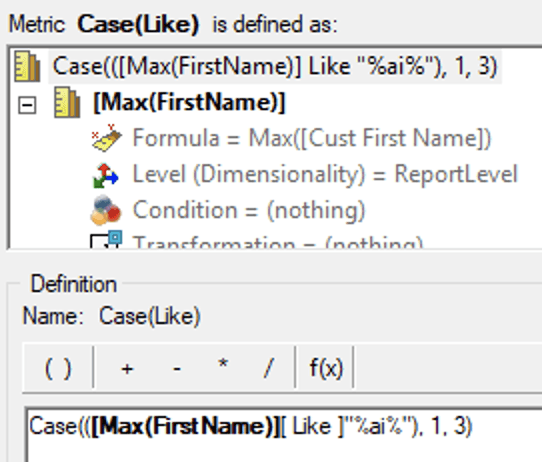
2. Create a compound metric using Case and Like Operator: Case(([Max(FirstName)][ Like ]"%ai%"), 1, 3)
3. Create a report using Attribute Customer and the Compound Metric created above:
4. Execute the report and you will see an error:
1) If the warehouse is using Parameterized Query :

Error: QueryEngine encountered error: Set Parameters failed.
Error type: Invalid operation. The amount of given parameter values doesn't match the expectation in the SQL statement..
Error in Process method of Component: QueryEngineServer, Project xxx, Job 1035, Error Code= -2147212544.
2) If the warehouse is not using Parameterized Query:

Error: QueryEngine encountered error: Execute Query failed.
Error type: Odbc error. Odbc operation attempted: SQLExecDirect. [42S22:207: on SQLHANDLE] [Strategy][ODBC SQL Server Wire Protocol driver][Microsoft SQL Server]Invalid column name 'ai'..
Error in Process method of Component: QueryEngineServer, Project xxx, Job 999, Error Code= -2147212544.
This will revert the behavior back to previous versions.
Steps:
1. Go to "Subtotals / Aggregation"
2. Check the box before "Allow Smart Metric"
3. Save the metric
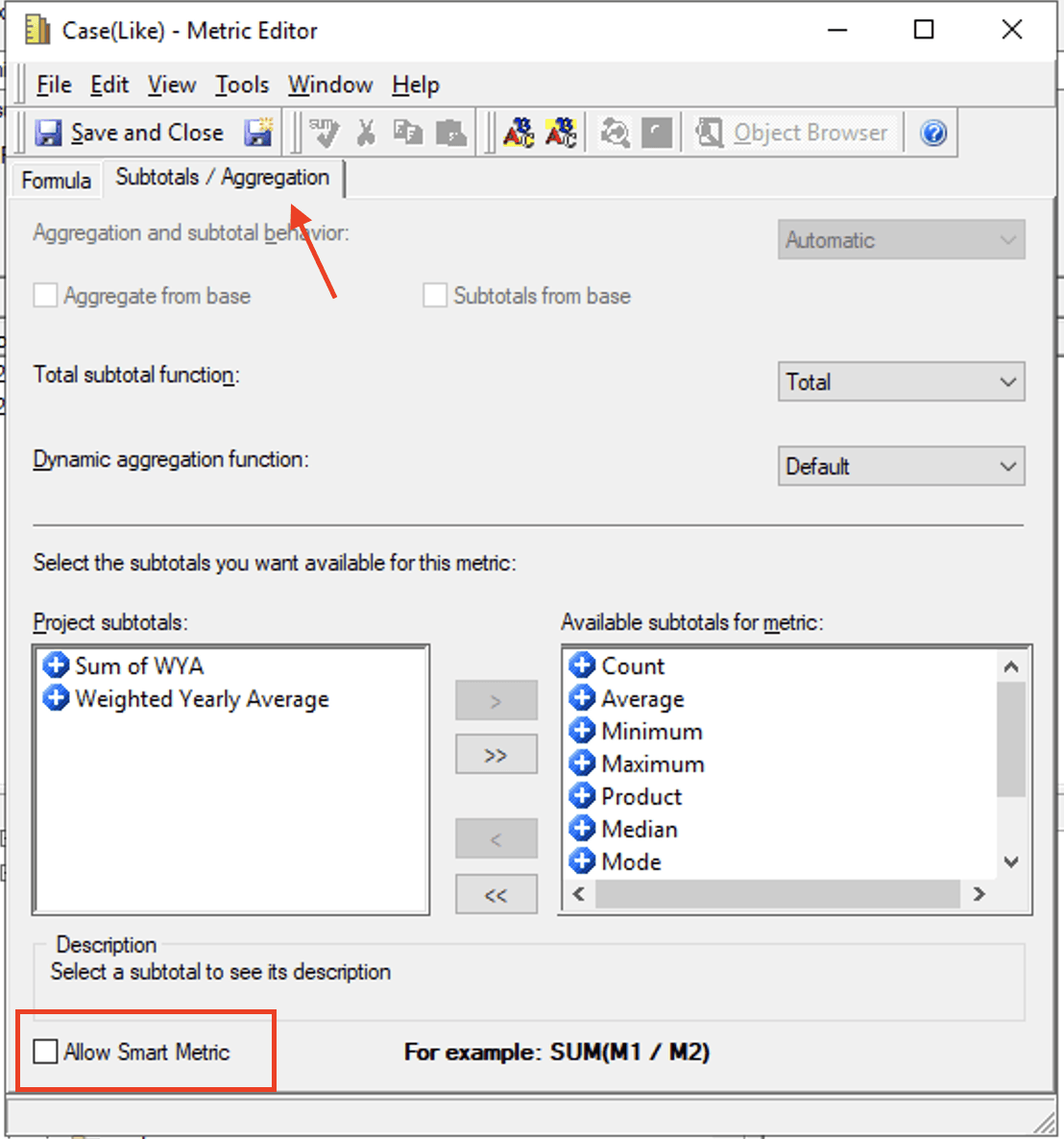
This can be an easy workaround but users will not gain the performance benefit of pushing down the case function, since the function will be calculated in Analytical Engine.
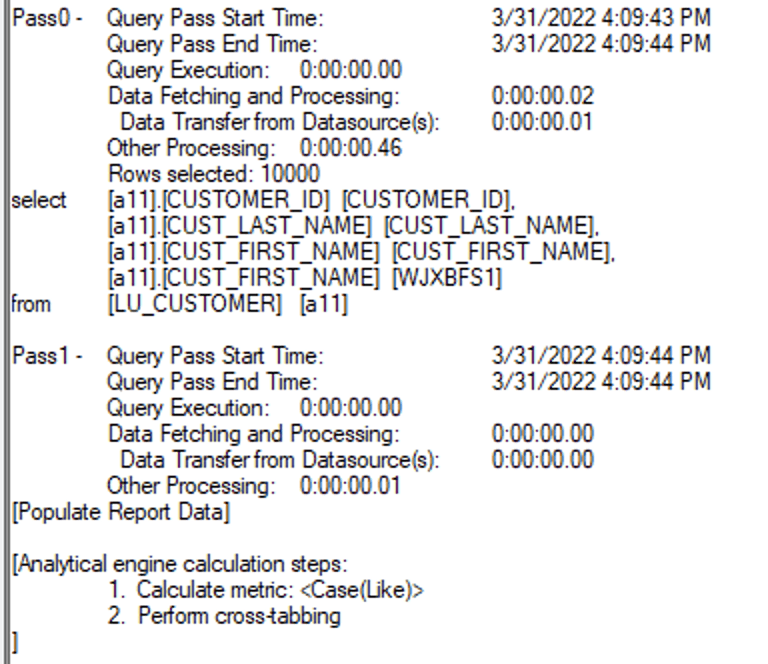
This requires the user to have some knowledge of specific Warehouse and ApplyComparison Function in Strategy.
Steps (Using SQL Server Syntax as an example):
1. Edit the compound metric definition to Case(ApplyComparison("#0 like '%ai%'", [Max(FirstName)]), 1, 3)
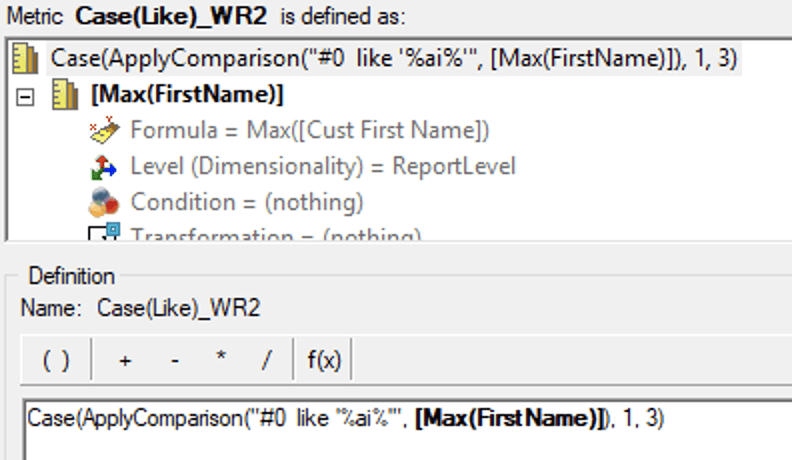
2. Save the Metric
In this method, users can push down Like Operator to the Warehouse and gain the performance benefit. But since different database vendors may require different SQL Syntax, users need to have some knowledge and understanding of the Gateway that the report runs against.
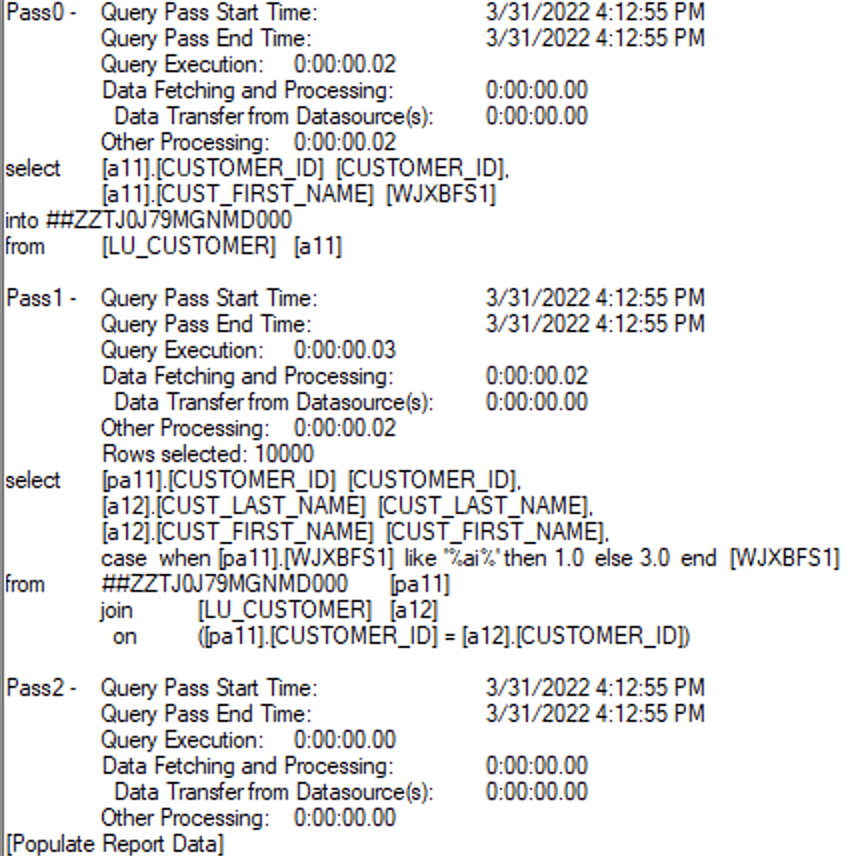
Amazon Redshift
Google BigQuery
Hive 2.x
Hive 3.x
Impala 2.x
Impala 3.x
Microsoft SQL Server 2012
Microsoft SQL Server 2014
Microsoft SQL Server 2016
Microsoft SQL Server 2017
Microsoft SQL Server 2019
MySQL 5.x
MySQL 8.x
Oracle 18c
Oracle 19c
Oracle 21c
PostgreSQL
Salesforce
SAP HANA 2.x
Spark SQL 2.x
Spark SQL 3.x
Teradata 16.x
Teradata 17.00
This issue has been fixed in Strategy 2021 Update 6.
After the fix, with Parameterized Query or not, the report can run correctly:
PQ off:
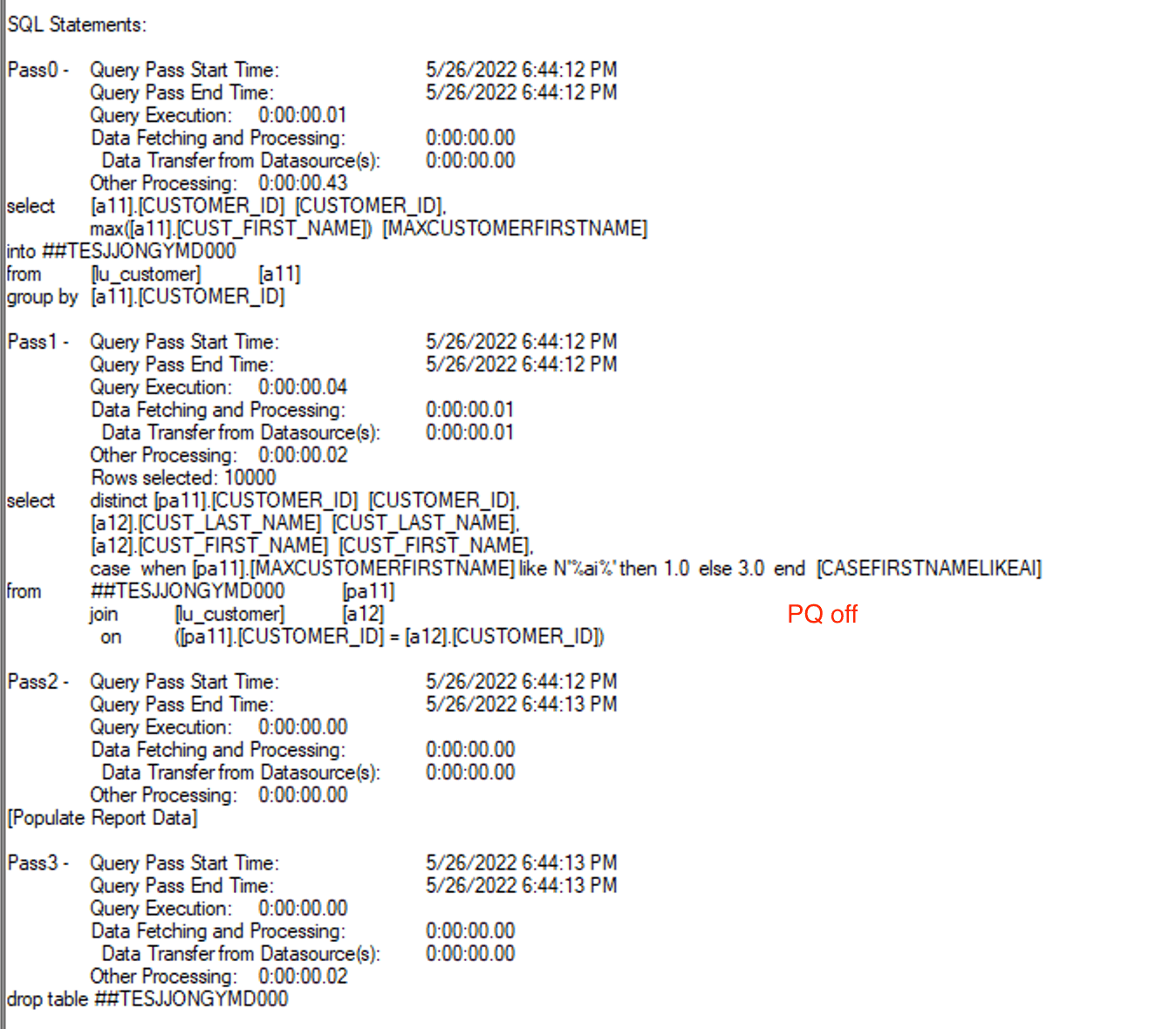
PQ on: