Symptom
Previously we have set the default unixEncoding for Exasol connection to UTF-16 due to an Exasol driver encoding issue.
Exasol have fixed the bug in EXASOL-2989.
After Exasol driver upgraded from 7.0.4 to 7.1.7 along with MSTR 11.3.6, only UTF-8 could work for Linux OBDC driver.
For existing Exasol db role created in older IServer, it cannot fetch data correctly from Database.
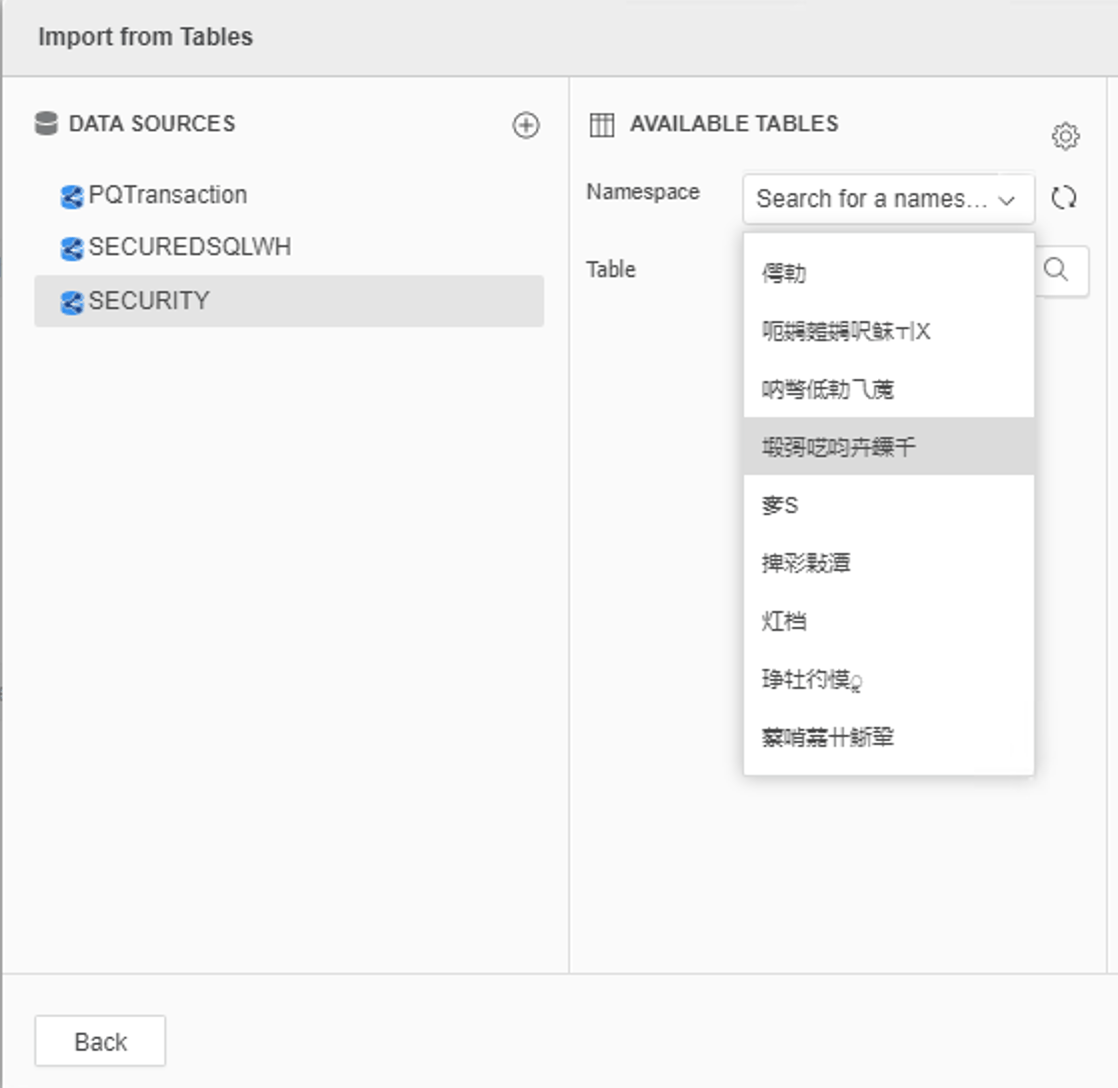
Cause
We have confirmed with Exasol engineer, this is an expected behavior after a bug fixing.
"The old driver was not setting the encoding for W(unicode) data to utf8 as requested by the driver manager. This was a bug. Our driver was using the fallback from the driver manager which is utf16. Now only set the encoding for Unix drivers for database instance to UTF-8, the Exasol ODBC driver on Linux platform could work properly. The new driver correctly sets the encoding as requested by the driver mamager "SQLSetConnectAttr(ConnectionHandle=2, Attribute=1061,Value=SQL_ATTR_APP_WCHAR_TYPE = SQL_DD_CP_UTF8, StringLength=-5)" and uses this for the W(unicode) strings of data."
Action

Once this change is made, restart the Intelligence Server and Strategy will now use the right type of unicode when processing the data out of the Exasol database.
Note: In case you are using an older version of web, before editing the db role, please modify DBProperties.xml and restart the web, DBProperties.xml could be found under Strategy Web folder, such as C:\Program Files\Apache Software Foundation\Tomcat 9.0\webapps\MicroStrategy\WEB-INF\xml
AS-IS:
<dbVersion n="Exasol7x" v="343" pq="1" unixEncoding="0"/> <!-- R: EXASolution -->
TO-BE:
<dbVersion n="Exasol7x" v="343" pq="1"/> <!-- R: EXASolution -->
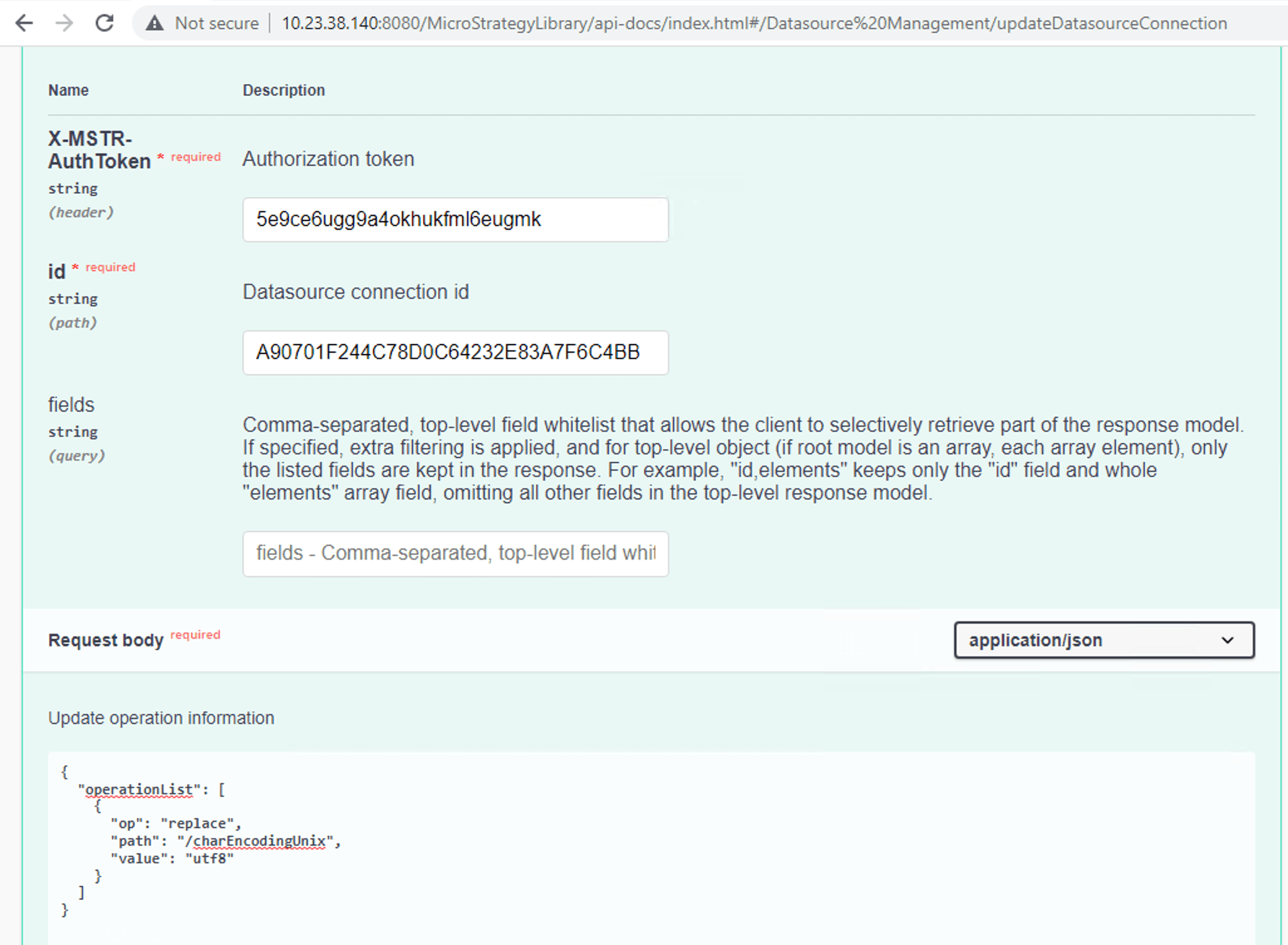
Workflow, you can visit http://<iserver-web >:8080/MicroStrategyLibrary/api-docs/index.html:
{
"operationList": [
{
"op": "replace",
"path": "/charEncodingUnix",
"value": "utf8"
}
]
}
Appendix
https://www.progress.com/tutorials/odbc/unicode
https://www.exasol.com/support/browse/EXASOL-2989
MicroStrategy REST API
Version:
11.3.6
