EducationSoftwareStrategy.com
StrategyCommunity

Knowledge Base

Product

Community

Knowledge Base

TopicsBrowse ArticlesDeveloper Zone

Product

Download SoftwareProduct DocumentationSecurity Hub

Education

Tutorial VideosSolution GalleryEducation courses

Community

GuidelinesGrandmastersEvents
x_social-icon_white.svglinkedin_social-icon_white.svg
Strategy logoCommunity

© Strategy Inc. All Rights Reserved.

LegalTerms of UsePrivacy Policy
  1. Home
  2. Topics

KB485844: Flash Entry Points Removed from MicroStrategy Web


Haiyue Yu

Product Owner, Senior •


This article details the areas of MicroStrategy Web where the Flash entry points have been removed.

Starting with the release of Strategy ONE (March 2024), dossiers are also known as dashboards.

Introduction

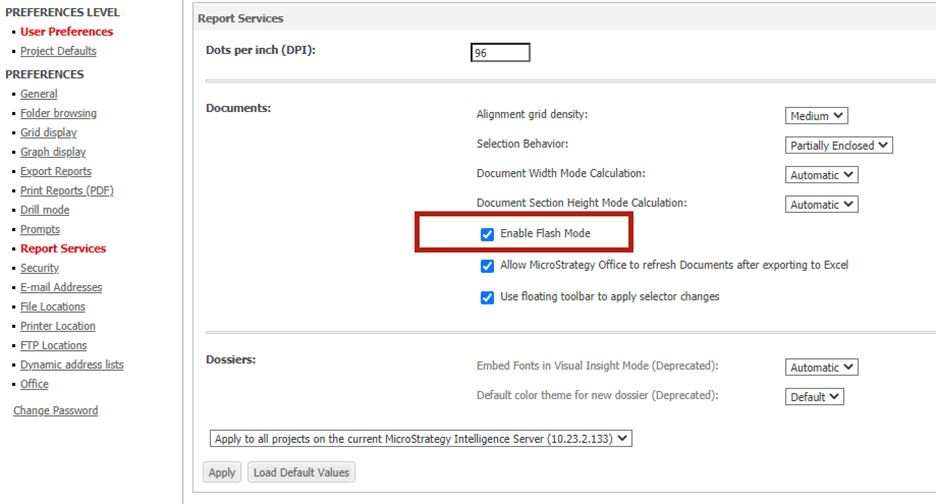
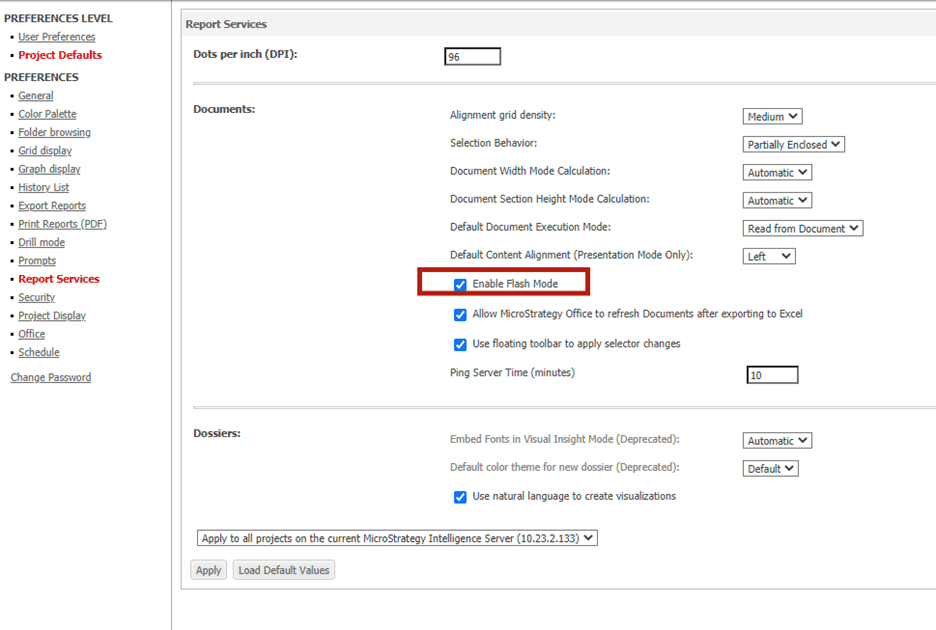
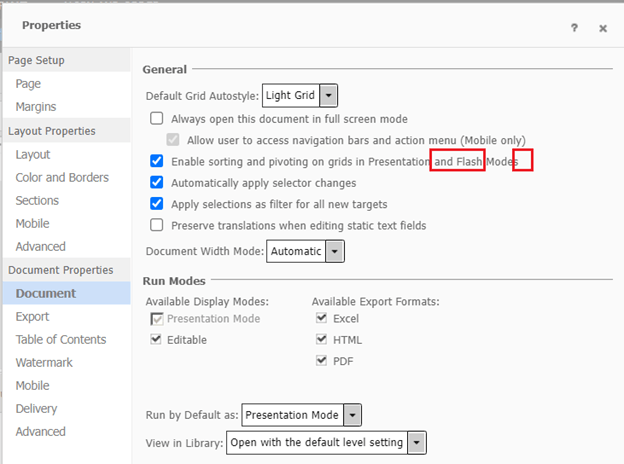
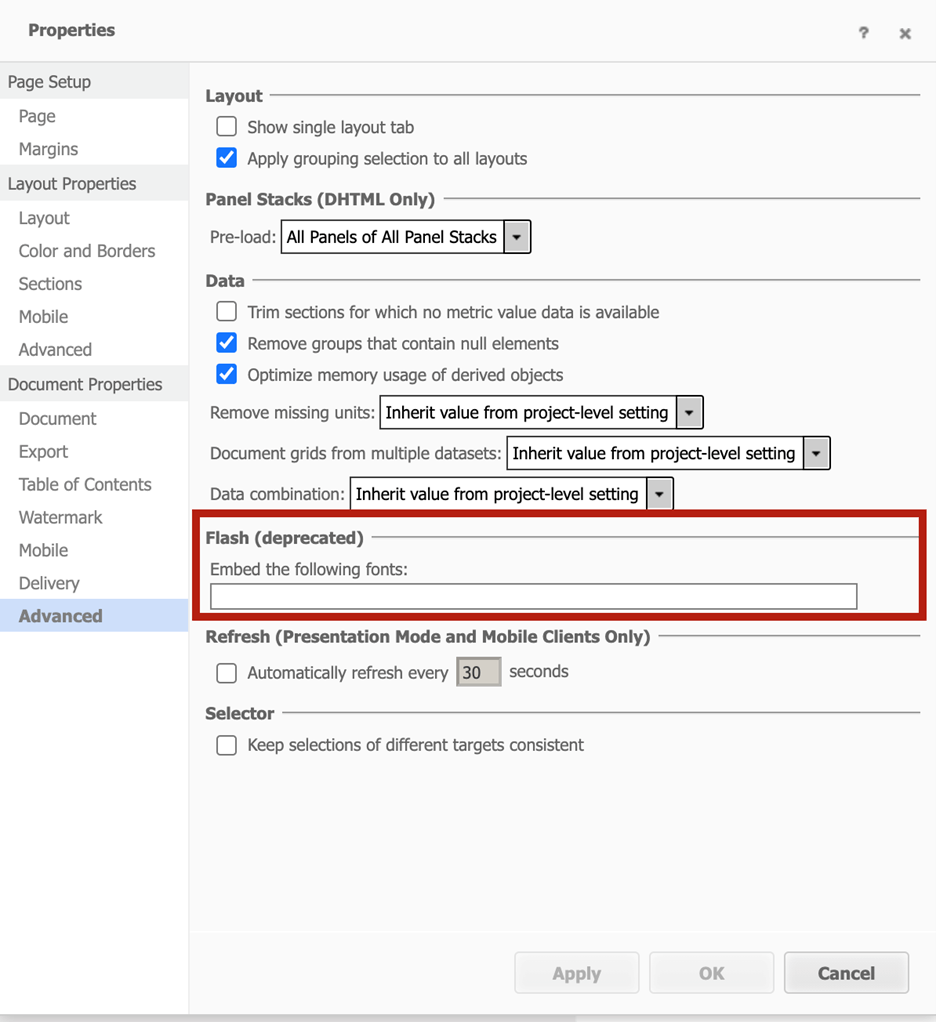
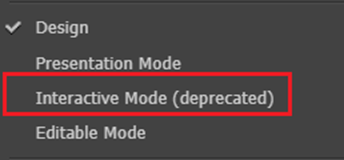
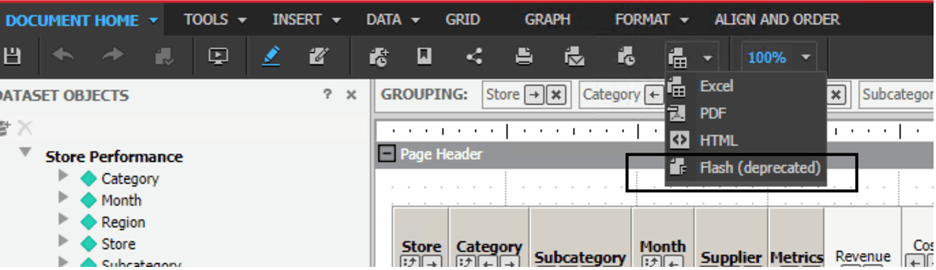
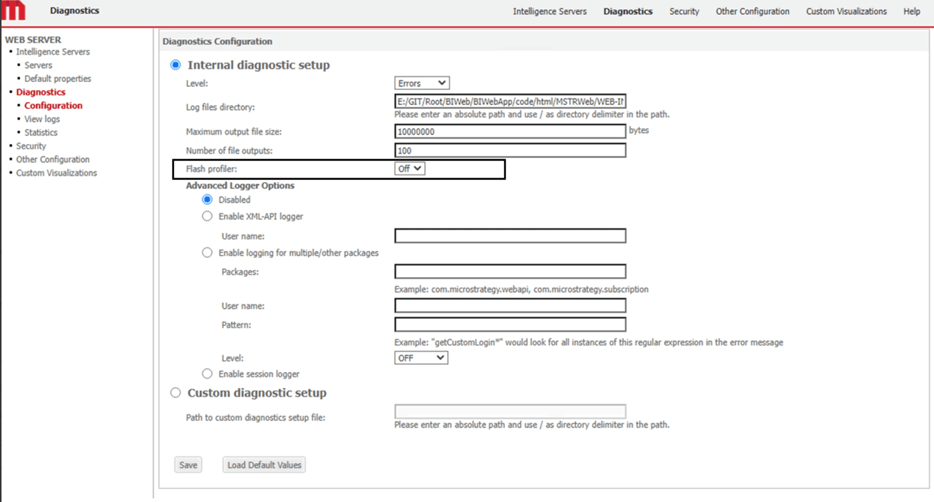
Adobe officially stopped support of their Flash Player on December 31, 2020. As a result, Strategy is retiring the deprecated Flash feature. The following Flash entry points have been removed from Strategy Web starting in 2021 Update 8:
 

  • Web Admin and Preferences pages
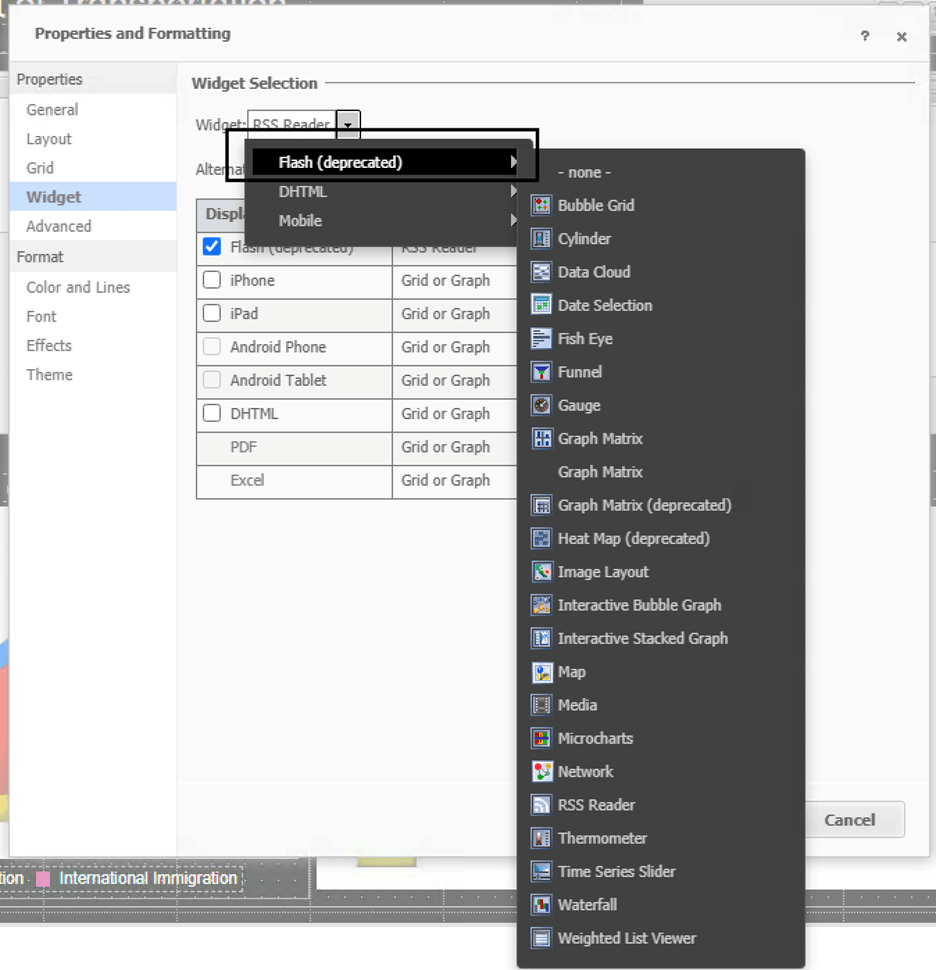
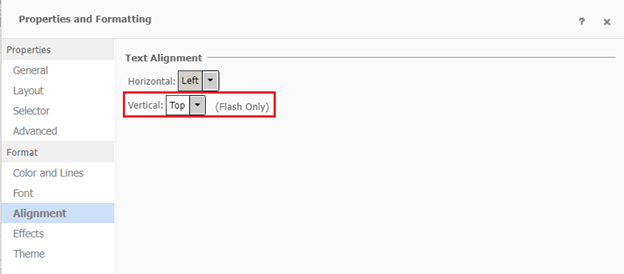
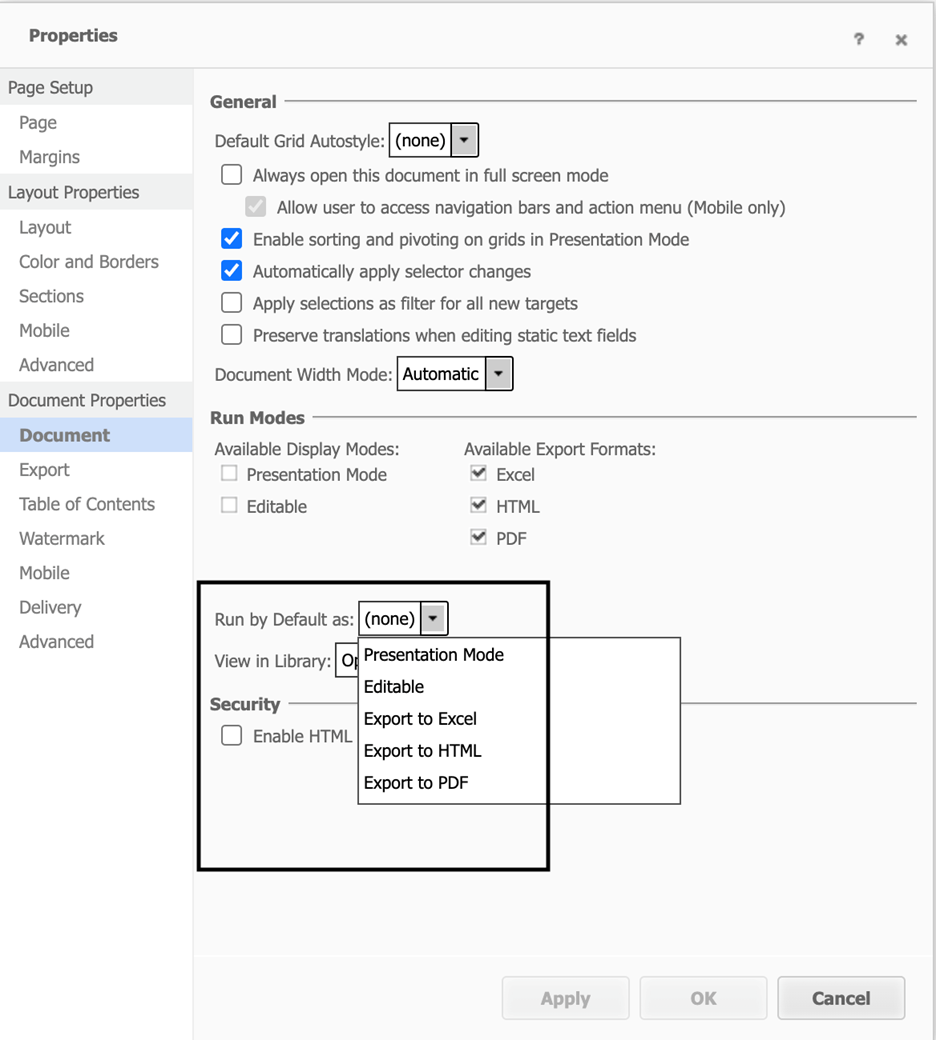
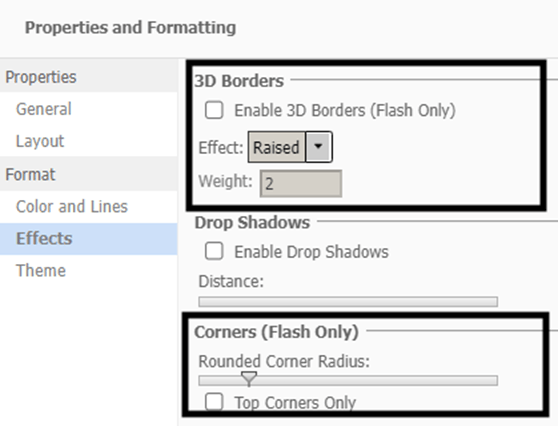
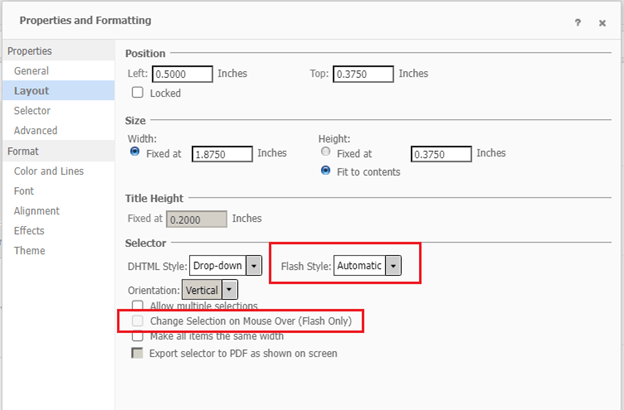
  • RSD Document Properties and Properties and Format dialogs
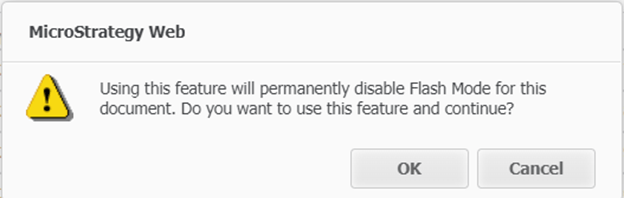
  • Messages and alerts
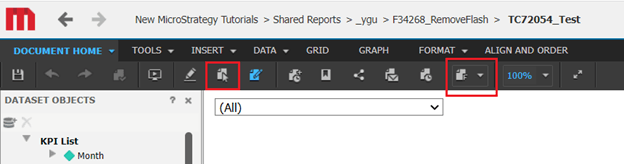
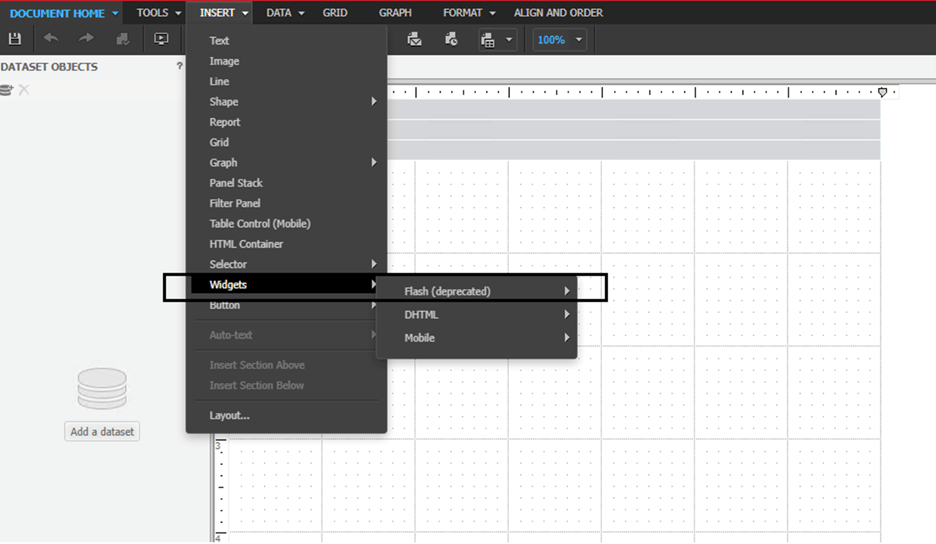
  • Document Editor
  • Flash menu option


Web Admin and Preferences pages

ka0PW0000001JkHYAU_0EM4W000006HYuF.jpeg


ka0PW0000001JkHYAU_0EM4W000006HYuZ.jpeg


ka0PW0000001JkHYAU_0EM4W000006HYvN.jpeg


RSD Document Properties dialog and Properties and Format dialog

ka0PW0000001JkHYAU_0EM4W000006HYwB.jpeg


ka0PW0000001JkHYAU_0EM4W000006HYwG.jpeg


ka0PW0000001JkHYAU_0EM4W000006HYwQ.jpeg


Note: Image layouts created using Flash in dossiers will be converted to a grid. You need to manually update the widget to the new HTML based image layout and save the dossier to use the widget.
ka0PW0000001JkHYAU_0EM4W000006HYwa.jpeg


ka0PW0000001JkHYAU_0EM4W000006HYwf.jpeg


ka0PW0000001JkHYAU_0EM4W000006HYwp.jpeg


ka0PW0000001JkHYAU_0EM4W000006HYxE.jpeg


Messages and alerts

Removed message
 

ka0PW0000001JkHYAU_0EM4W000006HYyW.jpeg

Updated message
 
From:

ka0PW0000001JkHYAU_0EM4W000006HYyR.jpeg

To:

ka0PW0000001JkHYAU_0EM4W000006HYwb.jpeg

Note: If a Report Service Document contains Flash functionality, the RSD author should manually update the Flash content with different widgets.
 

Document Editor

When creating or editing an existing document without any Flash content, Strategy has removed options related to Flash content in the Document Editor.
 

ka0PW0000001JkHYAU_0EM4W000006HYy7.jpeg


ka0PW0000001JkHYAU_0EM4W000006HYxs.jpeg


ka0PW0000001JkHYAU_0EM4W000006HYxn.jpeg


ka0PW0000001JkHYAU_0EM4W000006HYxi.jpeg


ka0PW0000001JkHYAU_0EM4W000006HYxd.jpeg


Flash menu option

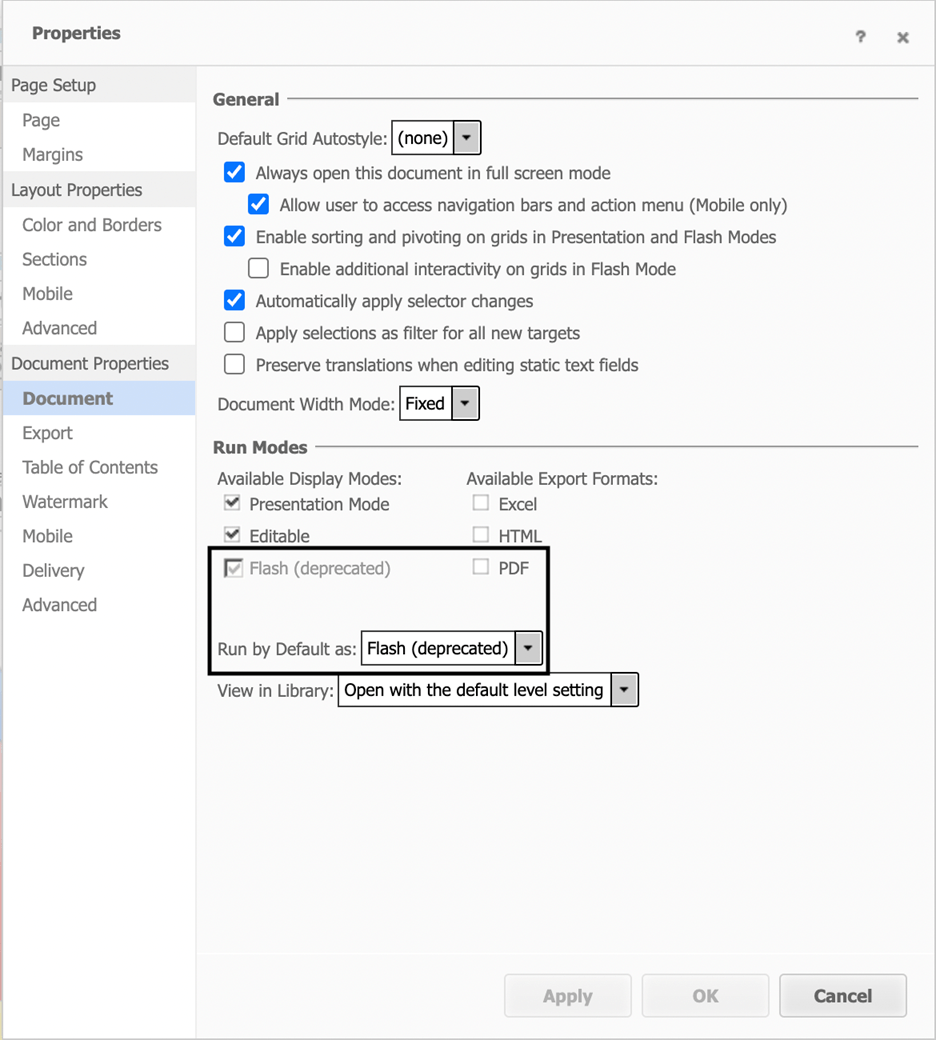
When editing a document that contains Flash functionality, the previous Run by Default as Flash mode setting is changed to Run by Default as None. The RSD author must choose a new setting for the RSD.
 
Old setting
ka0PW0000001JkHYAU_0EM4W000006HYxY.jpeg

 
New setting

ka0PW0000001JkHYAU_0EM4W000006HYxO.jpeg

Comment

0 comments

Details

Knowledge Article

Published:

December 6, 2022

Last Updated:

March 21, 2024