EducationSoftwareStrategy.com
StrategyCommunity

Knowledge Base

Product

Community

Knowledge Base

TopicsBrowse ArticlesDeveloper Zone

Product

Download SoftwareProduct DocumentationSecurity Hub

Education

Tutorial VideosSolution GalleryEducation courses

Community

GuidelinesGrandmastersEvents
x_social-icon_white.svglinkedin_social-icon_white.svg
Strategy logoCommunity

© Strategy Inc. All Rights Reserved.

LegalTerms of UsePrivacy Policy
  1. Home
  2. Topics

KB485867: Customize formatting for smart attributes and set user-level language preference in Library


Witold Cichon

Product Manager • MicroStrategy


Starting with the release of Strategy ONE (March 2024), dossiers are also known as dashboards.
This article describes how your Strategy environment is impacted by the new "Customizable Formatting for Smart Attributes and Setting User-level Language Preference in Library" feature. This feature is available starting in Strategy 2021 Update 8 and provides the following functionality:
  • Administrators can create, edit, delete, and manage language objects. Strategy supports 43 languages. Unsupported languages and language objects that are created in Developer can't be edited in Workstation. For the list of supported languages, see Supported Languages.
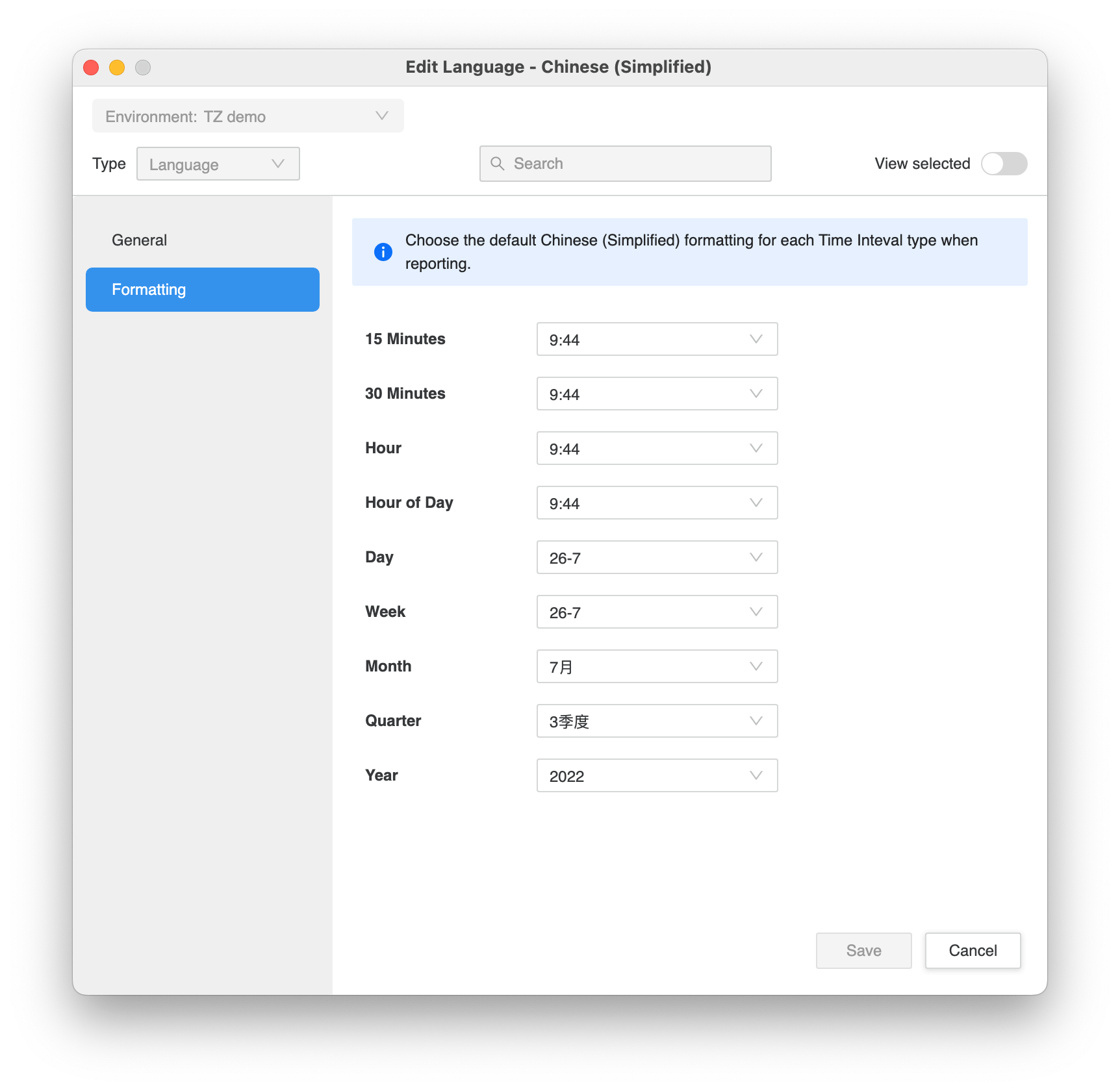
  • You can set the desired formatting for each smart attribute in the Language Object Editor. The available formatting options vary depending on the object language and are sourced from ISO 8601. A default format is applied to smart attributes depending on their language.
ka0PW0000001JkcYAE_0EM4W000006HurJ.jpeg
  • Note: Week and Hour of Day are exposed in the Language Formatting tab but these fields are not yet supported in the product.
  • Users can set their preferred language in the My Language setting in the consumption layer. This language setting will apply to the Strategy Library interface, server messages, and number and date formatting.
    • The setting can be changes in Library Preferences in Library. The change will apply after a user logs in.
    • Administrators can assign user languages in the Internationalization tab in the User Editor.
    • If a user language is set to Default, Library will apply the browser language to the Library Web user interface, server messages, and number and date formatting. These settings are separate from the Developer and Web language settings.
    • If the selected language does not have out of the box translation strings for the interface and server messages, you will need to prepare the translations and save them in the correct folder (For more information, see KB485395: MicroStrategy objects translation via Repository Translation Wizard). If you don't have any translation files, the interface and server messages will default to English.
  • Users can set smart attributes to follow the formatting specified in the language object in the dossier dataset panel. This setting will affect the smart attribute format in grids, visualizations, selectors (excluding calendar and search-box selectors), and text fields in the dossier. There are three methods to apply this setting:
    • Automatic (default): Apply the default datetime format for different base languages.
      • Window I-Server: The default datetime format on the OS level is applied. To customize default datetime formats for different languages on Windows I-Server, see KB221404: How to customize default date format for certain locale on grid in MicroStrategy Web 9.4.1 and above.
      • Linux I-Server: The default datetime format for different language is specified in Strategy.
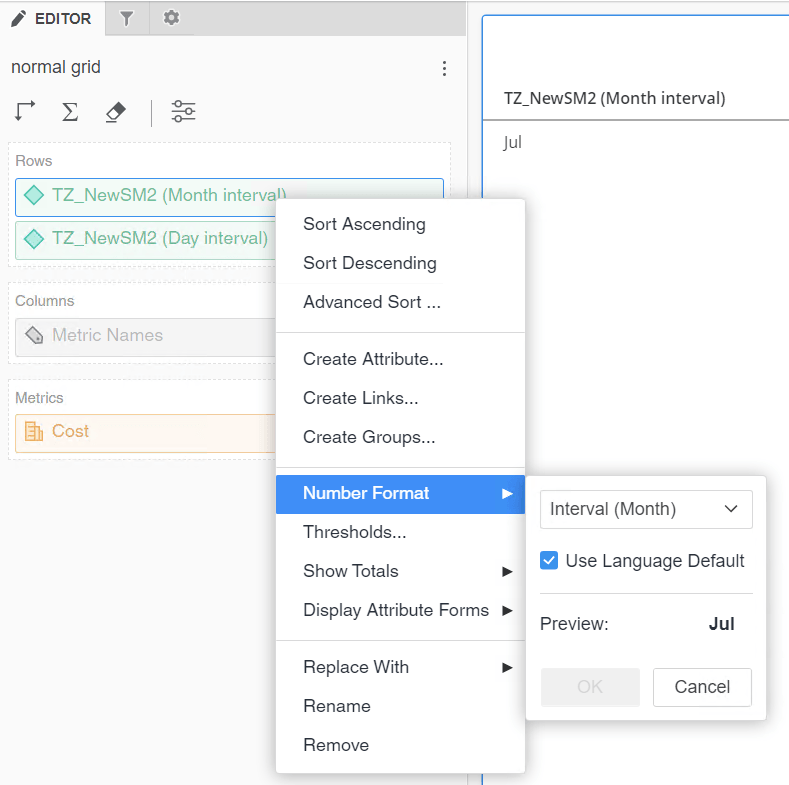
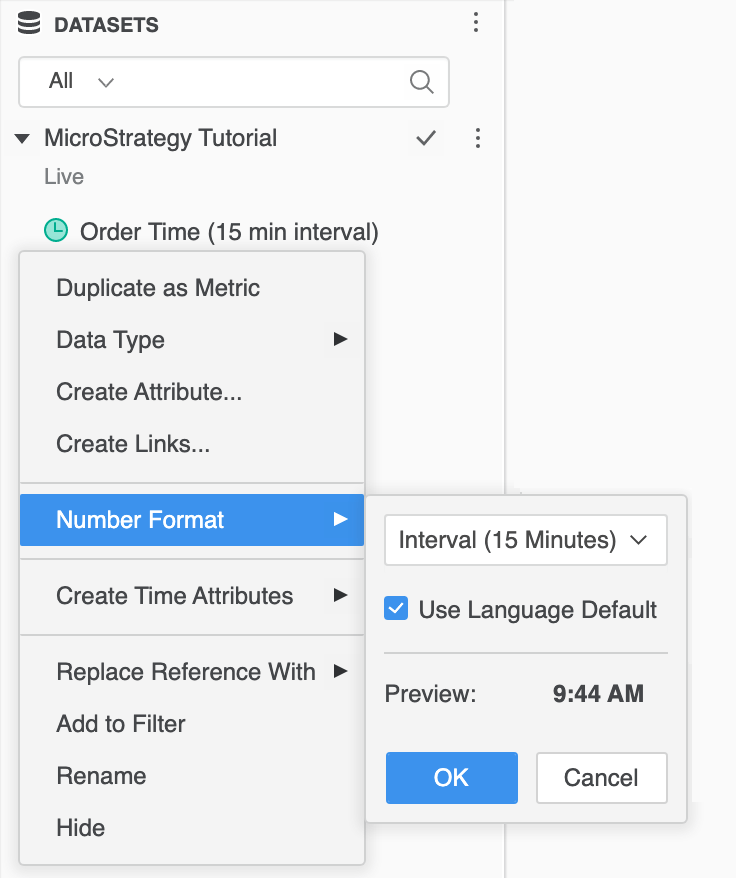
    • Use Language Default: Right-click an item in the Dataset panel and select Use Language Default. This option applies the default language format in Workstation. Starting in Strategy 2021 Update 9, you can can also set this at the dossier level using the Editor panel.

ka0PW0000001JkcYAE_0EM4W000006Hwtg.jpeg
ka0PW0000001JkcYAE_0EM4W000006zgIg.jpeg
    • Select a language: Using the method above, unselect the Use Language Default checkbox in the datasets panel to select a language from a candidate list dropdown. 


In Strategy 2021 Update 8, this feature behavior varies across clients. The My Language setting will effect the Library Web interface, server messages, and number and date formatting. The Use Language Default for smart attribute is only available in Workstation. This feature is included in the Dossier Version feature scope in Strategy Web. Therefore, the dossier can not be executed on Authoring Web if the dossier contains time interval attributes that are set to Use Language Default.
Known Limitations

  • The Date or time values required error message appears when applying a datetime type prompt with the default selection on Linux I-Server. See KB485869: "Date or time values required" Error Message Appears When Applying a Datetime Type Prompt with Default Selection for more information.
  • User should not select an unsupported language as it might cause unexpected behavior. These languages will be filtered in a future release.
  • The format panel and context menu of custom visualizations in Library do not apply the user language setting.
  • Special characters in smart attributes will not update when you change the language. This a defect that occurs under the following conditions:
    •  If you disable the Use Language Default setting for a smart attribute and choose a format with special characters under the Language dropdown list.
    • If you change your My Language preference and login again. When you open a dossier, special characters will still be present.
  • Export dossier to Excel, CSV, and PDF is not yet fully supported in Strategy 2021 Update 8. The result of the export may apply default language settings. However, in Strategy 2021 Update 9, export to Excel, CSV, and PDF is supported. See KB485931: Locale formatting and smart attributes support export to PDF, Excel, and CSV for more information.

Supported Languages
Strategy supports the following languages for smart attributes and user-level language preference:
Chinese (Simplified), Chinese (Traditional), Danish (Denmark), Dutch (Netherlands), English (United Kingdom), English (United States), French (France), French (Switzerland), German (Germany), German (Switzerland), Italian (Italy), Italian (Switzerland), Japanese, Korean, Polish, Portuguese (Brazil), Russian, Spanish (Spain)(Modern), Spanish (Spain), Swedish (Sweden), Portuguese (Portugal), Spanish (Mexico), French (Canada), Hungarian, Croatian, Czech, Slovak, Slovenian, Bosnian, Serbian - Cyrillic, Serbian - Latin, FYRM - Macedonian, Albanian, Bulgarian, Finnish, Greek, Romanian, English (Australia), English (New Zealand), Norwegian - Bokmål, Norwegian - Nynorsk, Latvian, Turkish


Comment

0 comments

Details

Knowledge Article

Published:

December 20, 2022

Last Updated:

March 21, 2024