EducationSoftwareStrategy.com
StrategyCommunity

Knowledge Base

Product

Community

Knowledge Base

TopicsBrowse ArticlesDeveloper Zone

Product

Download SoftwareProduct DocumentationSecurity Hub

Education

Tutorial VideosSolution GalleryEducation courses

Community

GuidelinesGrandmastersEvents
x_social-icon_white.svglinkedin_social-icon_white.svg
Strategy logoCommunity

© Strategy Inc. All Rights Reserved.

LegalTerms of UsePrivacy Policy
  1. Home
  2. Topics

KB486156: Windows MicroStrategy Upgrade Installation is Aborted - Encodings for Database "postgres" Do Not Match: old "WIN1252", new "UTF8"


Rahul Patil

Quality Engineer, Principal • MicroStrategy


Issue:
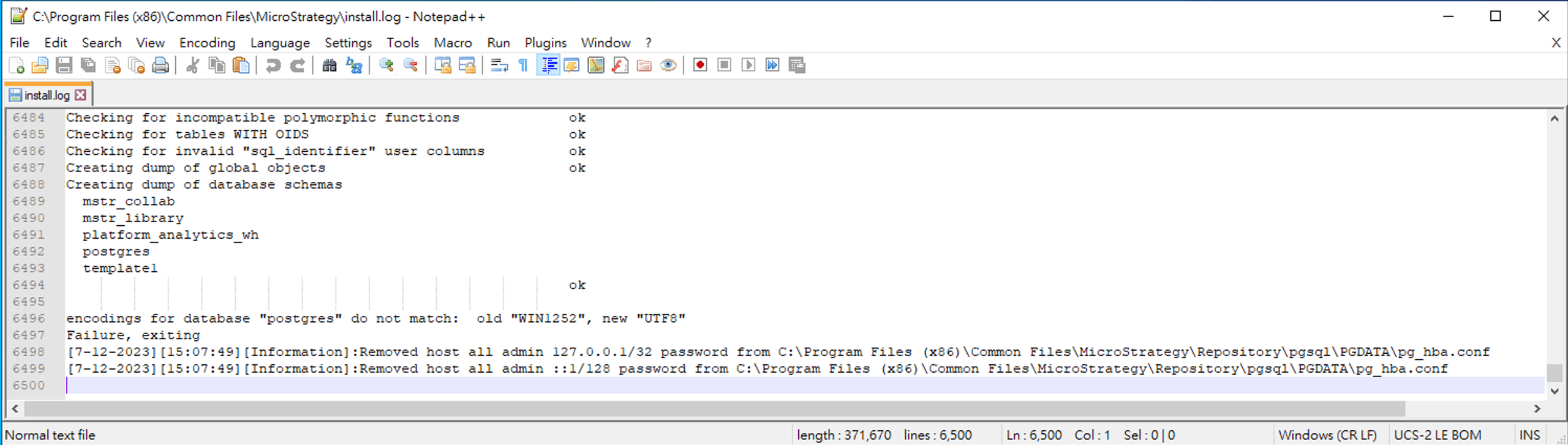
In Strategy ONE Update 11, windows upgrade installation is aborted and install.log logs the following error:
encodings for database "postgres" do not match: old "WIN1252", new "UTF 8"
Failure, exiting
install.log
ka04W000000uGZWQA2_0EM4W0000090rW5.jpeg

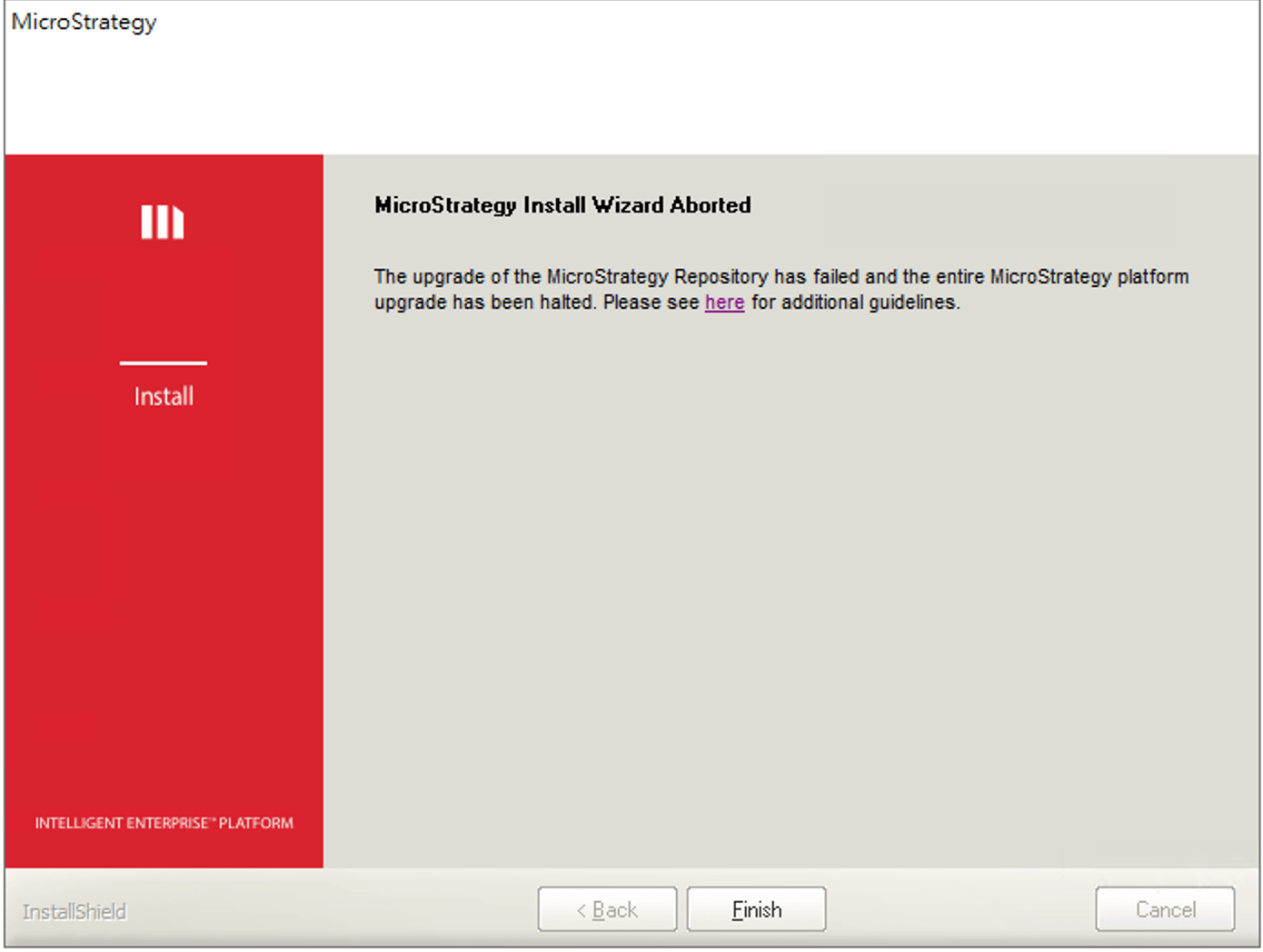
Windows Upgrade Install Wizard

ka04W000000uGZWQA2_0EM4W0000090rWE.jpeg

Root Cause:

  1. System locale is changed prior to upgrade install
  2. System encoding is different that WIN1252

Workaround:

  1. Set the display language to English:
    • Launch Windows and search for Language Setting. In Windows display language, choose English (United States) from the drop-down.
  2. Change system locale to English:
    • Launch Windows and search for Language Setting. Choose Administrative Language Settings > Language for non-Unicode programs > Change system locale. In Current system locale, choose English (United States) from the drop-down.
  3. Reboot the machine.
  4. Re-launch upgrade installation.

Comment

0 comments

Details

Knowledge Article

Published:

September 27, 2023

Last Updated:

September 28, 2023