Attributes created in Workstation that are edited in Developer produce errors.
There is no form category information within Workstation. When you create a compound attribute in Workstation, it may appear as shown below without category information.
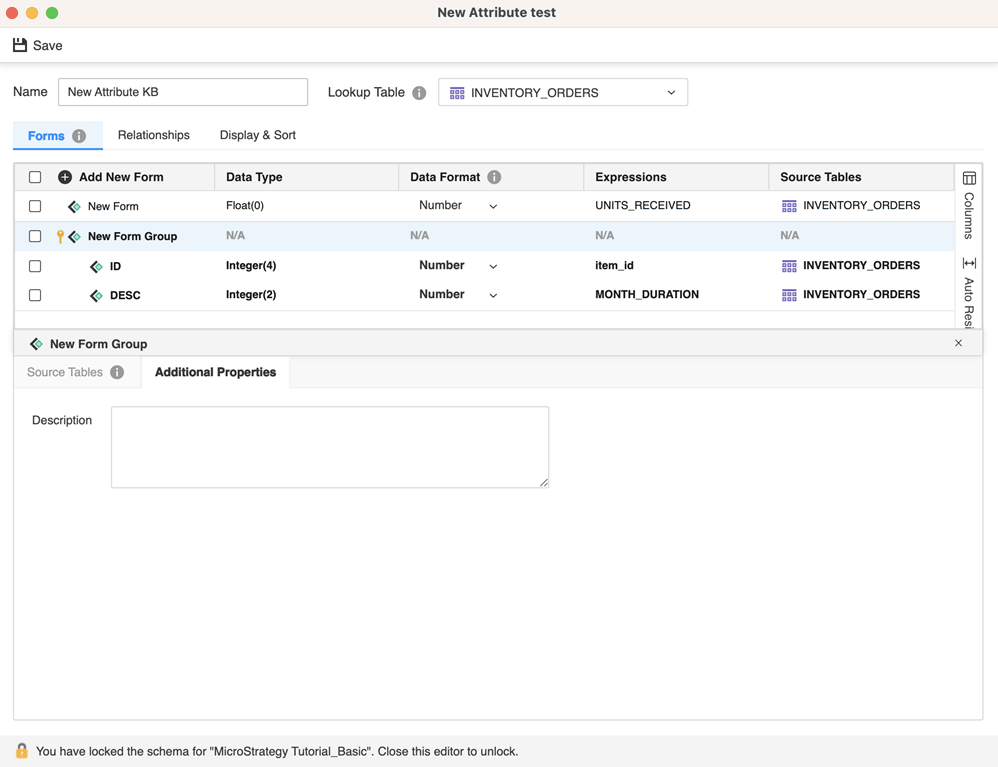
If you try to edit this compound attribute in Developer, its form category is None or New Attribute None. If you try to modify the form category, it may cause an error.

This issue is caused by the different models of compound attributes used in Workstation versus Developer.
Strategy recommends that attributes created in Workstation should only be edited in Workstation and not Developer.
