EducationSoftwareStrategy.com
StrategyCommunity

Knowledge Base

Product

Community

Knowledge Base

TopicsBrowse ArticlesDeveloper Zone

Product

Download SoftwareProduct DocumentationSecurity Hub

Education

Tutorial VideosSolution GalleryEducation courses

Community

GuidelinesGrandmastersEvents
x_social-icon_white.svglinkedin_social-icon_white.svg
Strategy logoCommunity

© Strategy Inc. All Rights Reserved.

LegalTerms of UsePrivacy Policy
  1. Home
  2. Topics

KB486380: "Tag Mismatch!" returned when accessing MicroStrategy Web 2021


Yanqing Liu

Cloud Support Expert I • MicroStrategy


"Tag Mismatch!" returned when accessing MicroStrategy Web if "/MicroStrategy/WEB-INF/xml/.MSTR-EncryptedObject.key" gets changed.

Symptom:

When accessing Strategy Web, the following error may occur:
The Web Server encountered an unknown runtime error.
Tag mismatch!
 

ka0PW0000000ZXFYA2_0EMPW000003cWl8.png

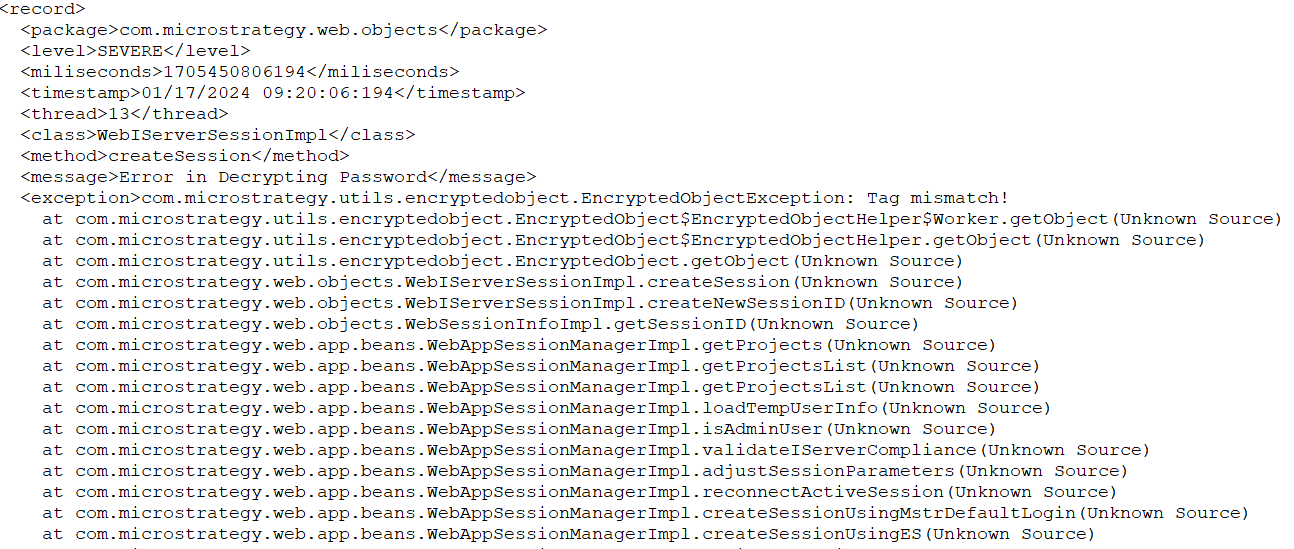
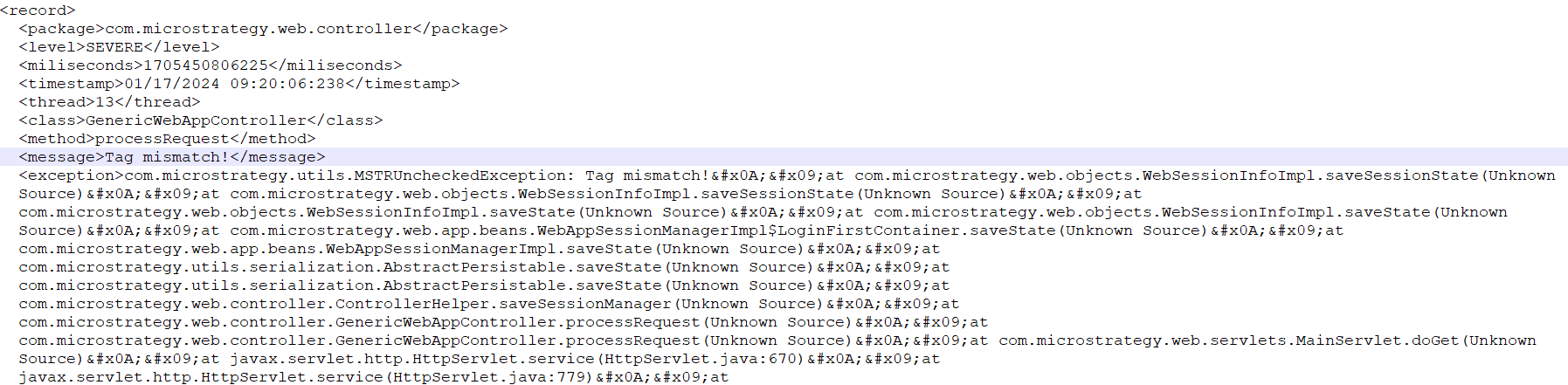
The error messages "Error in Decrypting Password" and "Tag mismatch!" can be found in the Strategy Web log:
ka0PW0000000ZXFYA2_0EMPW000003cWl9.png


ka0PW0000000ZXFYA2_0EMPW000003cWlA.png

Cause:

The "Tag mismatch!" error message occurs when Strategy Web attempts to decrypt a cipher text that was encrypted using a different encryption key called ".MSTR-EncryptedObject.key".
The key file is located in "/MicroStrategy/WEB-INF/xml/". It is used to encrypt and decrypt sensitive data such as passwords and TLS certificate passwords used in Strategy Web. To determine if the issue is related to the key, check the creation and modification time of ".MSTR-EncryptedObject.key" to see if it was recreated around the time the problem started.
 

Workaround:

  1. Strategy Web can be accessed successfully after restarting Tomcat.
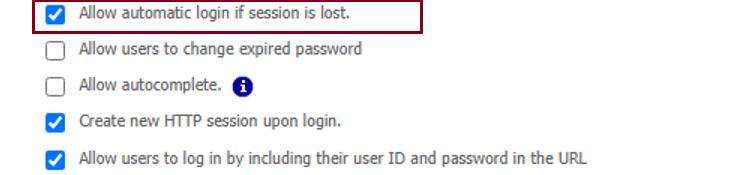
  2. The error only occurs when the "Allow automatic login if session is lost" option is enabled in the "Security" tab of Strategy Web Admin. Disable this option to work around the issue.
ka0PW0000000ZXFYA2_0EMPW000003cWlB.png


Action:


The key file "/MicroStrategy/WEB-INF/xml/.MSTR-EncryptedObject.key" will be automatically created by Strategy if the application cannot find the file or if there are any I/O failures. It is recommended to monitor the key file and ensure:

  • The key file is not accidentally deleted.
  • There are no system I/O issues.

Comment

0 comments

Details

Knowledge Article

Published:

March 25, 2024

Last Updated:

March 25, 2024