EducationSoftwareStrategy.com
StrategyCommunity

Knowledge Base

Product

Community

Knowledge Base

TopicsBrowse ArticlesDeveloper Zone

Product

Download SoftwareProduct DocumentationSecurity Hub

Education

Tutorial VideosSolution GalleryEducation courses

Community

GuidelinesGrandmastersEvents
x_social-icon_white.svglinkedin_social-icon_white.svg
Strategy logoCommunity

© Strategy Inc. All Rights Reserved.

LegalTerms of UsePrivacy Policy
  1. Home
  2. Topics

KB486391: Unable to change font for grid Column Headers in Dossiers


Yanqing Liu

Cloud Support Expert I • MicroStrategy


In both MicroStrategy Web and Library 2021 Update 12, when inserting new grids into a dossier with "All Fonts" changed, the inability to modify the font of the grid Column Headers is observed.

Starting with the release of Strategy ONE (March 2024), dossiers are also known as dashboards.

Symptom:

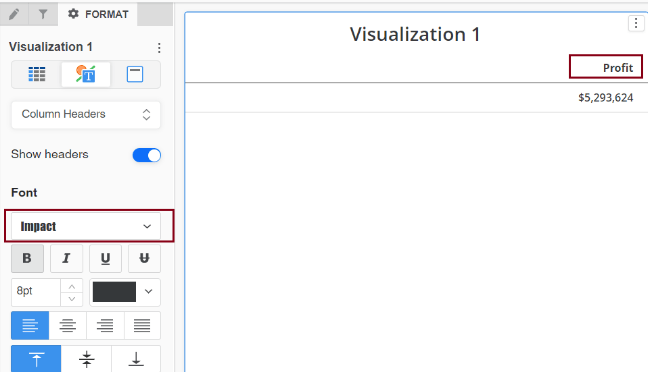
In Strategy Web 2021 Update 12, when inserting new grids into a dossier with "All Fonts" changed, the inability to modify the font of the grid Column Headers is observed, although the font of the grid row headers and values can be successfully changed. This behavior can also be seen in Strategy Library 2021 Update 12.
 

Steps to Reproduce:

  1. Create a new dossier in Strategy Web or Library.
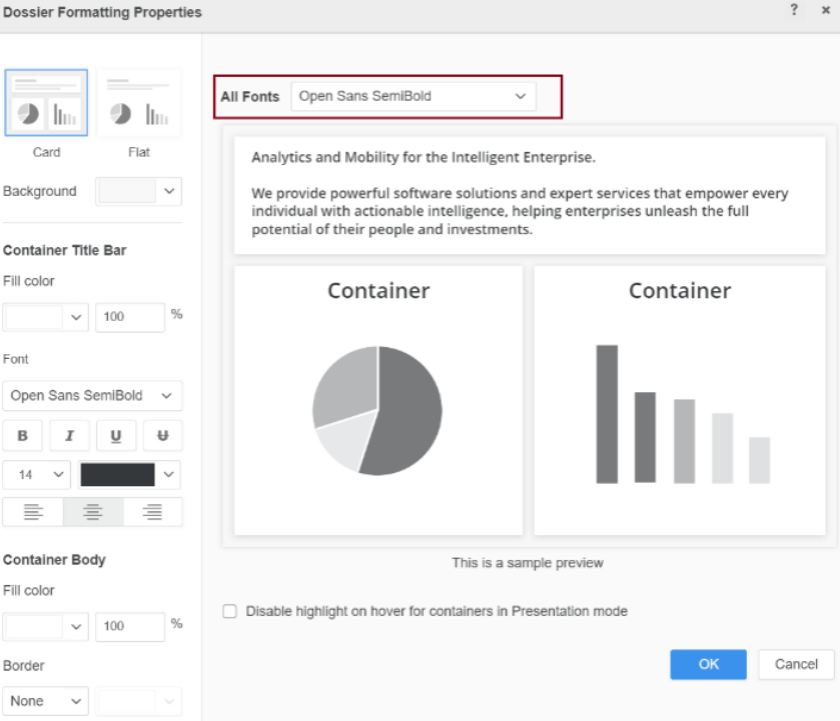
  2. Navigate to "Format > Dossier Formatting".
  3. Change "All Fonts" to a different font, such as "Open Sans SemiBold".
ka0PW0000000ps9YAA_0EMPW000004FiUg.jpeg
  1. Insert a new grid visualization to the dossier and add a metric to the column.
  2. Go to the Format tab and change font for the entire grid or the Column Headers. The font of the column header remains unchanged.
ka0PW0000000ps9YAA_0EMPW000004FiEY.png


Cause:

This is a known issue in Strategy Web and Strategy Library 2021 Update 12.
 

Action:

Currently this issue is being reviewed by Strategy for a potential code fix in an upcoming Strategy release.
 

Workaround:

To avoid triggering the issue, it is suggested not to modify the 'All fonts' setting in "Dossier Formatting". If it is an existing dossier where "All fonts" has already been changed, instead of inserting a new grid, duplicate the working grid within the dossier. Then, modify and format the duplicated grid as needed. 


Comment

0 comments

Details

Knowledge Article

Published:

March 25, 2024

Last Updated:

March 25, 2024