EducationSoftwareStrategy.com
StrategyCommunity

Knowledge Base

Product

Community

Knowledge Base

TopicsBrowse ArticlesDeveloper Zone

Product

Download SoftwareProduct DocumentationSecurity Hub

Education

Tutorial VideosSolution GalleryEducation courses

Community

GuidelinesGrandmastersEvents
x_social-icon_white.svglinkedin_social-icon_white.svg
Strategy logoCommunity

© Strategy Inc. All Rights Reserved.

LegalTerms of UsePrivacy Policy
  1. Home
  2. Topics

KB486568: Users do not show up in Library's Sharing capabilities as Shared Dossier and Subscriptions


Sebastian Herrendorf

Senior Support Engineer • MicroStrategy


This articles proposes solutions for when users do not show up for selection in Library when attempting to share a dossier even though the privileges "Web Subscribe Others" and "Use Distribution Services" have been checked.

Starting with the release of Strategy ONE (March 2024), dossiers are also known as dashboards.

Symptom

It is expected to see your user being populated automatically when Sharing a Dossier in Library.
When experiencing this issue, the active user will not be populated, and searching for existing users will return no results.

ka0PW0000001Hq1YAE_0EMPW000004rv97.jpeg


Action

Option 1. Rebuild the configuration index
Through Developer, navigate using the following options:
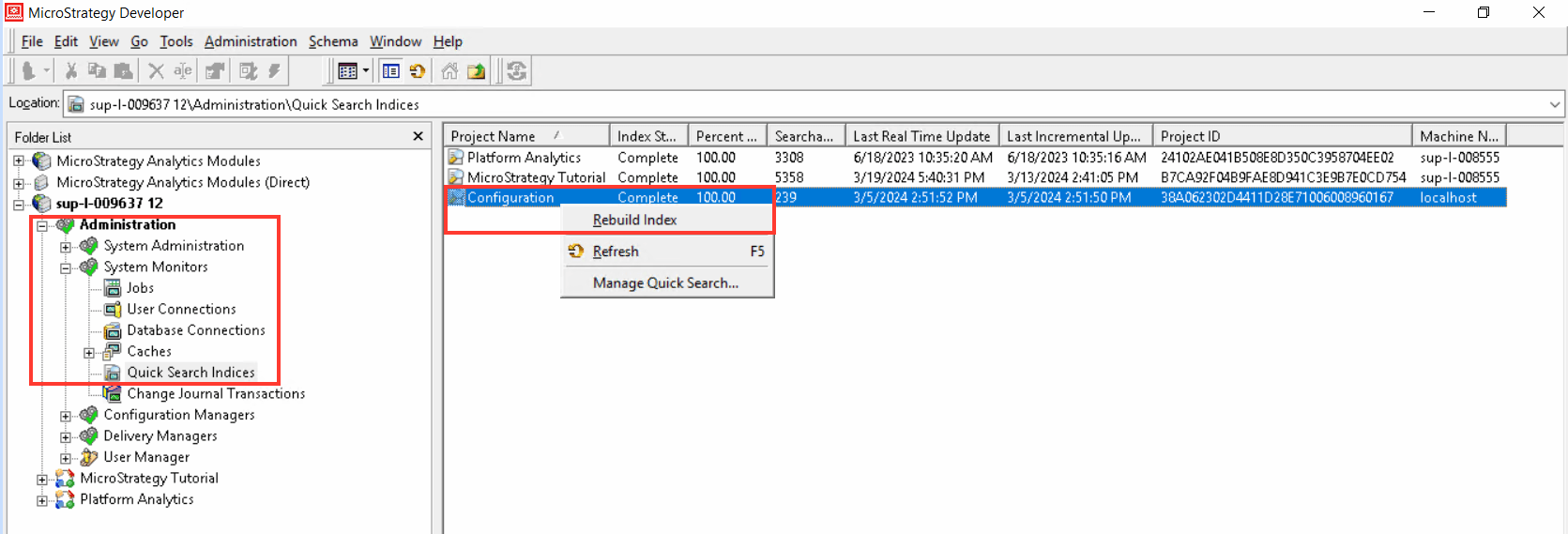
  1. Connect to your project source
  2. Access Administration > System Monitors > Quick Search indices
  3. Right-click 'Configuration' and select 'Rebuild Index'
  4. In Library, re-test the issue after logging out 
ka0PW0000001Hq1YAE_0EMPW000004rt0s.jpeg

Option 2. Turn the scheduler off and on.
Through Developer, navigate using the following options:
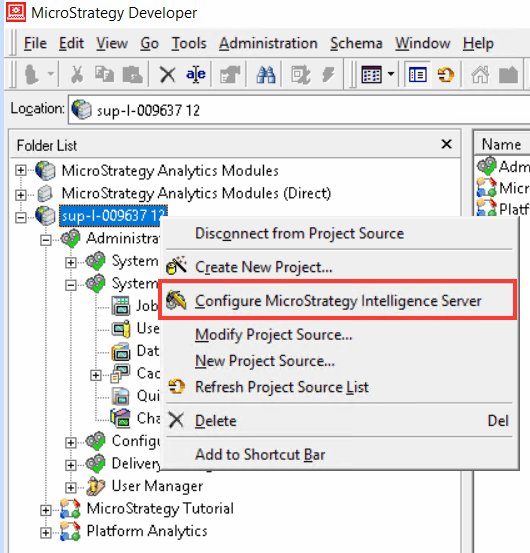
  • Connect to your project source.
  • Right-click the project source and select Strategy Intelligence Server Configuration.                                      
ka0PW0000001Hq1YAE_0EMPW000004rxR3.jpeg
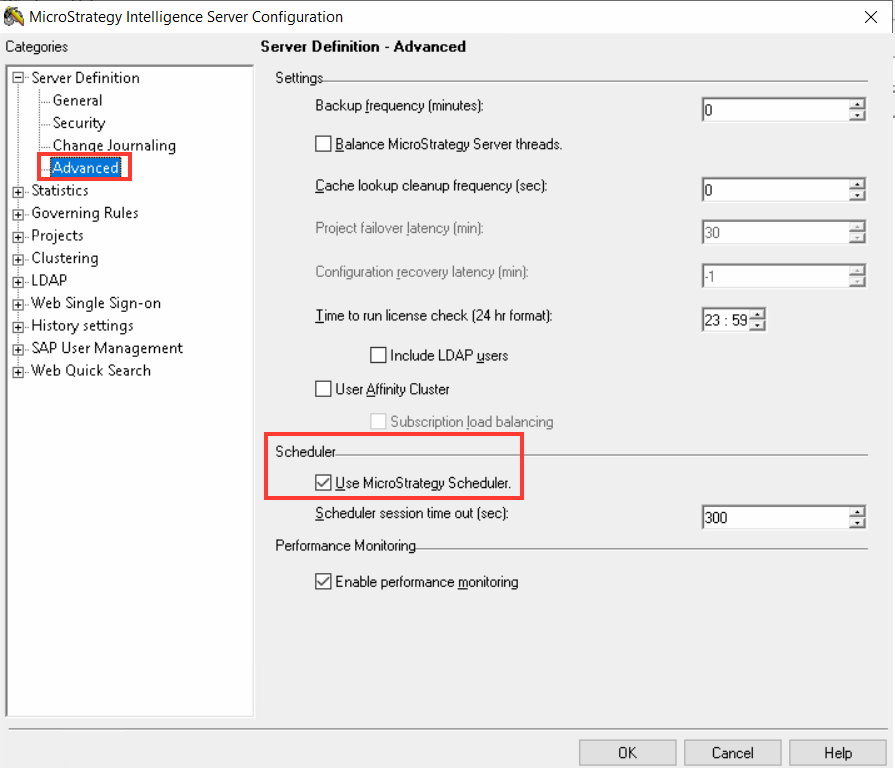
  • Go to Server Definition > Advanced
  • Uncheck 'Use Strategy Scheduler' checkbox
ka0PW0000001Hq1YAE_0EMPW000004ro4R.jpeg
  • Restart the Intelligence Server

After that, repeat steps 1 through 5 making sure to check the 'Use Strategy Scheduler'.
Then, retest the issue in Library.
If the issue persists after this, please contact Strategy Technical Support and reference this Knowledge Base Article.


Comment

0 comments

Details

Knowledge Article

Published:

April 3, 2024

Last Updated:

April 3, 2024