EducationSoftwareStrategy.com
StrategyCommunity

Knowledge Base

Product

Community

Knowledge Base

TopicsBrowse ArticlesDeveloper Zone

Product

Download SoftwareProduct DocumentationSecurity Hub

Education

Tutorial VideosSolution GalleryEducation courses

Community

GuidelinesGrandmastersEvents
x_social-icon_white.svglinkedin_social-icon_white.svg
Strategy logoCommunity

© Strategy Inc. All Rights Reserved.

LegalTerms of UsePrivacy Policy
  1. Home
  2. Topics

KB486720: Special characters ▲ &#9650 and ▼ &#9660 do not show when exporting document to PDF in MicroStrategy 2021


Stefanie Polleri

Senior Cloud Support Engineer III • MicroStrategy


This article illustrates how to resolve special characters not displayed in PDF when exporting MicroStrategy documents.

Symptom


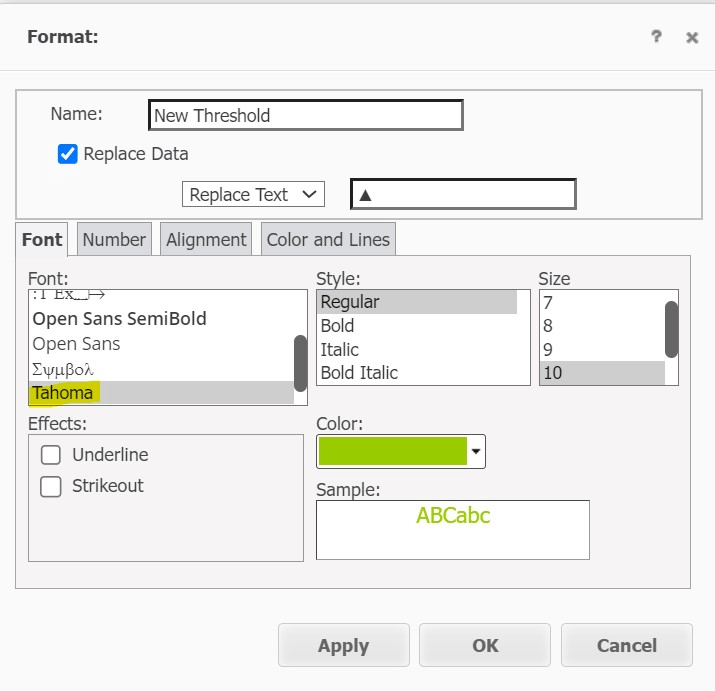
In a Strategy Web document, user wishes to edit threshold to replace metric values with text:
▲ ▲ and ▼ ▼
ka0PW0000001NU1YAM_0EMPW0000053dgH.png

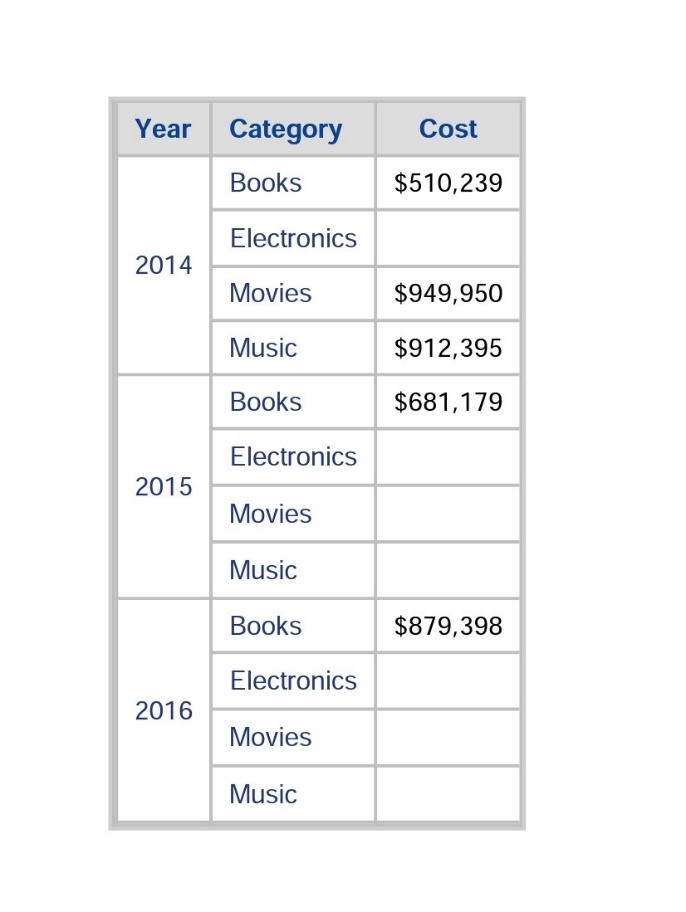
This works perfectly in the Strategy Web and exported Excel. However, in exported PDF, these characters disappear:
ka0PW0000001NU1YAM_0EMPW0000053dgI.jpeg

Cause


This is due to single byte font (like Tahoma, Arial) being chosen to display the special character. Sometimes we will need to use double byte fonts (like MS Gothic) which has more advanced and complex encoding of characters to ensure the special character can be displayed during export.
Also please note that if using New export engine this issue will not appear (i.e. exporting same grid in dossier to PDF).
 

Solution


Use a double byte font like MS Gothic in threshold:

ka0PW0000001NU1YAM_0EMPW0000053dgJ.jpeg

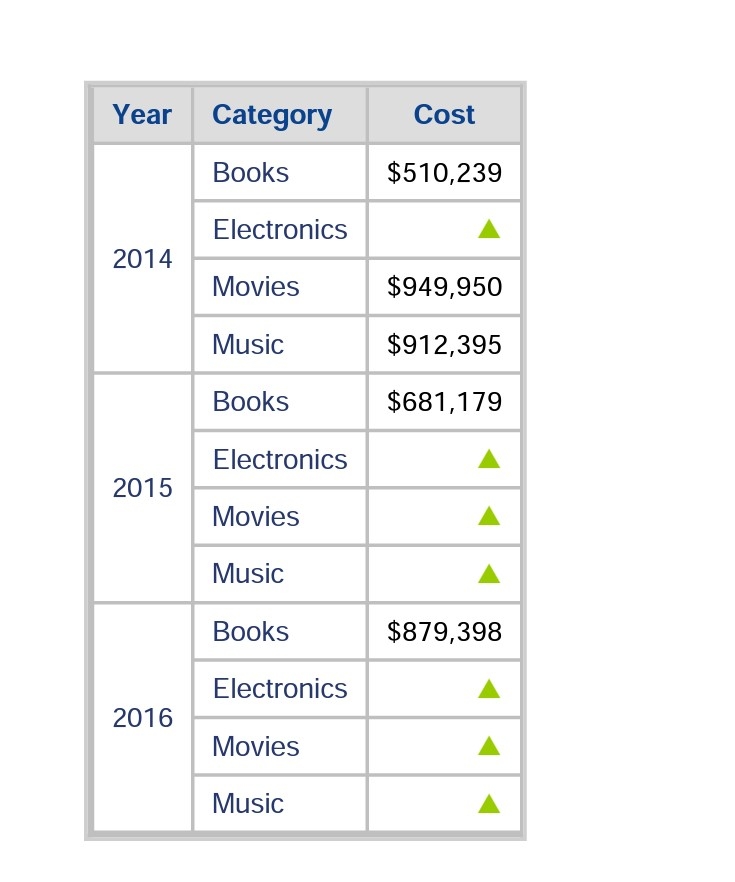
Special characters can now be displayed in exported PDF.
ka0PW0000001NU1YAM_0EMPW0000053dgK.jpeg

Comment

0 comments

Details

Knowledge Article

Published:

April 3, 2024

Last Updated:

April 3, 2024