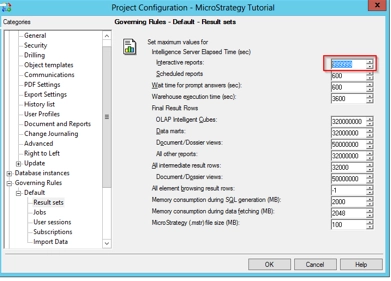
When Intelligence Server Elapsed Time (sec) for Interactive reports is set to
-1 as seen below in Developer > Project Configuration > Governing Rules > Result Sets
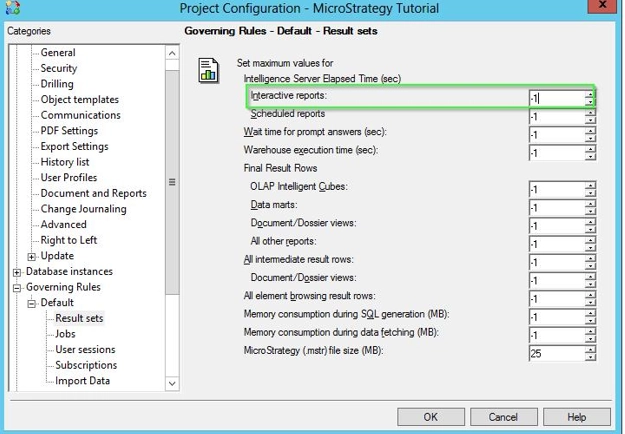
Narrowcast jobs will immediately time out with an error similar to the following in the DSSErrors.log
[MSIJobManager.cpp:361] MsiJobTimeOutTask::Run: Job 790 has timed out after -26942 minutes.
1) Configure the Intelligence Server Elapsed Time (sec) for Interactive reports setting to be -1 as seen in the screenshot above.
2) Execute a Narrowcast service that executes a report in the project where this is set.
3) Note that the job will fail on the I-server and an error similar to the following will be seen in the DSSErrors.log:
[MSIJobManager.cpp:361] MsiJobTimeOutTask::Run: Job 790 has timed out after -26942 minutes.
Configure Intelligence Server Elapsed Time (sec) for Interactive reports to be a large number instead of -1. For example, this setting can be set as high as 999999.