EducationSoftwareStrategy.com
StrategyCommunity

Knowledge Base

Product

Community

Knowledge Base

TopicsBrowse ArticlesDeveloper Zone

Product

Download SoftwareProduct DocumentationSecurity Hub

Education

Tutorial VideosSolution GalleryEducation courses

Community

GuidelinesGrandmastersEvents
x_social-icon_white.svglinkedin_social-icon_white.svg
Strategy logoCommunity

© Strategy Inc. All Rights Reserved.

LegalTerms of UsePrivacy Policy
  1. Home
  2. Topics

KB486737: MSTR_AUTH Cookie Functions as a Secondary Token to Combat Session Fixation and Hijacking


Beiqi (April) Xiang

Senior Cloud Support Engineer II • MicroStrategy


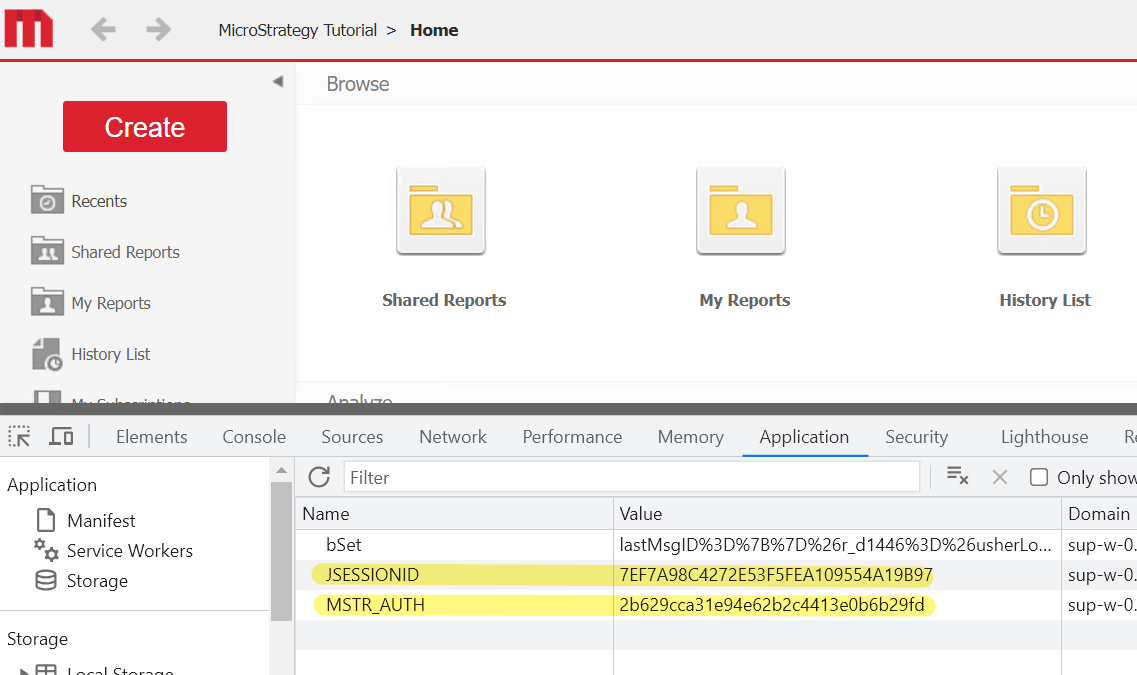
In reference to KB38394, it is outlined that The JSESSIONID or ASP.Net_SessionId cookie is set by the JSP application server / IIS to track the user over the course of its session and is required. Additionally, the MSTR_AUTH cookie is a secondary token which mitigates session fixation and hijacking. This article aims to explain the function of the "MSTR_AUTH" cookie as a secondary token and its role in addressing the identified session fixation vulnerability by ensuring session integrity alongside the primary session ID cookie. To authenticate successfully, both the "ASP.NET_SessionId" and "MSTR_AUTH" cookies must be validated.

Symptom

In Strategy Web ASP, it is observed that the application accepts a pre-defined "ASP.NET_SessionId" and does not issue a new one upon a new user session login.
Steps to Reproduce


  • IIS
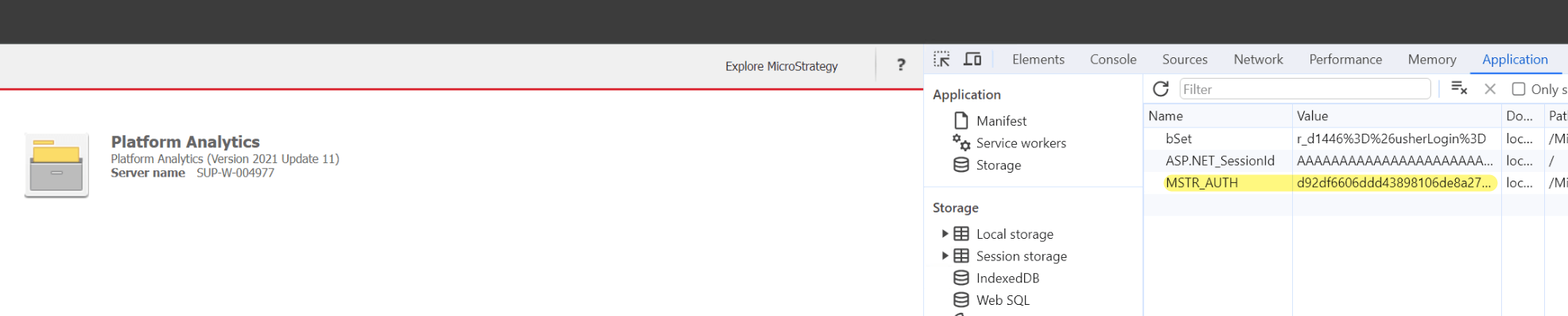
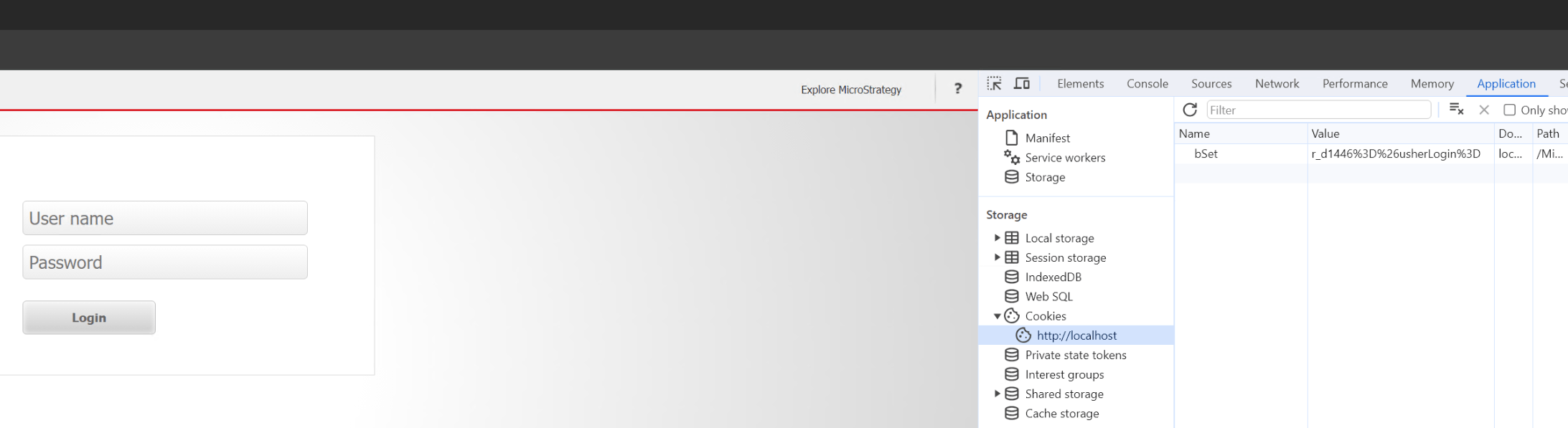
  • Launch a new incognito browser window and open the Chrome developer tool. Select the 'Application' tab to view the cookies section. Access Strategy Web (e.g.,http://localhost/Strategy/asp/Main.aspx) and observe that there is a single record titled 'bSet' with a random value.
ka0PW0000001QBlYAM_0EMPW000005CaL0.png
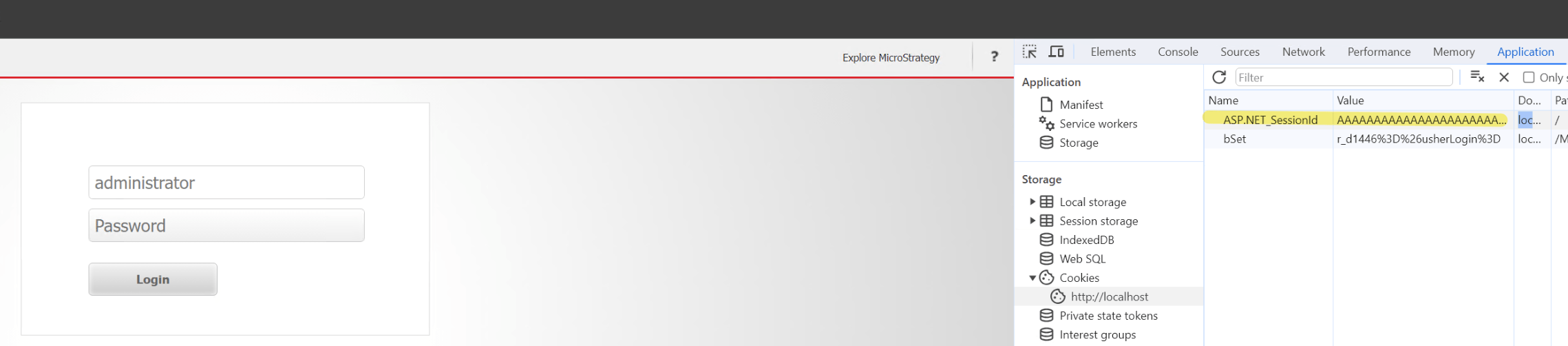
  • Manually add a new "ASP.NET_SessionId" with a unique 24-character string, such as 'AAAAAAAAAAAAAAAAAAAAAAAA'.
ka0PW0000001QBlYAM_0EMPW000005CaL1.png
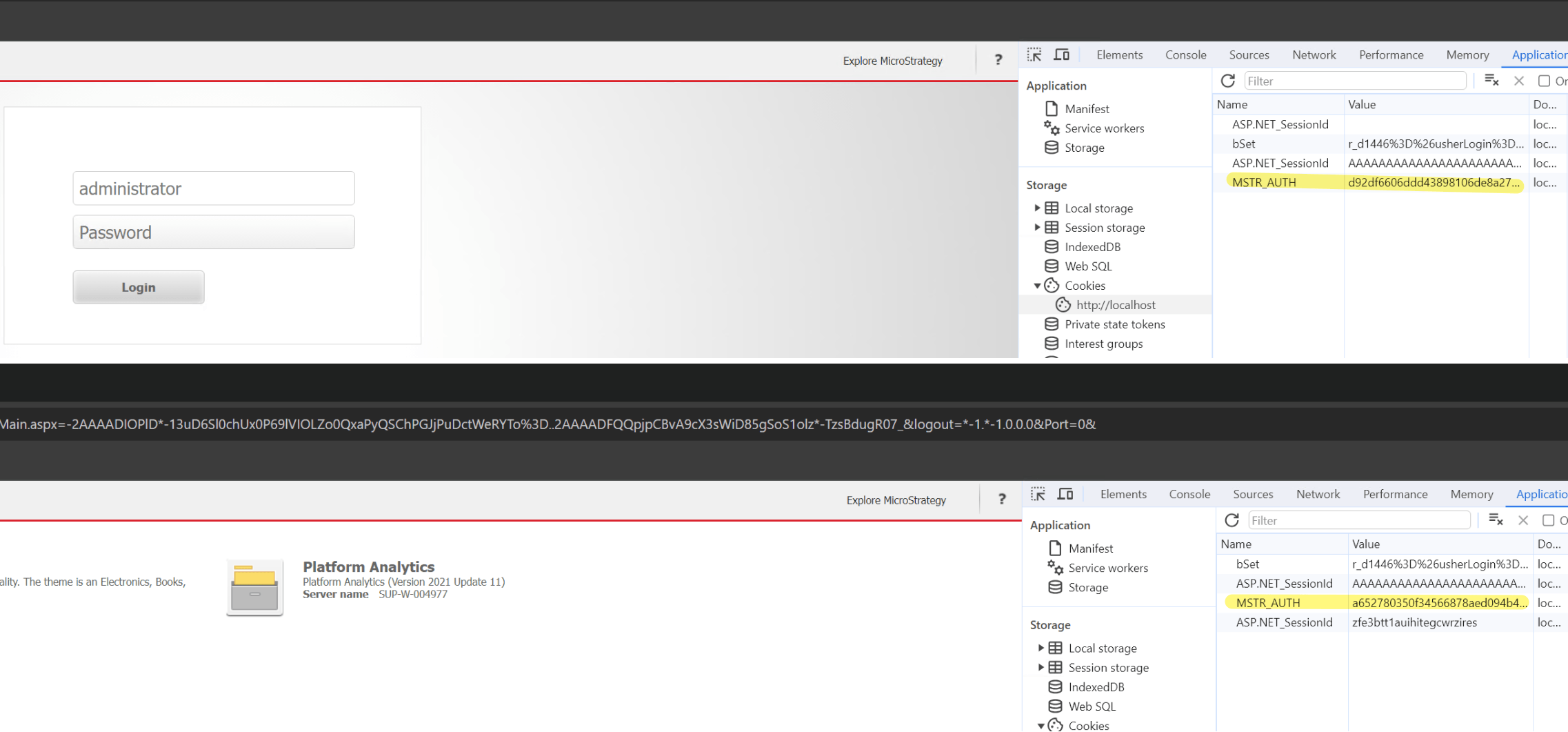
  • Proceed to log into the web application. Post-login, the "ASP.NET_SessionId" remains unchanged, but the "MSTR_AUTH" cookie is generated.
ka0PW0000001QBlYAM_0EMPW000005CaL2.png
  • Upon logging out and logging back in, a new "ASP.NET_SessionId" is created, and the "MSTR_AUTH" cookie is updated to reflect this change.
ka0PW0000001QBlYAM_0EMPW000005CaL3.png
  • Tomcat
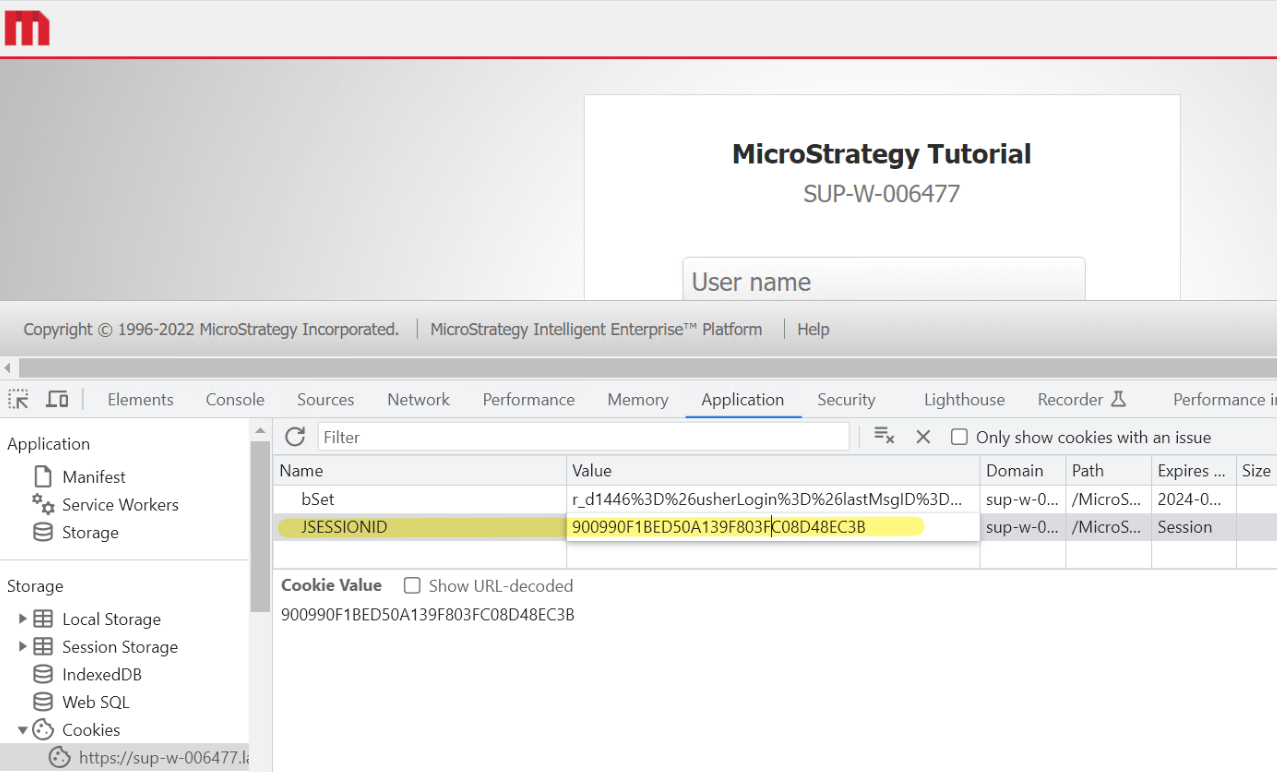
  • Proceed to https://xxx:8443/MicroStrategy/servlet/mstrWeb and once the page is loaded, use the developer tools within the web browser and navigate to "Cookies" in the Application tab.
ka0PW0000001QBlYAM_0EMPW000005CaL4.png
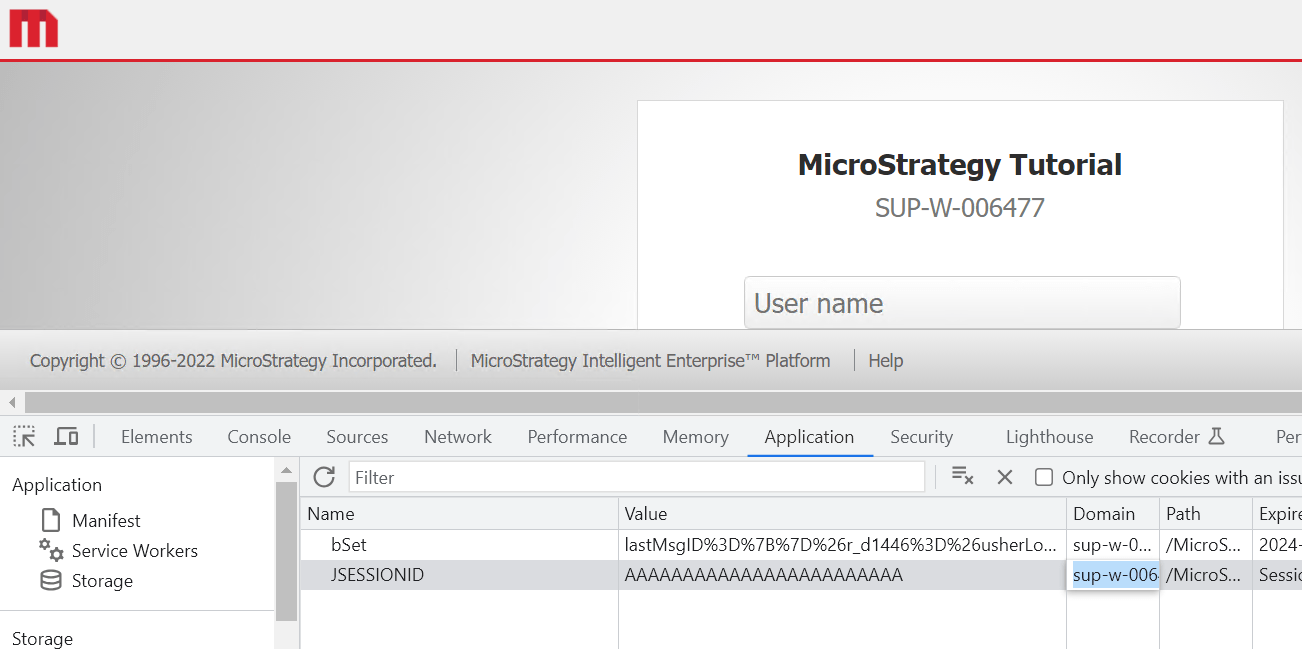
  • Change the "JSESSIONID" value to any arbitrary 24 characters long string 'AAAAAAAAAAAAAAAAAAAAAAAA'
ka0PW0000001QBlYAM_0EMPW000005CaL5.png
  • Log in as per normal into the web application and observe that once the user is logged in, the "JSESSIONID" value has been refreshed, the "MSTR_AUTH" cookie also generated.
ka0PW0000001QBlYAM_0EMPW000005CaL6.png

Cause

The MSTR_AUTH cookie is a secondary token which mitigates session fixation and hijacking. 
 

Solution

Users should have both valid JSESSIONID/ASP.Net_SessionId and MSTR_AUTH in order to access Strategy Web successfully.


Comment

0 comments

Details

Knowledge Article

Published:

January 6, 2025

Last Updated:

January 6, 2025