EducationSoftwareStrategy.com
StrategyCommunity

Knowledge Base

Product

Community

Knowledge Base

TopicsBrowse ArticlesDeveloper Zone

Product

Download SoftwareProduct DocumentationSecurity Hub

Education

Tutorial VideosSolution GalleryEducation courses

Community

GuidelinesGrandmastersEvents
x_social-icon_white.svglinkedin_social-icon_white.svg
Strategy logoCommunity

© Strategy Inc. All Rights Reserved.

LegalTerms of UsePrivacy Policy
  1. Home
  2. Topics

KB486783: HTML Metric data in the grids are replaced with warning icons when running the report service document in MicroStrategy Web


Yanqing Liu

Cloud Support Expert I • MicroStrategy


In MicroStrategy One March 2024, if HTML metric data in the grids are replaced with warning icons when running the report services document in MicroStrategy Web, make sure: 1. "Enable HTML and JavaScript content" is enabled. 2. HTML Output for "Metric values" is enabled in MicroStrategy Web Admin -> Security tab.

Symptom


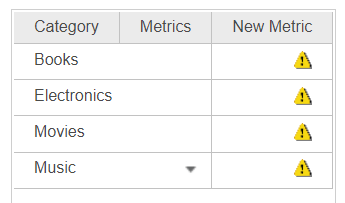
In Strategy One March 2024, when running a report services document in Strategy Web, a derived metric set as HTML content returns the warning symbols in the grid, although HTML and JavaScript content has been enabled for the report services document.
ka0PW0000002Fm9YAE_0EMPW000006qUZd.jpeg

Steps to Reproduce

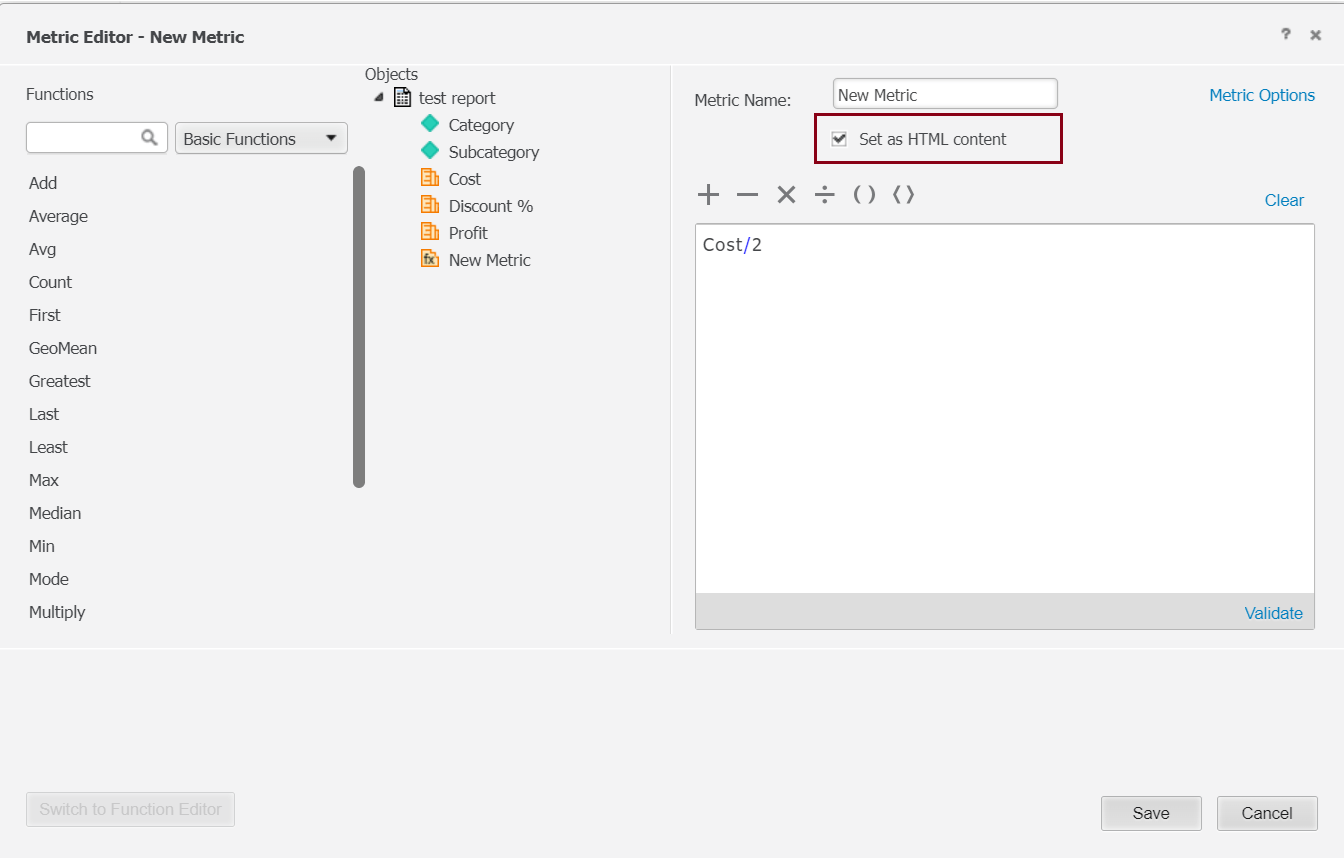
  • Create a derived metric in the report services document and enable "Set as HTML content".
ka0PW0000002Fm9YAE_0EMPW000006qROs.jpeg
  • Add the derived metric to the grid.
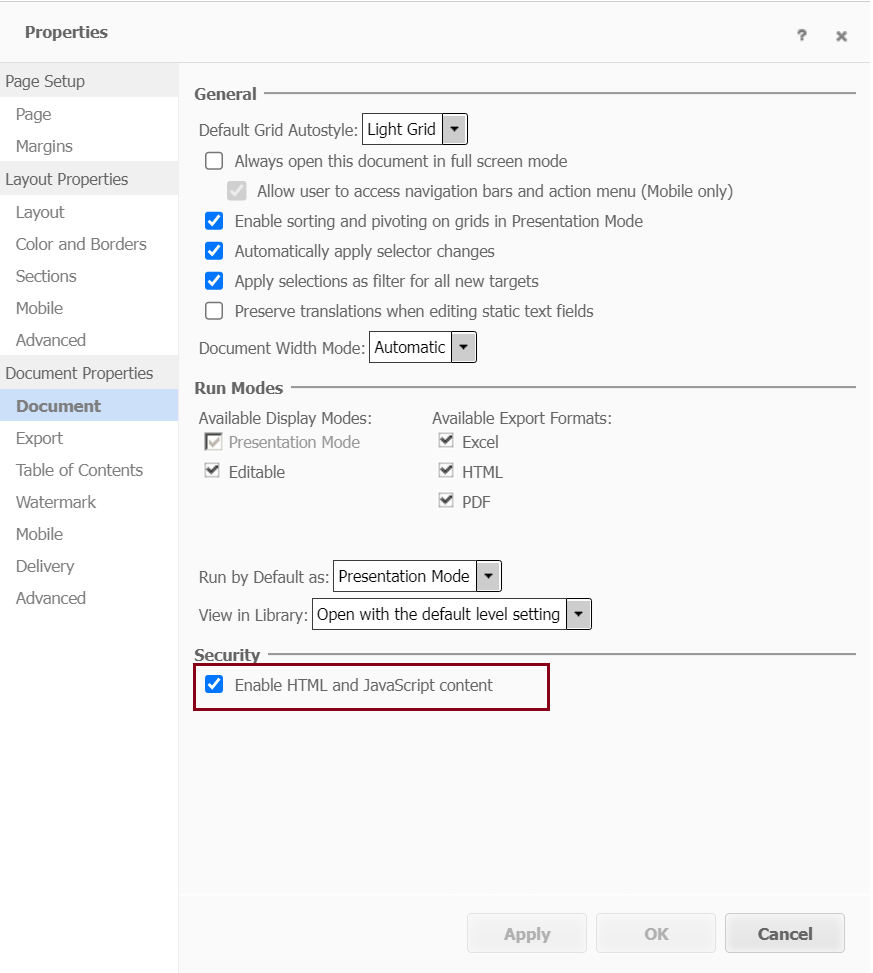
  • Make sure "Enable HTML and JavaScript content" is enabled in document properties. Refer to Enable Custom HTML and JavaScript Content in Dashboards, Documents, Reports, and Bots for more details.
ka0PW0000002Fm9YAE_0EMPW000006qUbF.jpeg
  • Run the report services document in Strategy Web. The derived metric data in the grids are replaced with warning icons.

Cause


A possible cause of the problem is that HTML Output for "Metric values" is disabled.
 

Action


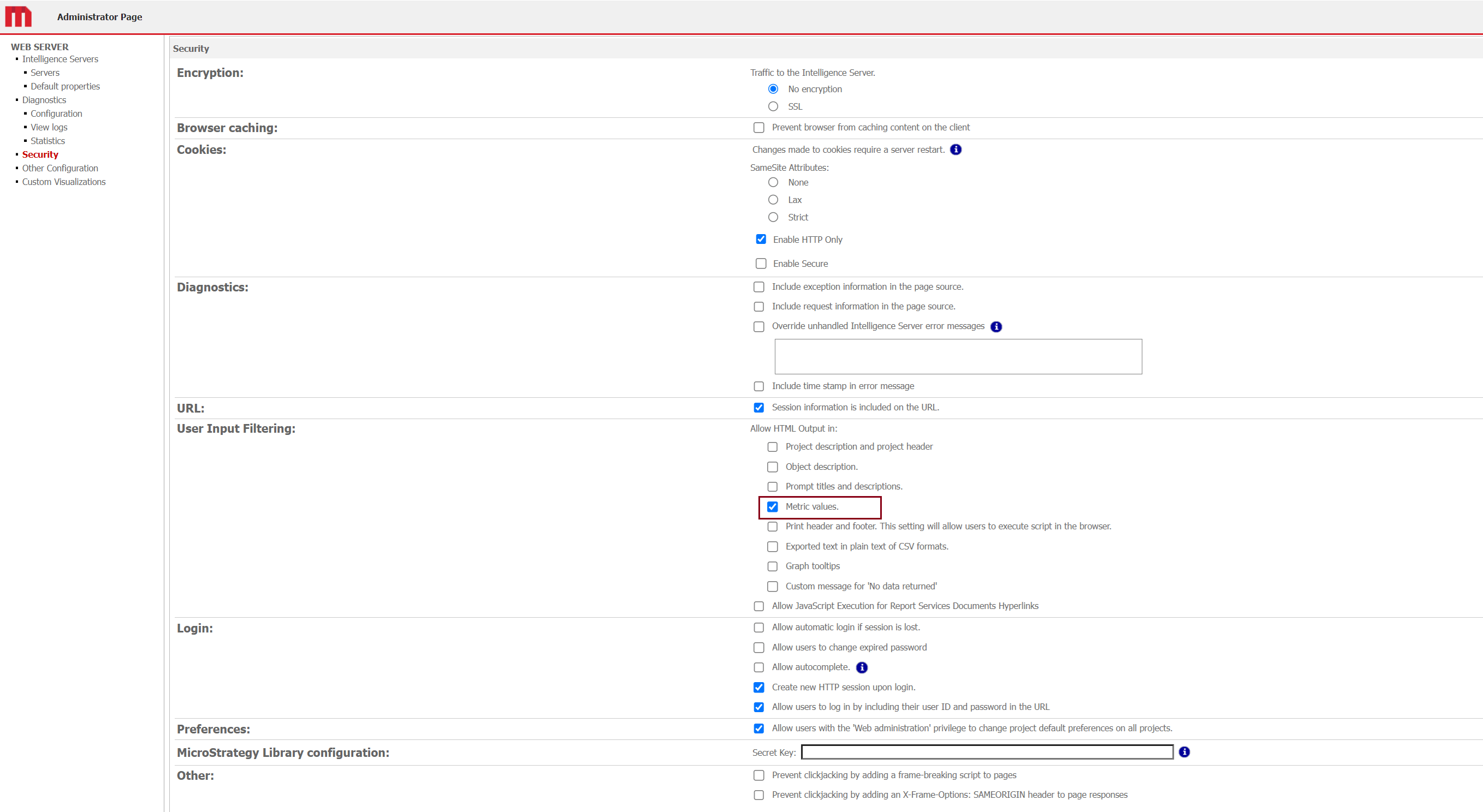
Access the Strategy Web Admin page and navigate to the Security tab. Enable "Metric values" under "Allow HTML Output in" in the "User Input Filtering" section.
ka0PW0000002Fm9YAE_0EMPW000006qUcr.jpeg


Comment

0 comments

Details

Knowledge Article

Published:

June 7, 2024

Last Updated:

June 7, 2024