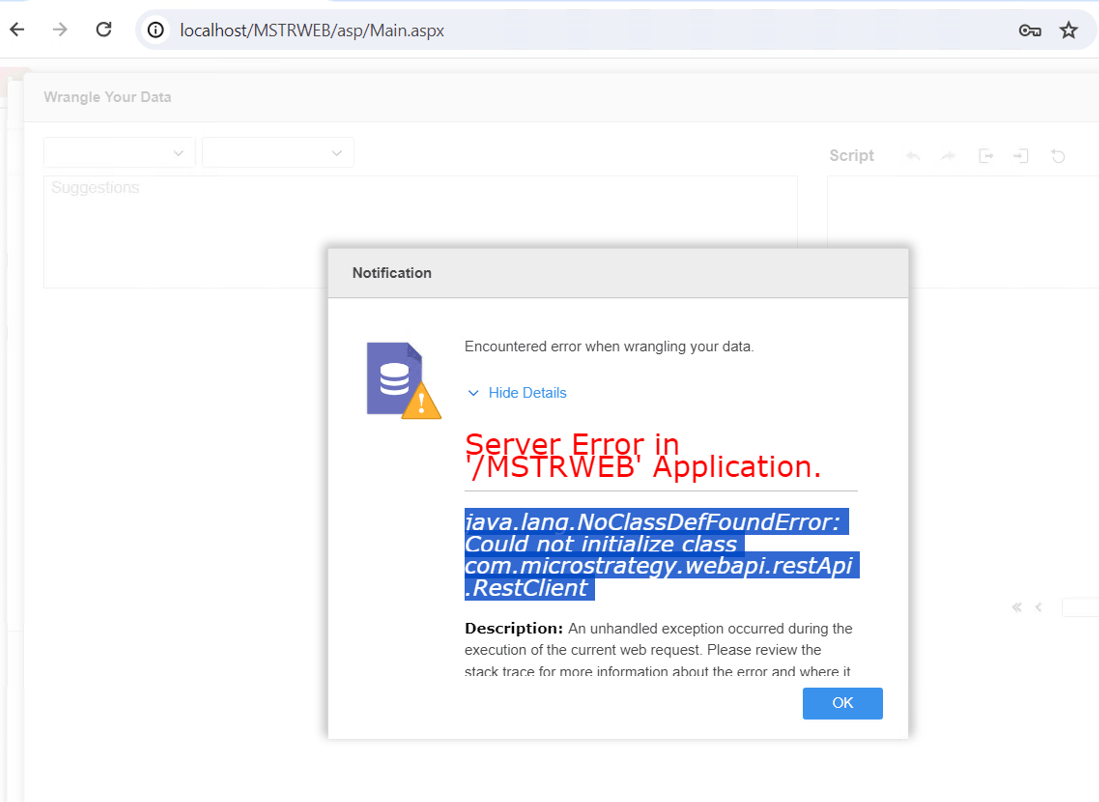
When attempting to wrangle any data in Strategy Web 2021 Update 7 based on the ASP/IIS web server, the following error appears:
"Encountered error when wrangling your data. Server Error in '/MSTRWEB' Application.
java.lang.NoClassDefFoundError: Could not initialize class com.Strategy.webapi.restApi.RestClient"
Regardless of whether the data is retrieved from the database or an imported Excel file, the same issue occurs. But when the same user wrangles the same data in the Workstation, it works as expected.
This issue is due to a known defect in Strategy Web 2021 Update 7, and it has been fixed in the Strategy Web 2021 Update 8 and later versions.
Upgrade to Strategy 2021 Update 8 or later versions to benefit from the fix.
1. On the Web Server machine, open the Registry Editor, and go to the following path:
Computer\HKEY_LOCAL_MACHINE\SOFTWARE\WOW6432Node\MicroStrategy\JNI Bridge 64\Configuration\JVM ClassPath
2. Modify the Key "Web" Value by appending the following string to the last, and restart IIS, then the data wrangler should work on Strategy Web.
%MSTR_CLASSPATH%\okio-jvm-3.0.0.jar;%MSTR_CLASSPATH%\kotlin-stdlib-1.6.20.jar;%MSTR_CLASSPATH%\kotlin-stdlib-common-1.6.20.jar;
