When attempting to open the History List monitor in Workstation in Strategy 2021 the following error may be seen when the user clicks on the "History" blade as seen in the screenshot below:
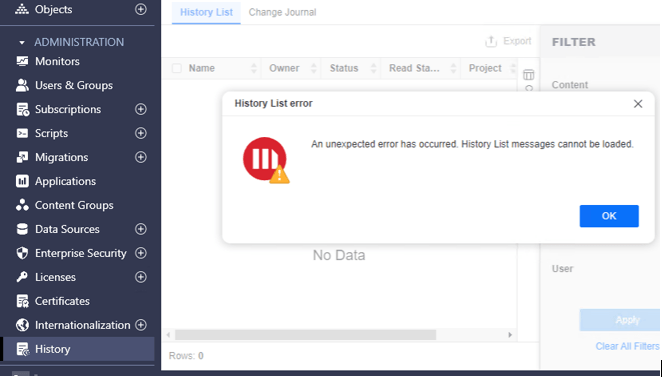
“An unexpected error has occurred. History List messages cannot be loaded.”
At the same time a message similar to the following will be printed to the DSSErrors.log on the server where Strategy Intelligence Server is installed
2024-06-10 11:21:21.745-04:00 [HOST:sup-w-009251][SERVER:CastorServer][PID:3600][THR:5744][Kernel][Error][UID:54F3D26011D2896560009A8E67019608][SID:BD1FB47B7B081F3A2E5F7D4C72C38878][OID:0][MsiSessionManager.cpp:3643] Filebased Storage doesn't support Admin HistoryList Monitor <0>
This error will occur if attempting to access the History List monitor in Workstation while using file-based History List storage. File-based History List storage does not support use of the History List monitor. In order to access the History List monitor it is required to configure hybrid or database-based History List storage.
In order to view the History List monitor in Workstation it is required to configure hybrid or database-based history list storage. More information on configuring History List storage is found below:
https://www2.microstrategy.com/producthelp/Current/SystemAdmin/WebHelp/Lang_1033/Content/Configuring_History_List_data_storage.htm
