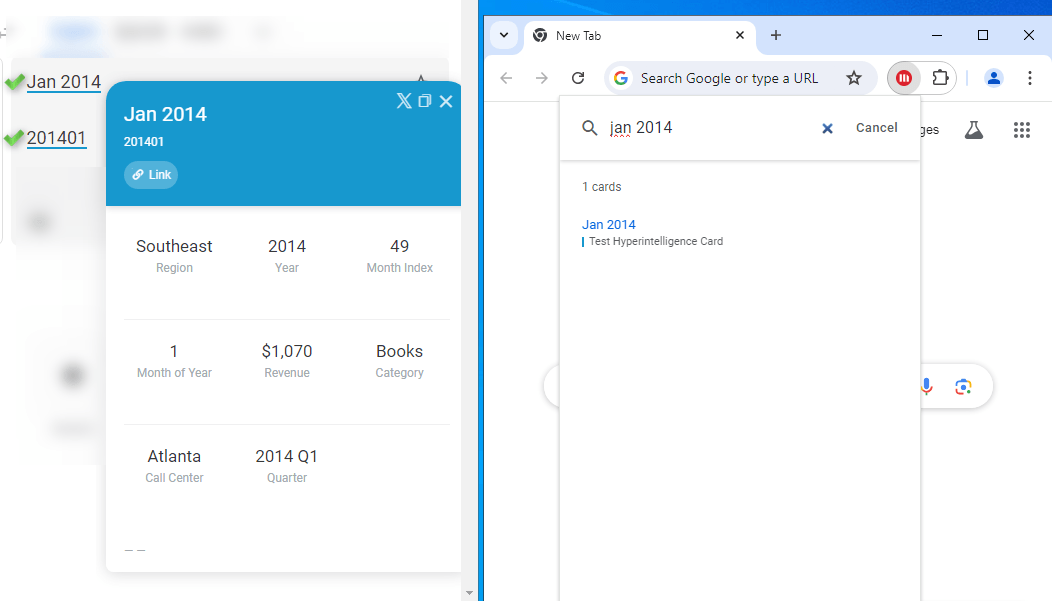
The content of Hyper Intelligence card is not visible only displays when the entire name of the Attribute is entered. In the 'Hyperintelligence Cards' browser extension, under the 'Cards' section, the card functions correctly only when the entire attribute name is entered. However, it does not operate when only the Attribute ID is displayed on the browser.
When keyword and alternate keyword matching settings are not configured correctly for a Hyper Card as outlined in the Pattern Matching and Keywork Matching documentation, Strategy may only recognize and display cards when the complete attribute name is input instead of recognizing the Attribute ID of the attribute.
Follow the steps below to address the problem and make the content on the Strategy Hyper Intelligence Cards more easily accessible, specifically by allowing the Attribute ID of the attribute to be identified:
1. Navigate to Workstation and log in as an administrator.
2. Proceed to 'Analysis' and then to 'Cards'.
3. Open the affected Strategy Hyper Intelligence Card.
4. Within the Strategy Hyper Intelligence Card, locate the 'Alternate Keyword Matching' option.
5. Under 'Match Based On', choose the appropriate option.
6. On your Strategy Hyper Intelligence Card addon in your browser, click the refresh icon.
7. Content should be showing correctly and be operational now.
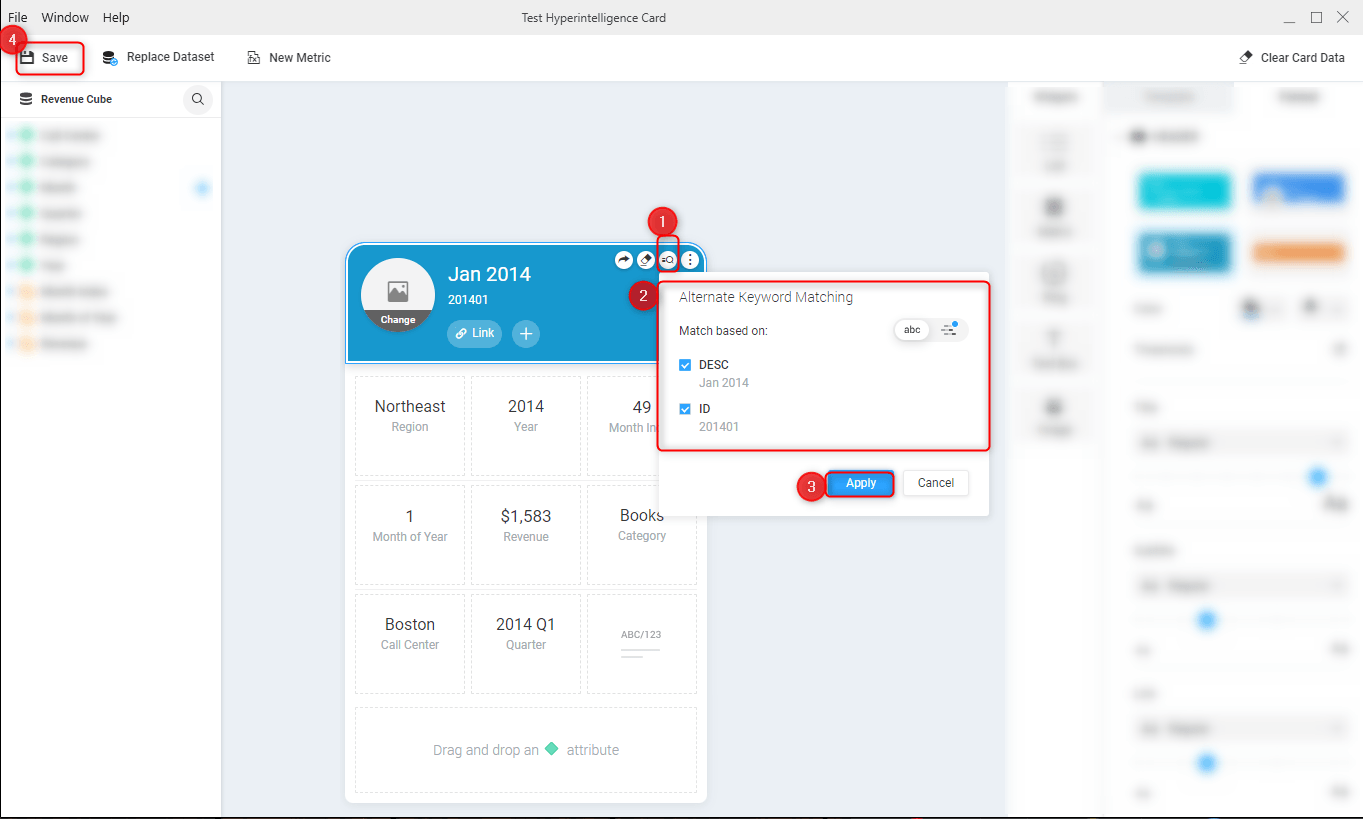
Now your content on the Strategy Hyper Intelligence Cards should be more easily accessible.