EducationSoftwareStrategy.com
StrategyCommunity

Knowledge Base

Product

Community

Knowledge Base

TopicsBrowse ArticlesDeveloper Zone

Product

Download SoftwareProduct DocumentationSecurity Hub

Education

Tutorial VideosSolution GalleryEducation courses

Community

GuidelinesGrandmastersEvents
x_social-icon_white.svglinkedin_social-icon_white.svg
Strategy logoCommunity

© Strategy Inc. All Rights Reserved.

LegalTerms of UsePrivacy Policy
  1. Home
  2. Topics

KB486855: How to Have Consumer User switch between Light and Dark Themes in MicroStrategy Library


Yingjia Cao

Cloud Support Engineer II • MicroStrategy


This article provides step-by-step instructions on how end-users can switch between light and dark themes in MicroStrategy Library. Please note that this feature is only available in Library and not supported in MicroStrategy Web.

Actions:


To switch between light and dark themes in Strategy Web and Library, follow these steps:
Administrator User Login:

  • Open Strategy Workstation.
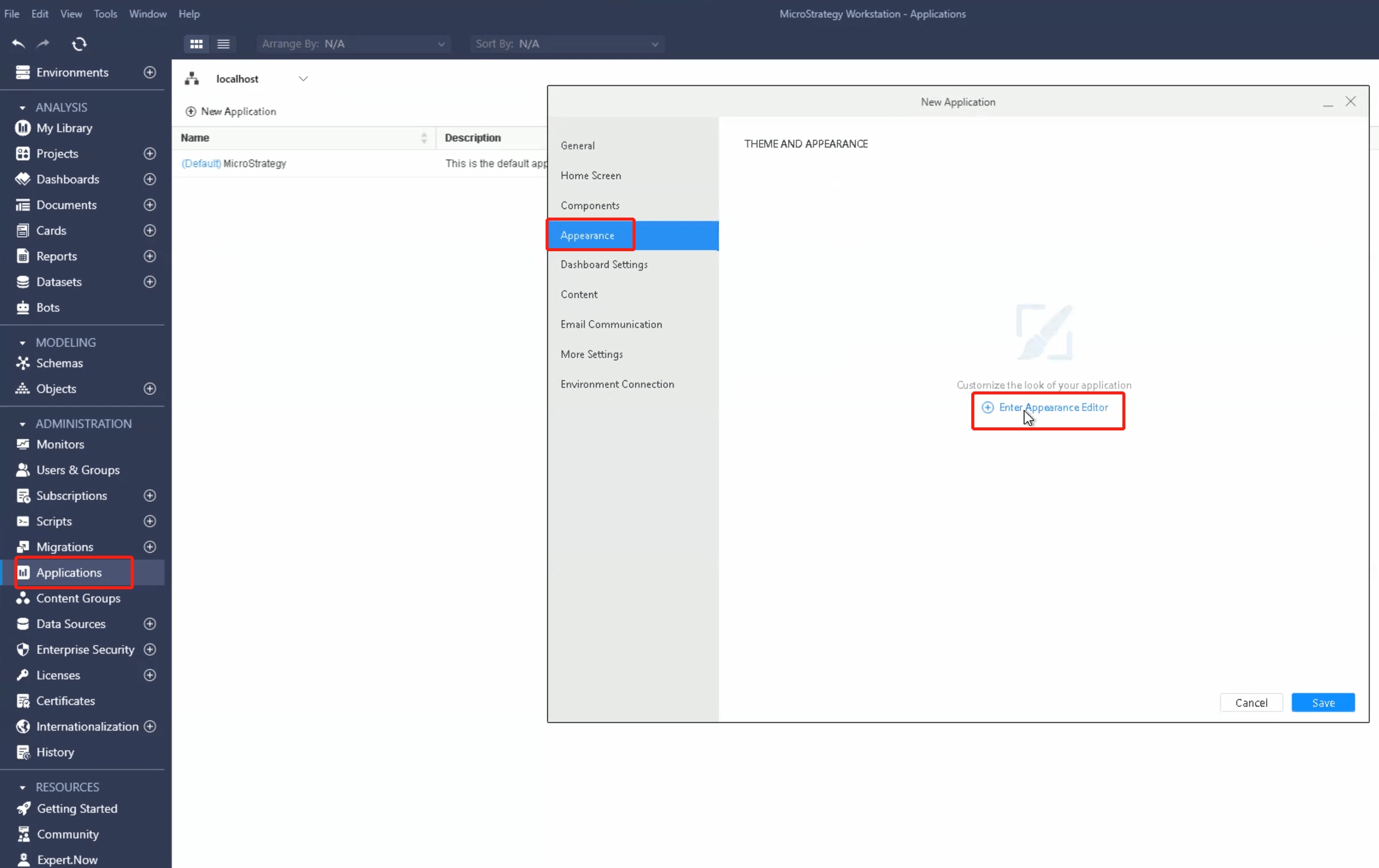
  • In the Navigation pane, click on "Applications".
  • Create a new application or edit an existing one.


Enter Appearance Editor:

  • Within the application settings, go to the "Appearance" section.
  • Click on "Enter Appearance Editor" to customize the theme.
ka0PW0000002oITYAY_0EMPW000007rT9V.jpeg

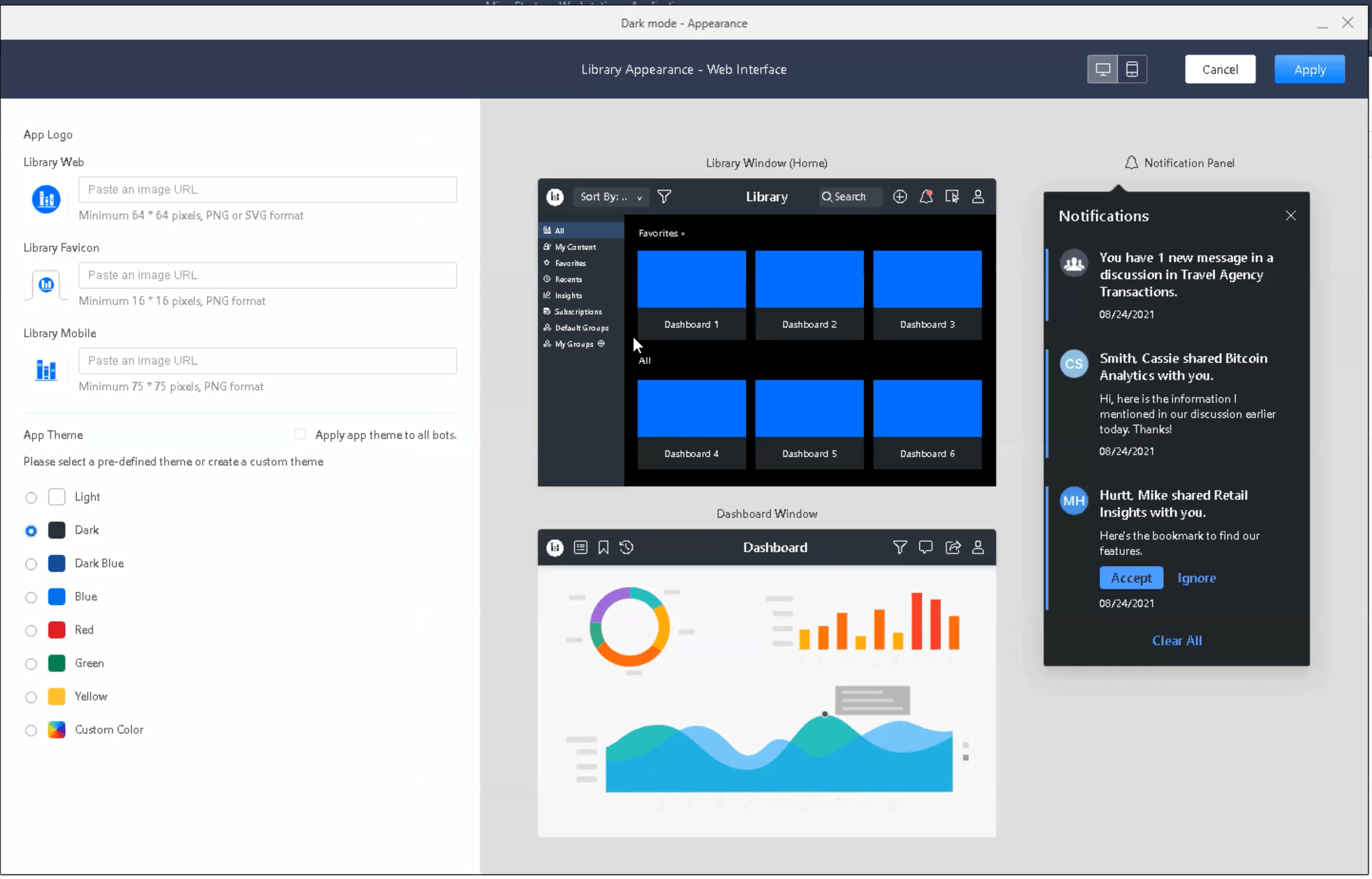
Define Custom Colors:

  • Once in the Appearance Editor, click on "Custom Color" to define your own color choices for each interface component.
  • Modify the colors according to your preference.
  • Click on "Apply" and then "Save" to save the changes.
ka0PW0000002oITYAY_0EMPW000007rT1R.jpeg

MSTR Consumer User Login:

  • Open Strategy Library Web.
  • Log in using your credentials.


Change Application Theme:

  • Click on your profile icon. In the profile menu, click on "Applications".
  • Here, you will see a list of available applications.
  • Select the desired application, which includes the custom theme created in the previous steps.


Note: The default theme is also available as an option.
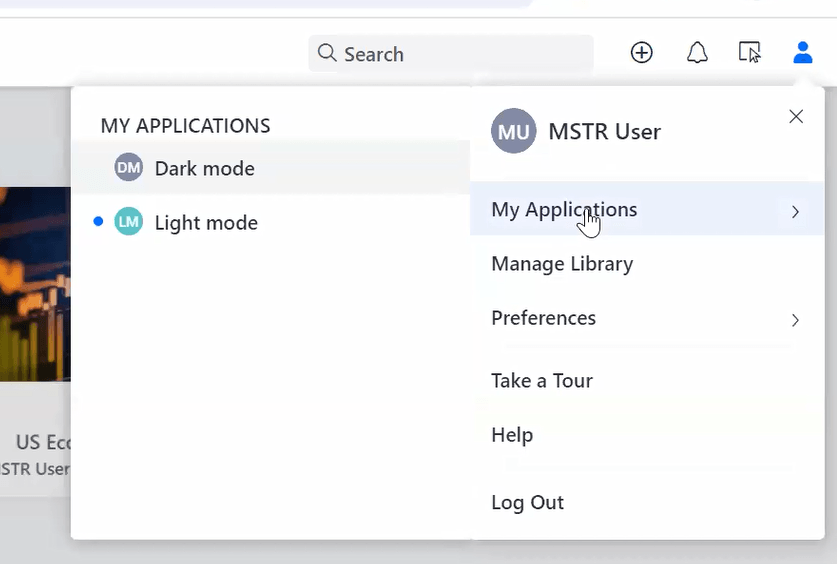
ka0PW0000002oITYAY_0EMPW000007rTFx.jpeg

Strategy Web Limitations:
It's important to note that Strategy Web does not support the ability to switch between light and dark themes.
This feature is only available in Strategy Library.
For more information and related articles, please refer to the following resources:
https://www2.Strategy.com/producthelp/Current/Workstation/en-us/Content/modify_application_logo.htm
https://community.Strategy.com/s/article/Mobile-Configuration


Comment

0 comments

Details

Knowledge Article

Published:

July 24, 2024

Last Updated:

July 24, 2024