EducationSoftwareStrategy.com
StrategyCommunity

Knowledge Base

Product

Community

Knowledge Base

TopicsBrowse ArticlesDeveloper Zone

Product

Download SoftwareProduct DocumentationSecurity Hub

Education

Tutorial VideosSolution GalleryEducation courses

Community

GuidelinesGrandmastersEvents
x_social-icon_white.svglinkedin_social-icon_white.svg
Strategy logoCommunity

© Strategy Inc. All Rights Reserved.

LegalTerms of UsePrivacy Policy
  1. Home
  2. Topics

KB486858: When opening a drop-down filter in a document in Chrome following error is shown: Aw, Snap! Something went wrong while displaying this webpage. Error code: Status_breakpoint


Zhanghao Zhan

Cloud Support Engineer II • MicroStrategy


This article describes an issue where "Aw, Snap!" error message is shown when trying to open a drop-down filter in a document

Symptom 

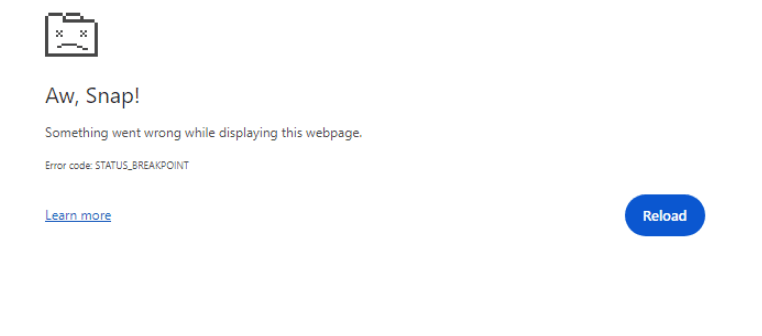
When trying to open a drop-down filter in a document, the document crashes, showing the following error message:
ka0PW0000002YiLYAU_0EMPW000007uQDV.png

Steps to Reproduce

1. Update the Chrome version to the version: 126.0.6478.115;
2. Create a document add an attribute to the grouping. Please make sure the attribute has more than 1000 elements.
3. Save and run the document in Chrome.
4. Try to click the selector and following error appears:


Aw, Snap!
Something went wrong while displaying this webpage.
Error code: Status_breakpoint

5. If the issue doesn’t occur immediately, clicking the selector several times does. 
 

Cause 

The issue is due to the latest chrome version and many users have reported the STATUS_BREAKPOINT error when opening select dropdown.

Action

  1. Use the Firefox  browser instead of chrome to avoid the issue.
  2. Chrome just updates their version to 126.0.6478.127. Please update to at least this version or higher and check if the crashing issue is gone.

Comment

0 comments

Details

Knowledge Article

Published:

June 28, 2024

Last Updated:

June 28, 2024