EducationSoftwareStrategy.com
StrategyCommunity

Knowledge Base

Product

Community

Knowledge Base

TopicsBrowse ArticlesDeveloper Zone

Product

Download SoftwareProduct DocumentationSecurity Hub

Education

Tutorial VideosSolution GalleryEducation courses

Community

GuidelinesGrandmastersEvents
x_social-icon_white.svglinkedin_social-icon_white.svg
Strategy logoCommunity

© Strategy Inc. All Rights Reserved.

LegalTerms of UsePrivacy Policy
  1. Home
  2. Topics

KB486901: In iOS Library app, the grid field is still displayed as editable after setting 'Editable = False' in Python script


Mengyuan Guan

Product Owner, Principal • MicroStrategy


This article explains an issue that input controls in a dashboard cannot be disabled for editing even if the 'Editable' field in Python script is disabled

Symptom

(1) In the dashboard with a grid enabled with Python transaction, set a grid field as editable and save dashboard.

ka0PW0000002jM1YAI_0EMPW000008c3pt.jpeg

(2) then open the Python script and toggle off the setting “Editable” of the corresponding variable
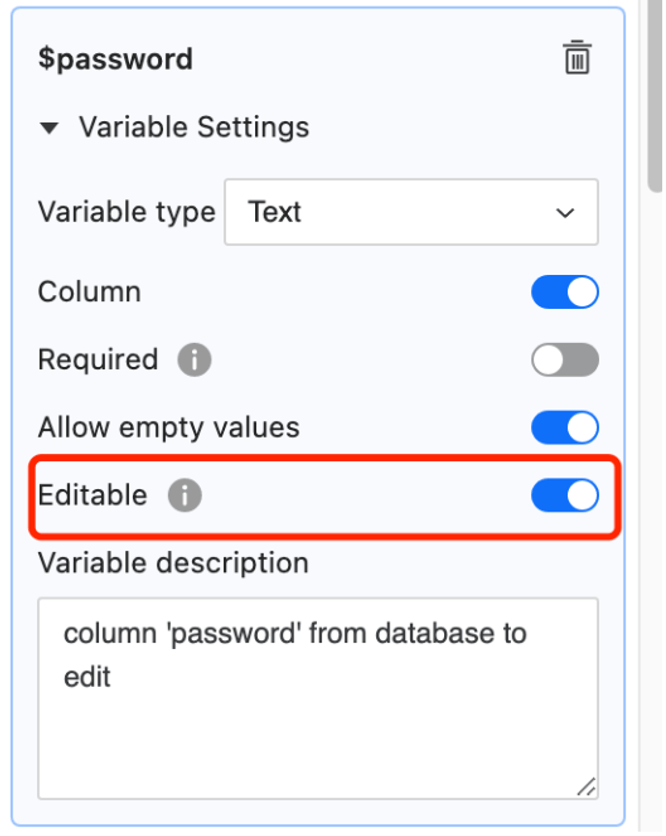
ka0PW0000002jM1YAI_0EMPW000008c3t7.jpeg

(3) Run the dashboard from iOS Library app and only the grid field is still displayed as editable which is different from web Library

Cause

This is a known limitation in iOS Library app. The app only respects the transaction configuration saved with the dashboard, but not the setting directly saved with the Python script.

Workaround

(1) From the Python script, toggle on the setting “Editable”, save & recertify the Python script 
(2) Go to the dashboard, refresh the script, uncheck the “Editable” setting for the grid field instead and save the dashboard 
(3) If needed, open the Python script and toggle off the setting “Editable” of the corresponding variable again


Comment

0 comments

Details

Knowledge Article

Published:

December 15, 2024

Last Updated:

December 15, 2024